In April 2005, YouTube’s homepage asked who you were looking for. A year later it listed featured videos like classified ads. By 2021 thumbnails filled the page.
▶ Watch the 4:30 videoDrag the slider to flip through every year, or read on.
YouTube’s homepage changed from a dating-style form in April 2005 to editor-picked lists, topic shelves and a thumbnail grid. By March 2024 our signed-out capture asks you to search instead. These are 22 captures, one per year, plus a second 2012 homepage and four visits to the watch page of YouTube’s first video, Me at the zoo
, uploaded on April 23, 2005.
2005 Before the list, a form
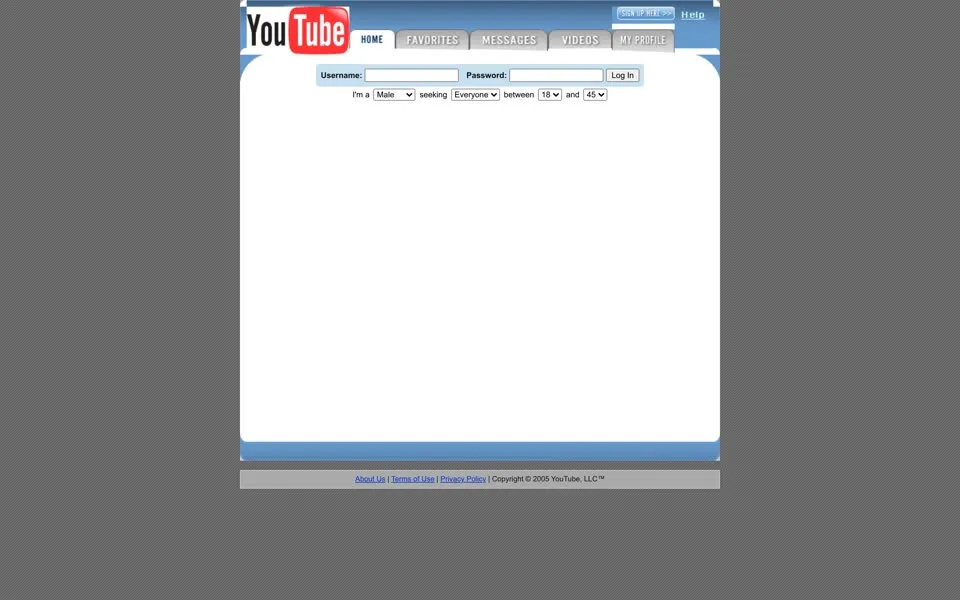
The earliest homepage in this selection is mostly white space. A small login box sits under the old YouTube logo, and below it a line of drop-downs reads I'm a Male seeking Everyone between 18 and 45
. Favorites, messages, videos and profile links sit above the box. There is no feed to scroll.
Co-founder Steve Chen later described the original pitch as a video dating site, before the founders opened it up to any kind of video.[1] That form is what’s left of the idea. The screenshot can’t play anything, either. Its large Flash area is blank.
The archived HTML passes a title,
Dr. J Reincarnated, and a length of 12 seconds into youtube.swf. It also passes the username Kaizenamazen and a profile introducing a 26-year-old man from California. Those details are player parameters, not text visible in the still above. The comments around the controls say begin dropdown form and end dropdown form.The familiar Broadcast Yourself.
is already in the browser title, and the footer calls the company YouTube, LLC™
. Even this sparse page has terms, a privacy policy and an About Us link. The homepage has its legal pages before it has the famous list of videos.
The form didn’t last. By mid-June 2005 the homepage called YouTube Your Digital Video Repository
, with one search box, a cloud of tags and a row of Featured Videos
. One of the featured videos on July 15 was Baby Food Eating Contest
.
Views: 19 | Comments: 0.From the archived page text. Open this capture ↗
2006 A list with people around it
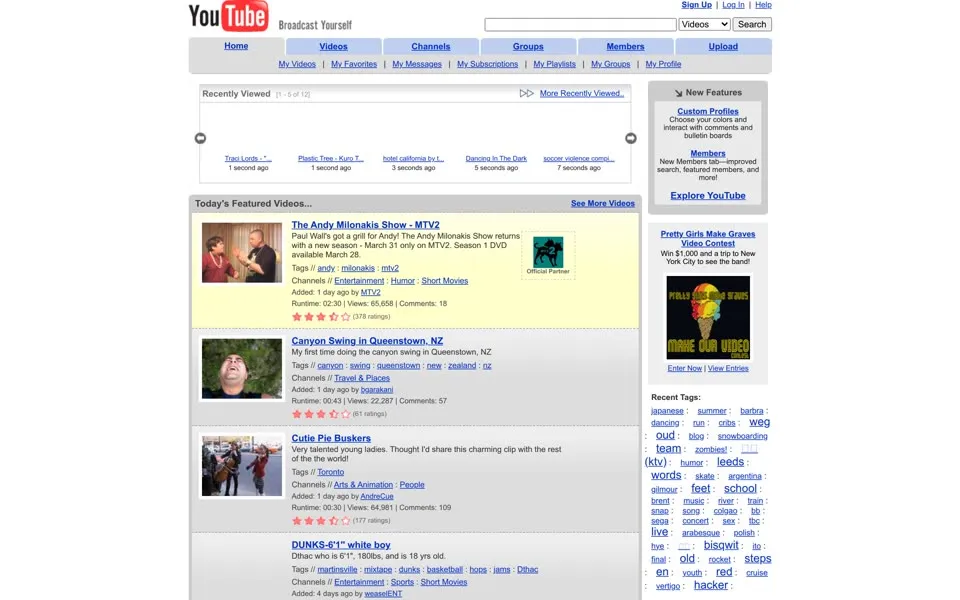
By March 2006, Today's Featured Videos...
fills the center. Each item reads like a small classified ad: thumbnail, title, description, tags, category, uploader, running time, views, comments and a star rating. Canyon Swing in Queenstown, NZ
has 22,287 views, and a Nokia 7380 review sits farther down. All of that sits next to each video before you press play.
The right-hand column is about people. The HTML lists Last 5 users online...
, with separate counts for videos, favorites and friends. A tag cloud mixes ordinary words with usernames and scripts from different languages. And the footer still has its own Safety Tips
link.
2007 – 2008 Picked by the YouTube editors
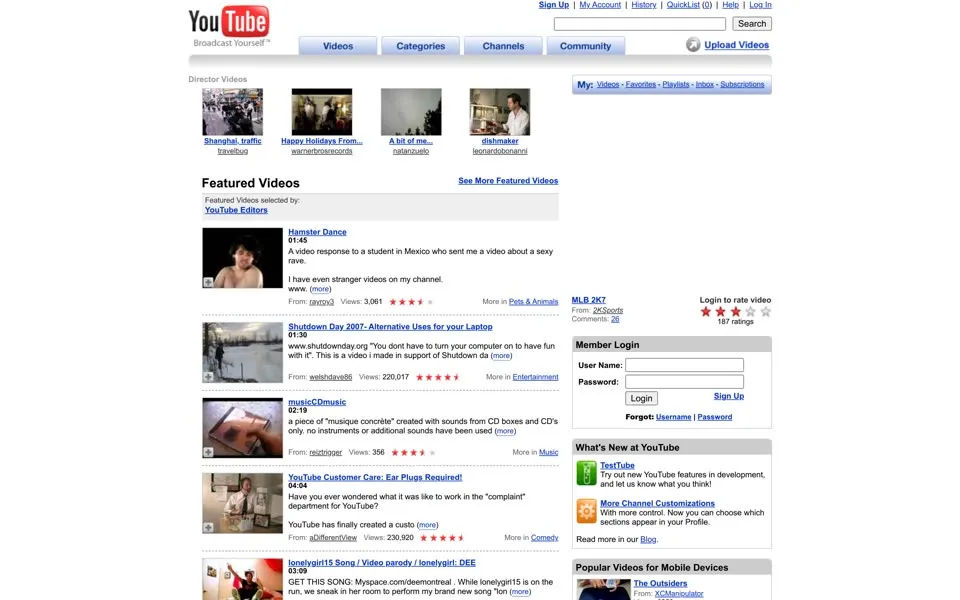
The March 2007 page names its curator: Featured Videos selected by: YouTube Editors
. That January, YouTube’s blog had introduced its homepage editors and walked through a week of picking features.[2] The still opens with a row of Director Videos
, and below it Hamster Dance
starts the featured list. Named sections, picked by named people.
Around the list runs a second layer of navigation, with QuickList at the top, account links on the right, and Active Channels
and Active Groups
underneath. The footer offers a Video Toolbox
and TestTube
. The What's New copy calls TestTube a place to try features still in development.
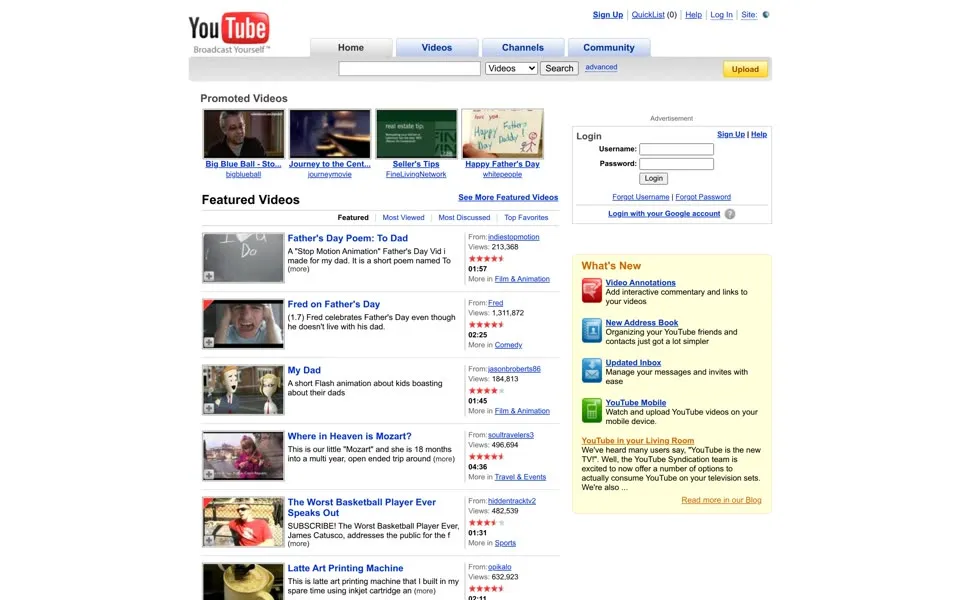
In June 2008 a row labeled Promoted Videos
sits above the featured list. The second featured item is Fred on Father's Day
, with 1,311,872 views. A familiar face, in a layout still made of blue links, descriptions and stars. In April 2009, YouTube’s own blog called Fred the first channel to reach a million subscribers.[3] Seven more handovers led to MrBeast: every #1 channel since Fred.
Read the small print and another era shows up. Video Annotations
promises interactive commentary and links, an Updated Inbox
helps manage messages and invites, and a whole paragraph, YouTube in your Living Room
, explains how to watch on a TV. The homepage is still explaining what the service can do.
2009 – 2011 The list breaks into boxes
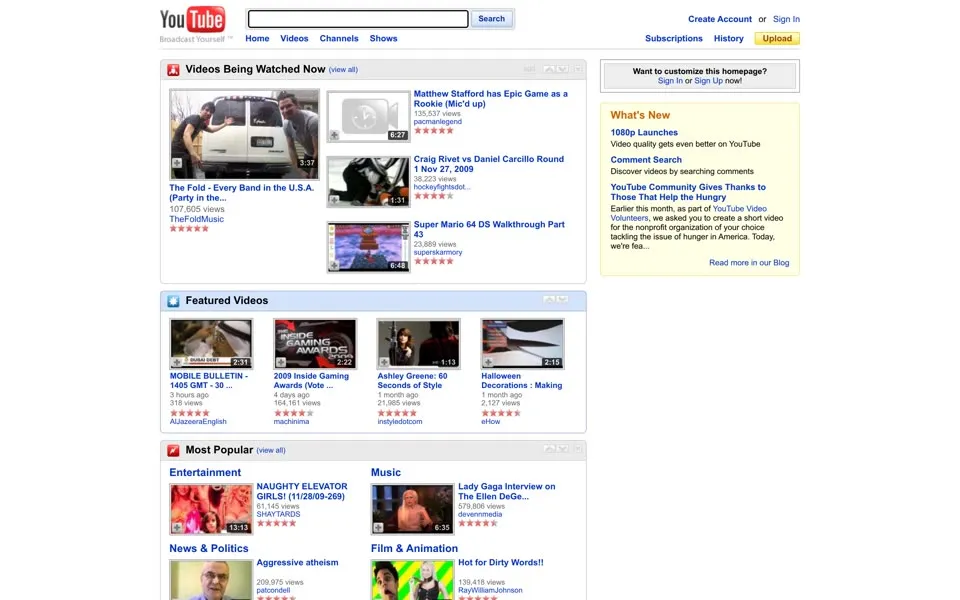
The November 2009 page is a stack of bordered boxes, Videos Being Watched Now
, Featured Videos
, then Most Popular
, with category blocks that let news, sport, gaming and music share a single screen. Several videos now fit across a row. The right-hand column has shrunk.
This capture’s code also contains a
Recommended for You module and an explanation of viewing history. It is hidden for the signed-out visitor in this still. Reading the source alone would put the recommendation box on the visible page too early.What's New announces 1080p Launches
and Comment Search
, and the footer links split YouTube on your phone, on your site and on your TV. The page is organizing ways to use YouTube. Not just things to watch.
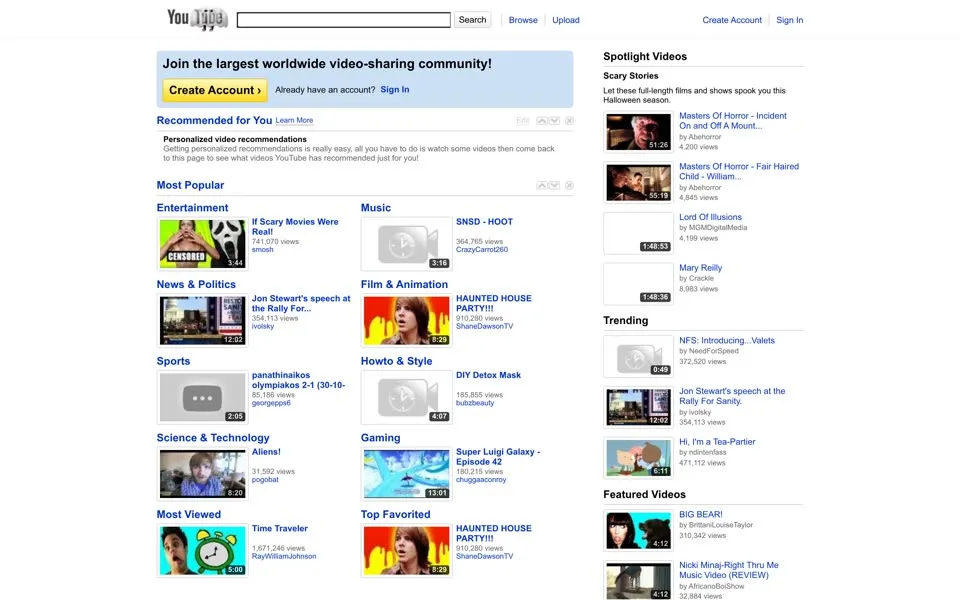
On October 31, 2010, the logo dresses up for Halloween, with a ghost wrapped around Tube
. A Recommended for You
box now sits above the video categories. In our replay it holds no videos. It says Personalized video recommendations
and asks you to watch something, then come back.
The code says more. A help panel explains that the box uses your viewing history and suggests signing in for steadier recommendations. The visible page and the hidden text do different jobs: one invites a stranger in, the other describes how the page will change once you’ve used it.
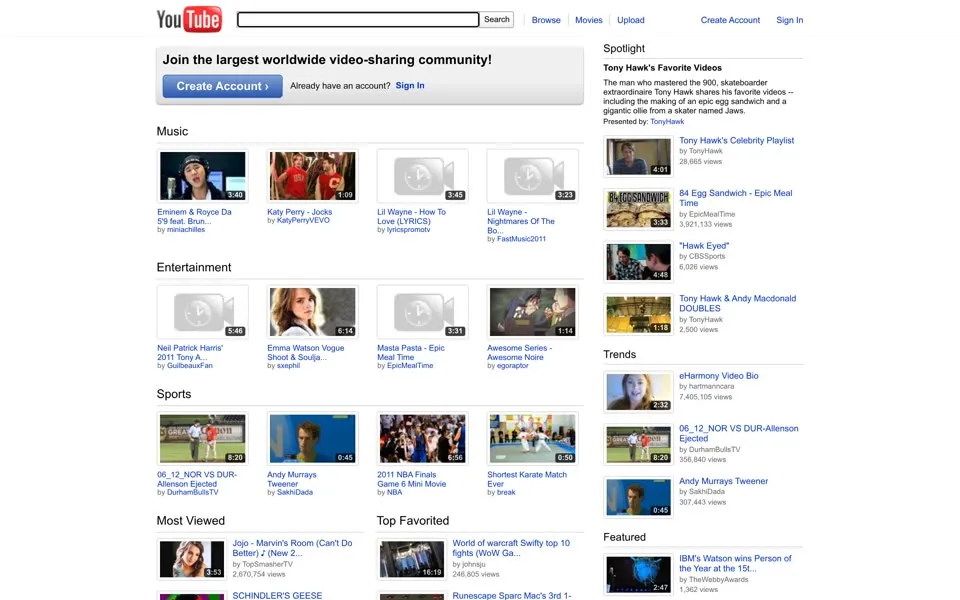
June 2011 keeps the category blocks, and the right column still has trending and featured sections, labeled Trends
and Featured
in this capture. In January YouTube had explained what the redesign was for: room for personally relevant videos, subscriptions and things your friends shared. That rollout was for signed-in users.[4] Our archived homepage is the signed-out view, so nobody’s subscriptions appear.
2012 – 2013 Two homepages in one year
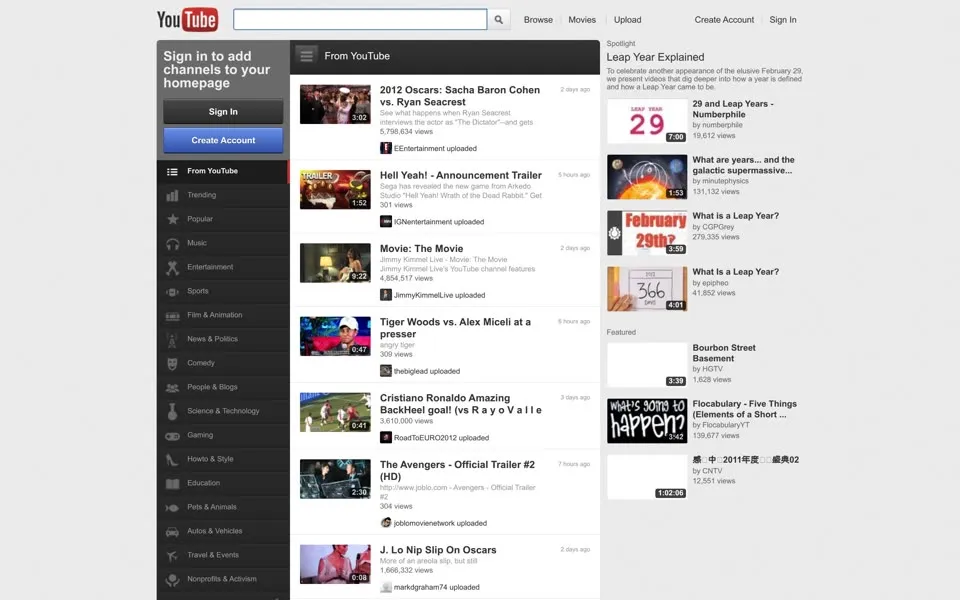
The February 2012 still has a grey background and a nearly black guide down the left. Sign in to add channels to your homepage
sits above the guide, and a narrow stream of videos, which the guide calls From YouTube
, runs down the middle. The HTML also contains a privacy notice, We're changing our privacy policy. This stuff matters.
, but it is only in the source: it isn’t open in the still, and it doesn’t tell us when any policy took effect.
By December the same address has a white canvas, a smaller guide and shelves of videos. Even the browser title gets shorter. February’s YouTube - Broadcast Yourself.
becomes plain YouTube
.
The Music shelf includes
Farmer Style (Gangnam Style Parody); PSY appears in the right column. Eleven days later, PSY’s original
Gangnam Stylebecame the first video to reach a billion views.[5] The milestone happened after this screenshot, not on its capture date.
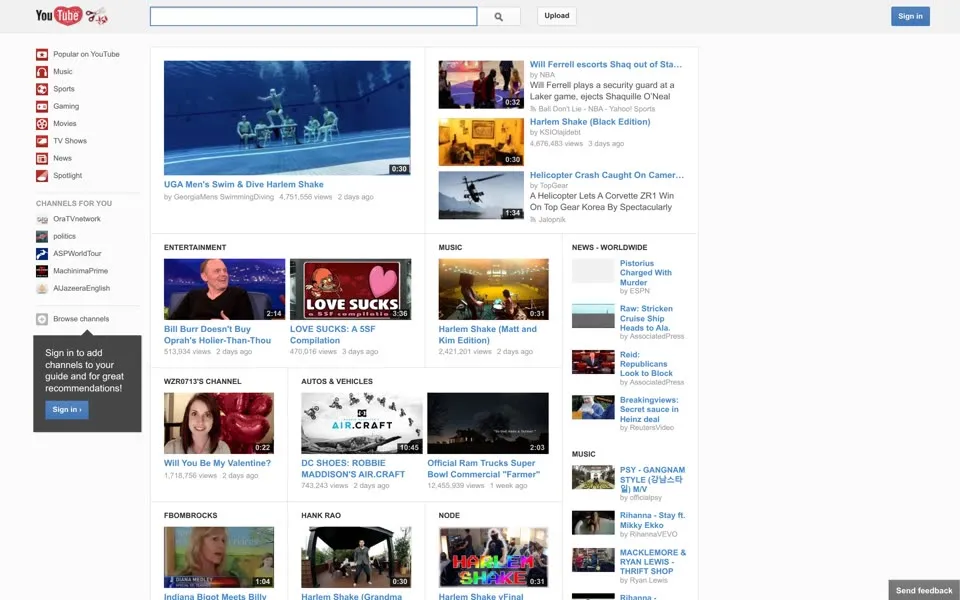
In February 2013 the first rows include UGA Men's Swim & Dive Harlem Shake
and Harlem Shake (Black Edition)
. Popular on YouTube
is still at the top of the guide. A small line underneath says Sign in to add channels to your guide and for great recommendations!
The code carries onboarding messages too, This is your guide
and Never get lost
, each with a Got it!
button. They are in the source, not open on the screen. The guide is turning into the one fixed piece of navigation around a selection of videos that changes all the time.
2014 – 2016 A shelf for everything
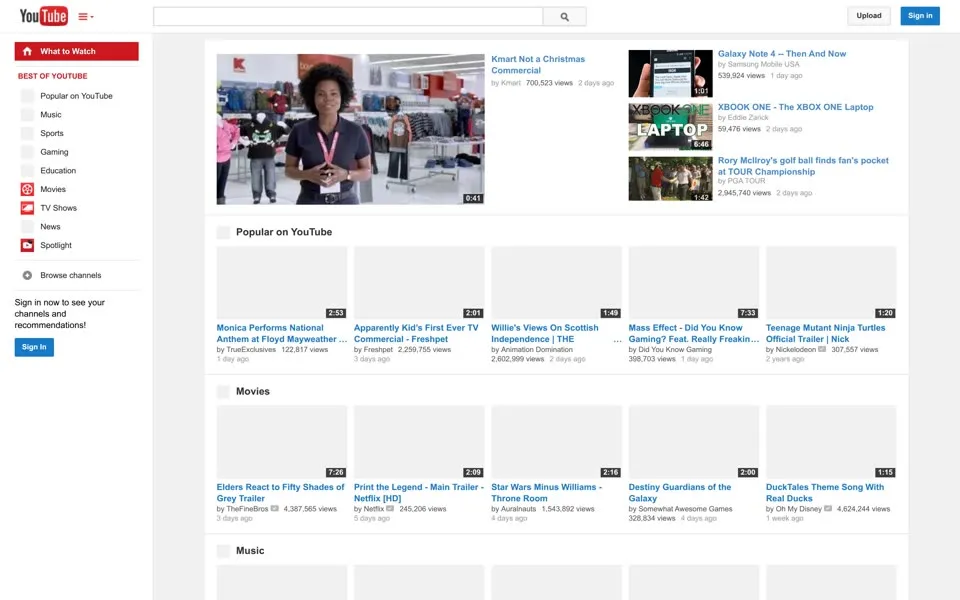
The 2014 page has horizontal shelves. Red Subscribe buttons, too. It is also visibly incomplete, with many thumbnail spaces left pale grey while the titles and channel names survive, and the full-page view keeps those gaps. These thumbnail spaces are grey in this replay.
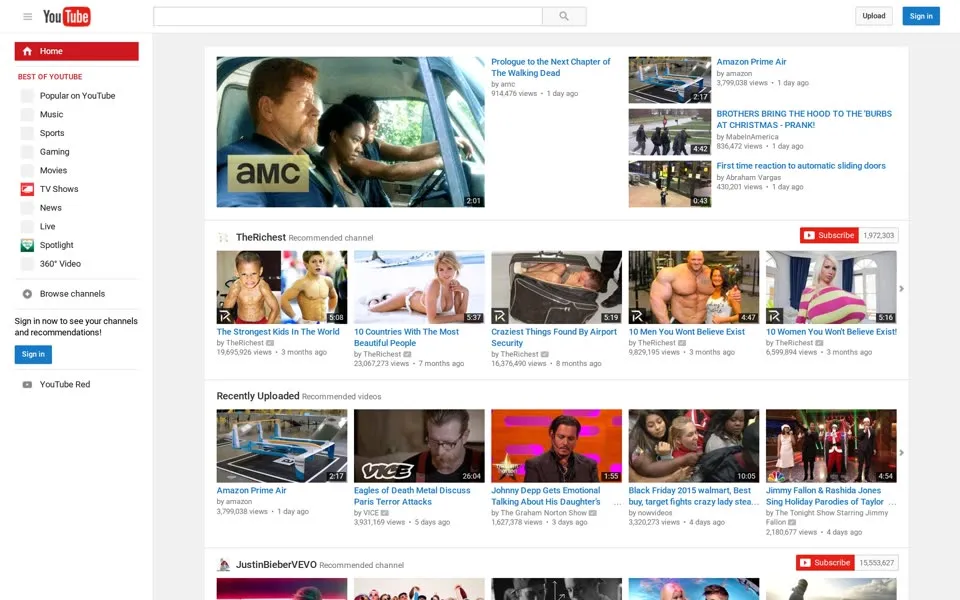
By December 2015 the shelves hold whole channels as well as categories. Thumbnails are compact and evenly spaced, with titles beneath them and Subscribe buttons lined up on the right. There is far less prose than in the 2006 featured list. In the full-page replay the Ad Solutions and ABC News shelves have grey thumbnail rows, with the titles still underneath.
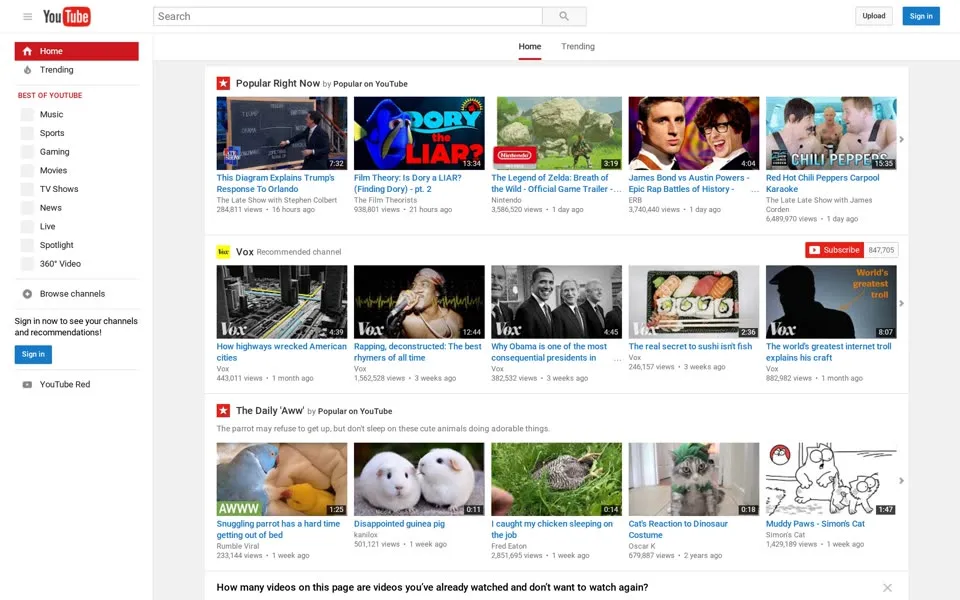
The June 2016 homepage opens with Popular Right Now
. Farther down, between two shelves, it even asks you a question: How many videos on this page are videos you've already watched and don't want to watch again?
The answers in the HTML run from None
to All
. The full-page replay also keeps a grey thumbnail row in the Britain’s Got Talent shelf.
YouTube Red
is in the left guide, next to music, gaming and the other video categories, so a paid service sits right beside the free feed. The footer still reads Restricted Mode
, as in December 2015.
2017 – 2020 The logo moves; the shelves persist
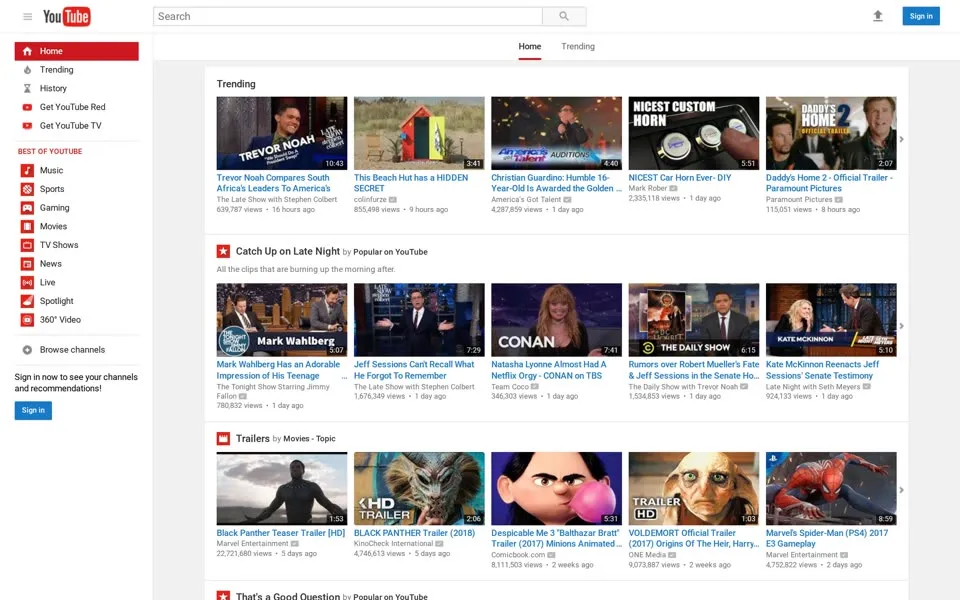
Our June 2017 capture still has the older logo, with Tube
inside the red shape, and Trending
at the top of the page. YouTube announced the play-button icon and the updated wordmark on August 29, together with its Material Design desktop redesign.[8] That announcement came after the June page shown here.
When room is limited (say on a smartphone) you can use the brightened up Icon as an abbreviated Logo
YouTube’s blog, explaining the new logo.[8]
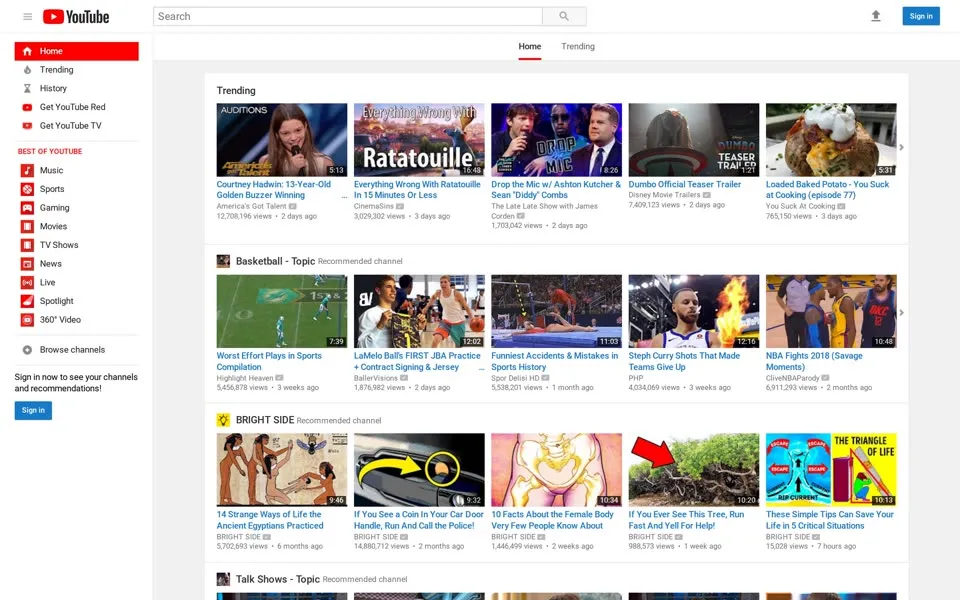
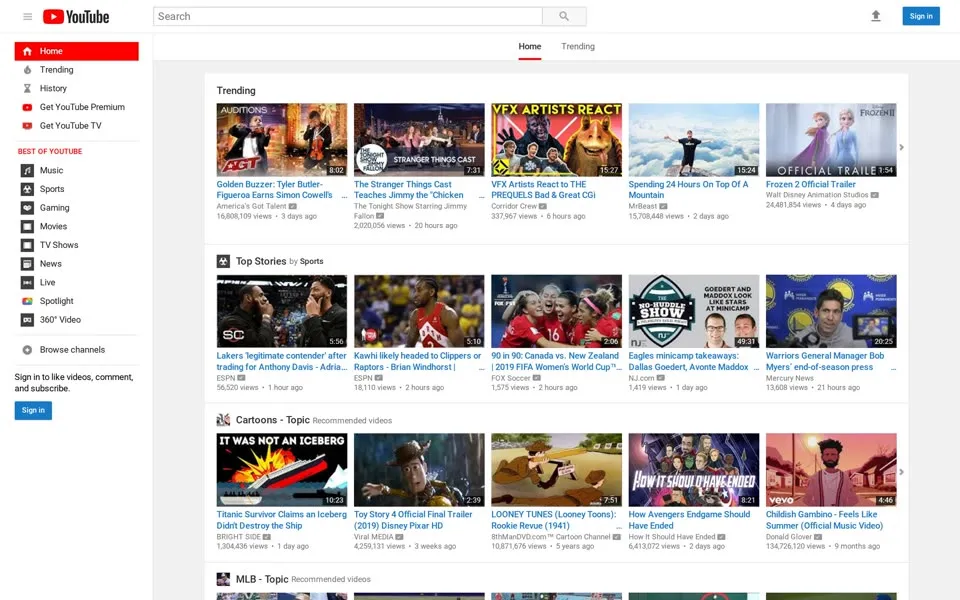
The June 2018 capture has the newer mark, a red play icon in front of the word YouTube. Under it the homepage still uses the familiar compact shelves. New logo, old layout. A year later, in June 2019, Trending
and the channel rows carry on in the same compact layout.
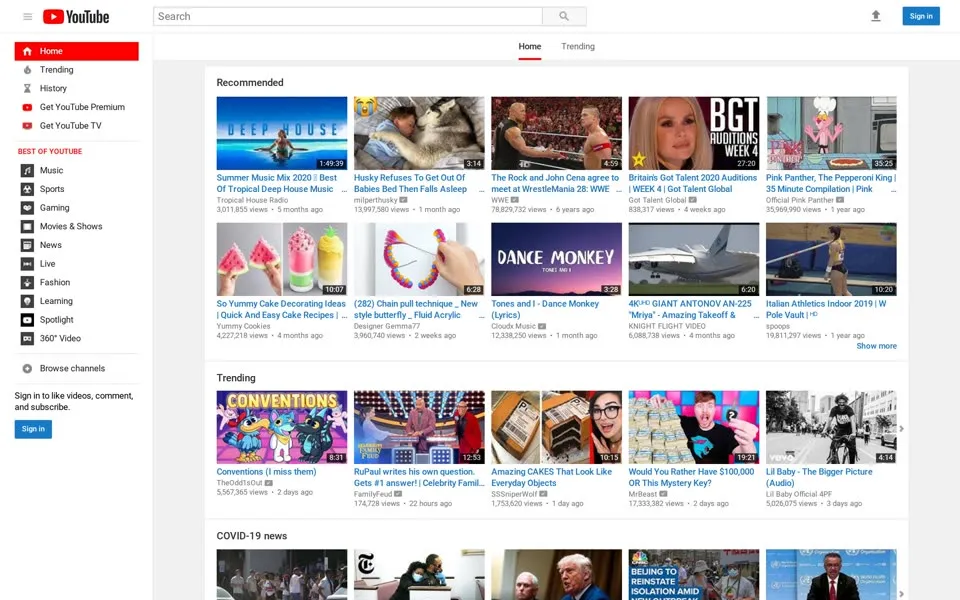
June 2020 is still packed with small thumbnails, and a COVID-19 news
shelf breaks up the sequence with more categories below it. Here it is the content that dates the page, as much as the interface.
2021 – 2023 Big tiles, then tall ones
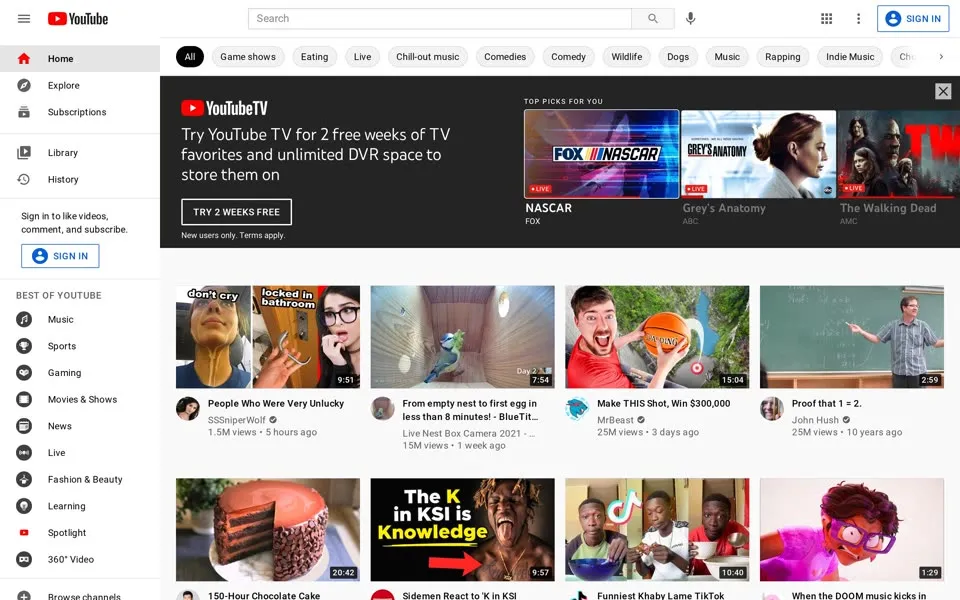
By June 2021 bigger thumbnails and channel avatars fill a broad grid, with topic chips above the videos. MrBeast’s Make THIS Shot, Win $300,000
is in the grid, and the archived page data records 25,776,511 views. Farther down, Trending
and COVID-19 news
are still named shelves. The grid took over the first screen. It didn’t remove every section below it.
For these later pages, stripping HTML tags produces little more than the footer. Video titles, counts and the feed live in
ytInitialData. The 2021 capture’s settings include LOGGED_IN: false, HL: "en" and GL: "US": a signed-out, English-language US variant. This is one crawler’s front page, not a personalised feed for every viewer.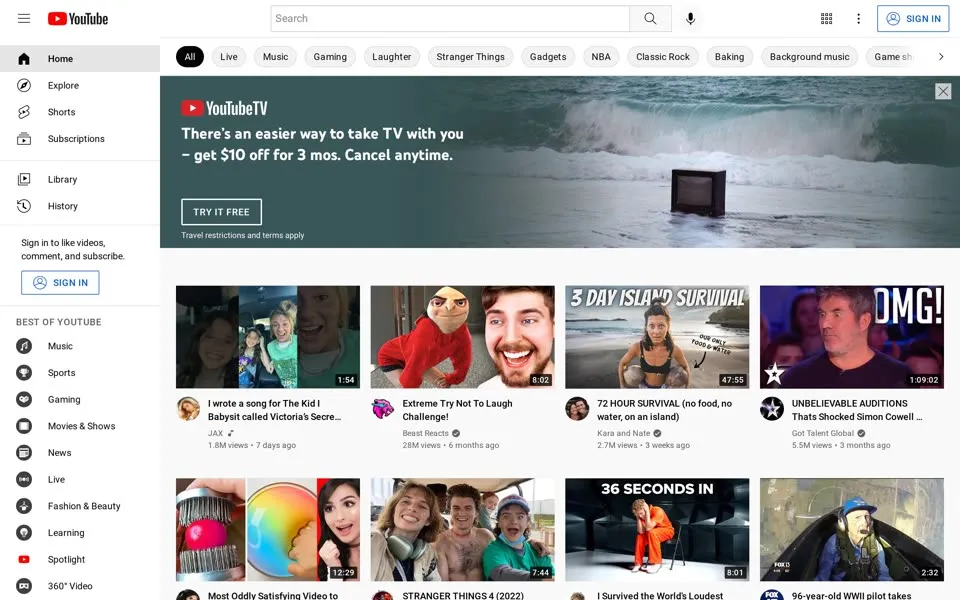
The June 2022 capture drops a wide YouTube Music promotion between the video rows: RELEASED this week!
A big tile grid and a service banner can share the page without going back to the boxed portal of 2009.
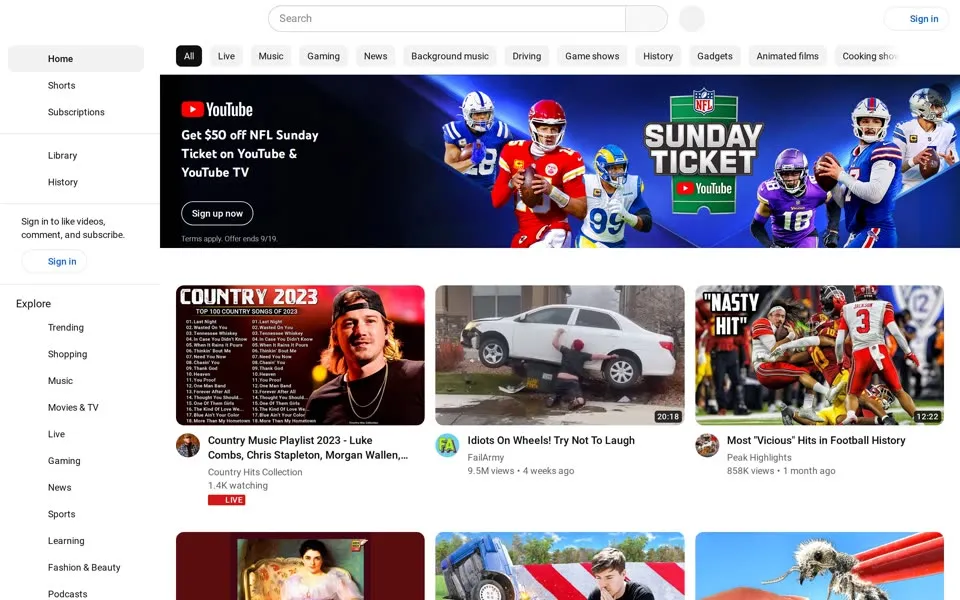
The September 2023 page carries a big NFL Sunday Ticket banner. Lower down, a Shorts
shelf changes the shape of the page, with tall cards in among the wide thumbnails. Video formats now sort the page as much as topics do.
2024 – 2026 The homepage asks you to search
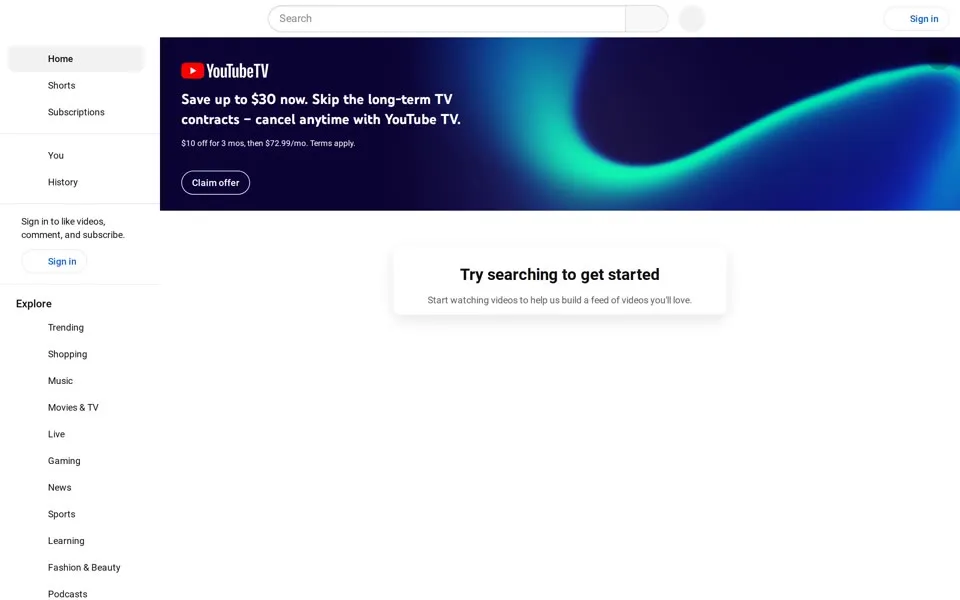
On March 10, 2024, the recommendation grid is gone from our signed-out capture. A YouTube TV advert still sits at the top. Beneath it is a single card, Try searching to get started
, whose next line asks you to start watching so YouTube can build a feed. News reports that day described the same blank signed-out homepage.[9]
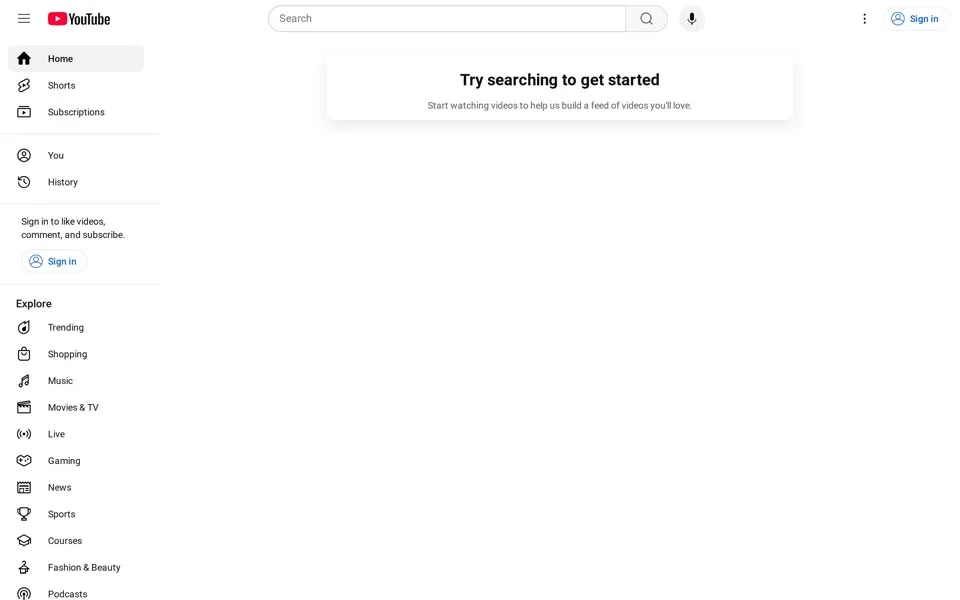
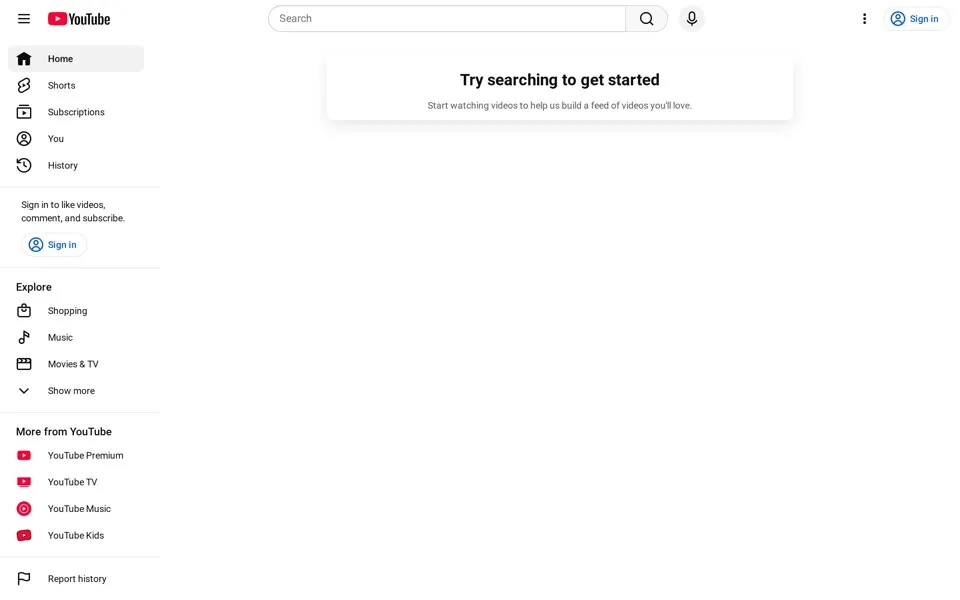
In June 2025 the page keeps the invitation and drops the big advert, so all that remains is search, the left guide and a sign-in prompt above a wide area that stays empty.
The April 2026 capture keeps that layout. The guide links to Shorts, subscriptions, history, music and other topics, plus a More from YouTube
group of services. Once, this page introduced you to other people’s videos. In our April 2026 capture, it waits for you to pick the first one.
2006 · Featured2026 · SearchONE WATCH PAGE Me at the zoo: 49,345 views, then 378M
A watch page gives us something fixed: Me at the zoo
, uploaded on April 23, 2005, is YouTube’s first video,[10] under twenty seconds of co-founder Jawed Karim at the San Diego Zoo. Someone else held the camera. The description in our 2010 capture says so: The video was shot by Yakov Lapitsky at the San Diego Zoo.
Four archived visits to the page let us compare the interface around the same title. The black player areas here are inactive archive replays.
The early pages surround the player with blue links, ratings and comments. The later ones give the player more room, with channel details and action buttons underneath. In 2026 the counter shows 378M
, and the page data stores 378,492,776. These are readings on four dates, not today’s live count.
The July 15, 2005 homepage lists a featured video with 19 views. That was a different video on a different date, so the two counts don’t measure the same thing.
The video
The same homepage rewind in 4:30, narrated on PageRewind.
- When was the oldest youtube.com homepage in this story archived?
- The oldest capture here is from April 28, 2005, in the Internet Archive's Wayback Machine. A login box and “I’m a Male seeking Everyone between 18 and 45”; the Flash player is blank in this replay.
- What does the youtube.com homepage look like in 2026?
- In the newest capture here (April 15, 2026): The same search invitation, with Shorts, subscriptions and YouTube services in the left guide.
- How many YouTube homepage captures does this story show?
- 22 captures between 2005 and 2026, at most one per year; the timeline above shows which years are included.
- What was the first video uploaded to YouTube?
- “Me at the zoo”, uploaded on April 23, 2005: co-founder Jawed Karim at the San Diego Zoo. Its archived watch page shows 49,345 views in December 2006 and a rounded 378M in January 2026.
- How did the YouTube logo change on its homepage?
- The logo evolution below shows 3 logo versions we picked from the captures, from 2006, 2015 and 2018. Logos from before 2005, the first capture, aren't included.
 2006You Tube in the glossy red tube
 2015Flatter tube
 2018The play button + YouTube wordmark (August 2017)
Each logo is cut from that year's homepage capture (the year is the capture's); click one to see it on the page. Logos from before the first capture (2005) aren't shown, and some are missing where the logo images don't render in our captures. More logo histories.
◀ drag ▶20052026
The oldest capture in this story (2005) over the newest (2026). Drag across the picture.
Which homepage should we rewind next?
Tell us in the YouTube comments. Follow PageRewind for more histories of the pages we used to visit.
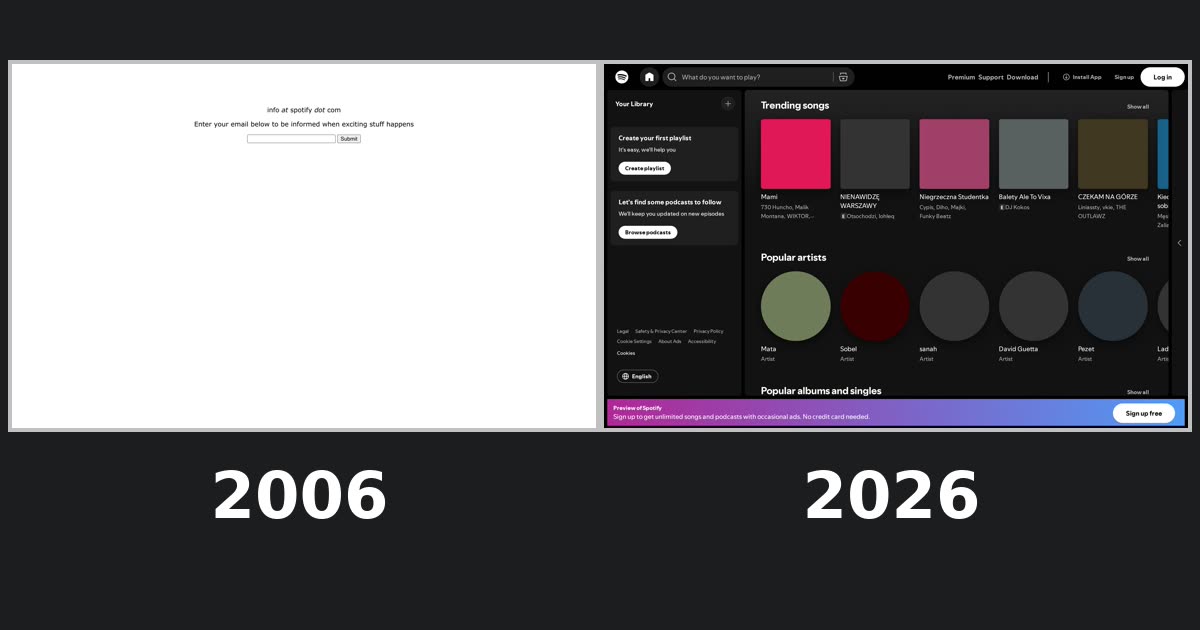 Spotify.com, 2006–2026From “exciting stuff happens” to “What do you want to play?”
Sources
Each screenshot links to its dated Wayback capture. Observations about layouts and wording refer to those screenshots; details from hidden controls or player parameters are identified as code. External history uses the sources below.
- CNET · Steve Chen on YouTube’s dating-site origins, March 14, 2016. Read source ↗
- YouTube Official Blog · Behind the Features, January 16, 2007. Read source ↗
- YouTube Official Blog · Fred Hits 1M Subscribers, April 2009. Read source ↗
- YouTube Official Blog · New YouTube homepage launches to all users, January 19, 2011. Read source ↗
- Guinness World Records · First video to receive one billion views; record date: December 21, 2012. Read source ↗
- YouTube Official Blog · Matt Leske, “Meet YouTube Red, the ultimate YouTube experience”, October 21, 2015. Read source ↗
- YouTube Official Blog · Introducing YouTube Premium, May 17, 2018. Read source ↗
- YouTube Official Blog · A new YouTube look that works for you, August 29, 2017. Read source ↗
- BleepingComputer · YouTube stops recommending videos when signed out of Google, March 10, 2024. Read source ↗
- YouTube press timeline (archived by UNT) · April 2005: first video uploaded; the archived watch page supplies April 23. Read source ↗
We selected one homepage capture per year from 2005 to 2026, plus the December 2012 homepage and four watch-page captures. First-screen previews open full-page stills, capped at 2,700 CSS pixels, with a link to the original Wayback capture. The browser frames are illustrations of the eras.
Archive replays can lose images, leave players inactive or render only part of a feed; the 2014 to 2016 stills have grey thumbnail rows. Hidden dialogs in the HTML are not treated as visible. Captures can vary by language, country and login state. We hide the Wayback toolbar and some replay notices.
PageRewind is independent and is not affiliated with YouTube or Google. Screenshots and trademarks appear for historical commentary; archived pages are provided by the Internet Archive.
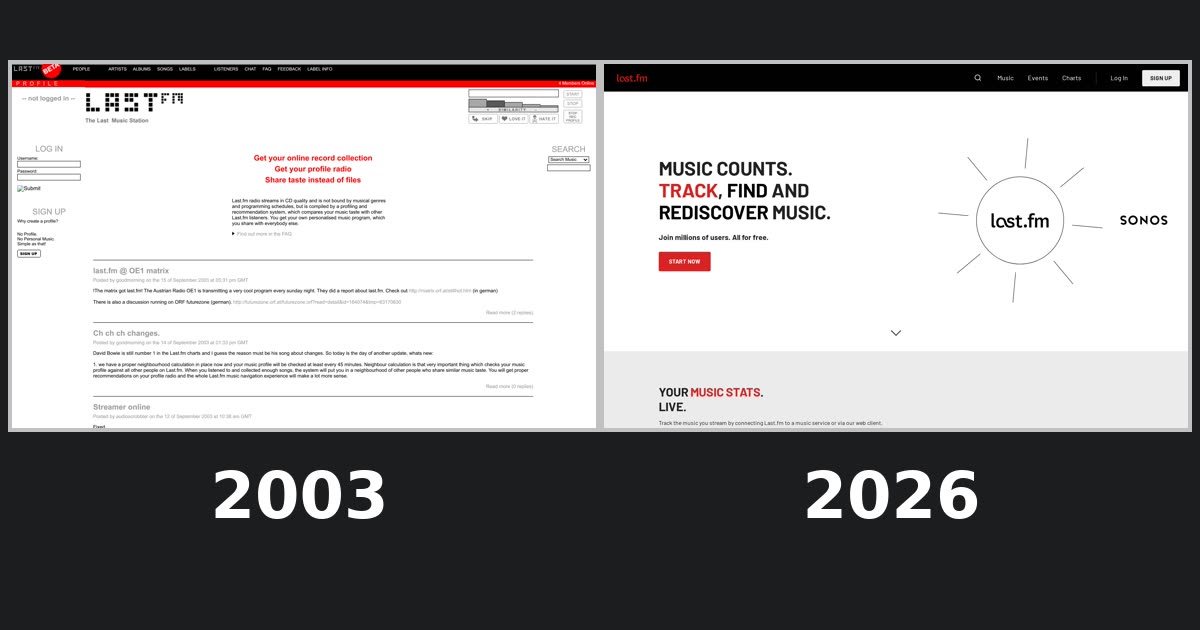 Last.fm homepage history
 Hulu homepage history