On October 22, 1996, msn.com’s homepage had one offer in big letters: Create a free custom start page.
Beside it, MSN’s Custom Start Page promised stock quotes, sports scores, news, weather, comics, movies, music, Web sites, and lots more
, all just a click away
. On the left, in italics, sat a line for beginners: oh... and if you are new to the Internet... click here for our internet tutorial
.
Scrub through the captures with the slider, or read on.
The request to become your homepage recurs across our captures of msn.com. We show 23 of them: 22 archived pages, one for each year where we found a usable copy, and the live site in October 2026. The request shows up in the saved code of 19 of the 22 archived pages. The 1999 still shows Set as your home page
at the bottom, and the live 2026 page has a Make MSN my homepage
button beside the menu. In between, the page grows from 27 links in its code to 501, then trades its link columns for photo tiles.
1996 A Web show hosted by Roger Rabbit’s voice
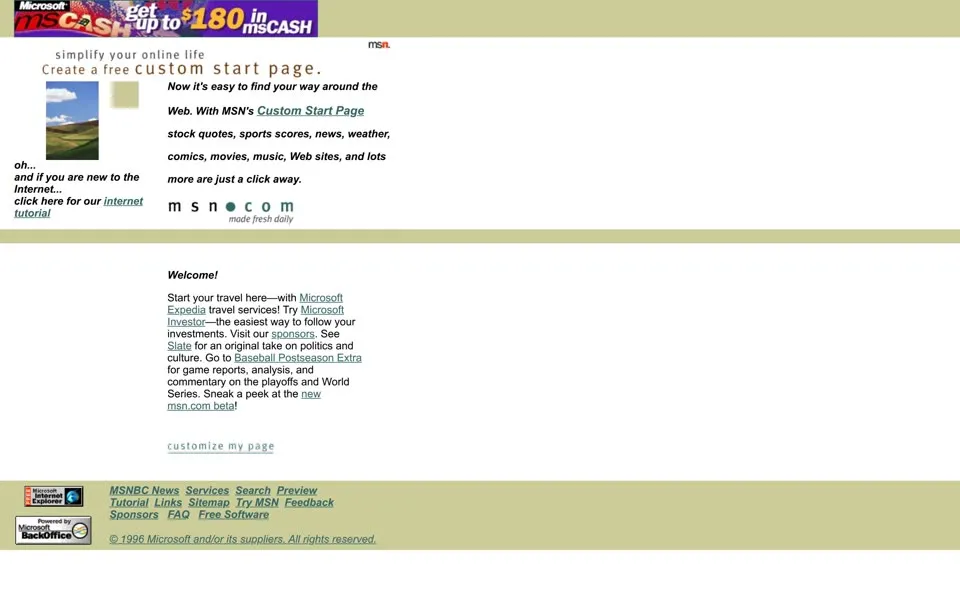
The October 1996 capture is mostly text on white. A Microsoft banner across the top reads get up to $180 in msCASH
, and under the spaced-out m s n ● c o m
wordmark a small line says made fresh daily
. The Welcome paragraph sends you to Expedia for travel, to Microsoft Investor for your stocks and to Slate for an original take on politics and culture
. Its last sentence is Sneak a peek at the new msn.com beta!
, linked to beta2.msn.com.
That beta had a date. On October 10, 1996, twelve days before this capture, Microsoft announced a web-based version of The Microsoft Network and said it would launch in early November
.[1] Microsoft had started MSN in the summer of 1995 as an online service like America Online and CompuServe.[2]
The web version led with OnStage, six channels and more than 20 Web shows
.[1] One of them, 15 Seconds of Fame, was hosted by Charles Fleisher, the voice of Roger Rabbit
, and a new guest host every week
.
The code keeps its own notes. A comment marks the animated ie logo gif
, the Internet Explorer badge in the bottom corner, and a few lines later another says non ie 1.0
. We found no usable homepage for 1997 or 1998. The 1997 copies we tried land on a December 1996 page, and the 1998 copy we tried shows only an error message.
There is no additional charge to members of MSN for the 56Kbps service.[4]Microsoft, November 12, 1997
1999 Yellow columns and a Y2K survival kit
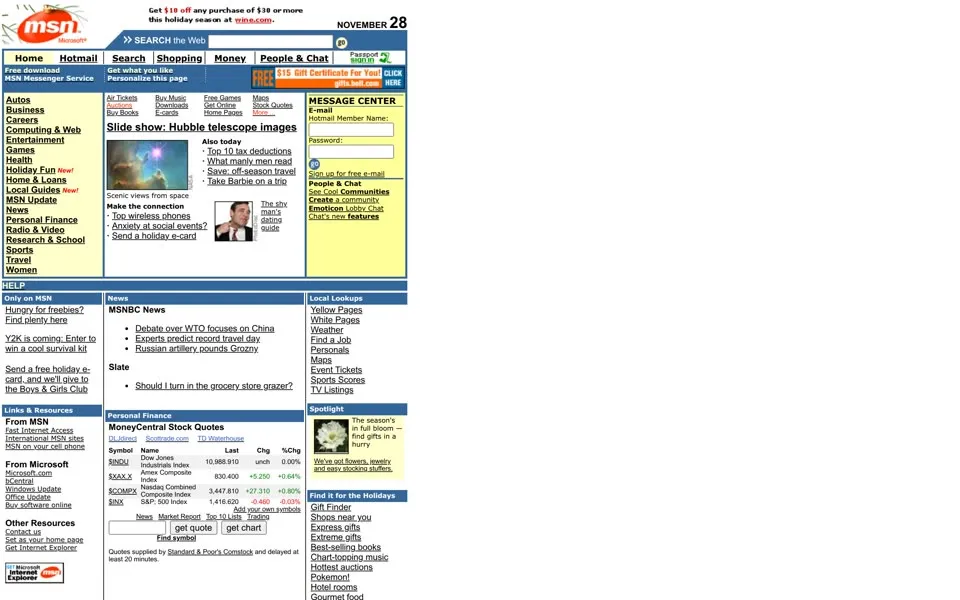
By November 1999 MSN.com is a portal, with a row of tabs, Home
, Hotmail
, Search
, Shopping
, Money
and People & Chat
, and below them yellow side columns around a white middle column of headlines. The left column lists categories from Autos down to Women. A Hotmail sign-in box on the right is headed MESSAGE CENTER
. Microsoft said its October 1998 redesign of MSN.com had built Hotmail access into the entire MSN network.[5]
The page carries its date, NOVEMBER 28
, and holly leaves and berries sit on the logo. The headlines read like a magazine rack: Slide show: Hubble telescope images
, What manly men read
, The shy man’s dating guide
. Under Only on MSN
is a line only 1999 could write: Y2K is coming: Enter to win a cool survival kit
.
At the bottom, under Other Resources, two links sit next to each other. One says Set as your home page
. The other says Get Internet Explorer
.
2000 – 2001 A butterfly and a campaign worth over $150 million
On February 14, 2000, Microsoft unveiled a new MSN logo, a multicolored butterfly
. Microsoft announced it alongside an MSN advertising campaign worth more than $150 million
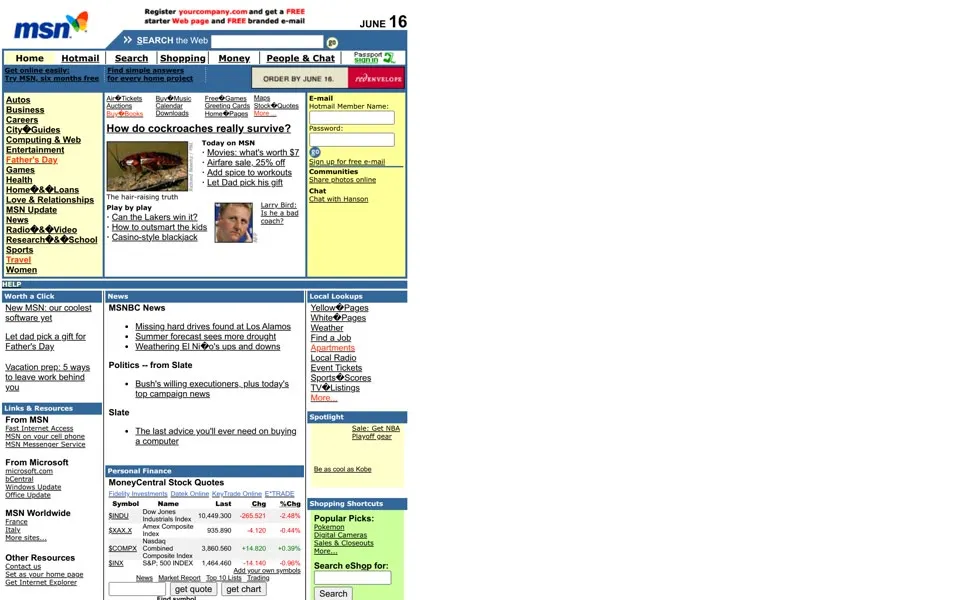
.[6] In the June 2000 capture the butterfly perches on the shoulder of the blue msn letters. Little else moves. The tabs, the yellow columns and the Hotmail box are where they were in November.
The lead story asks How do cockroaches really survive?
over a photo of one. The photo’s alt text, written for visitors with images switched off, asks a different question: How have cockroaches survived for over a million years?
A link in the top corner sells MSN itself, Get online easily: Try MSN, six months free
, and the Today list opens with Movies: what’s worth $7
.
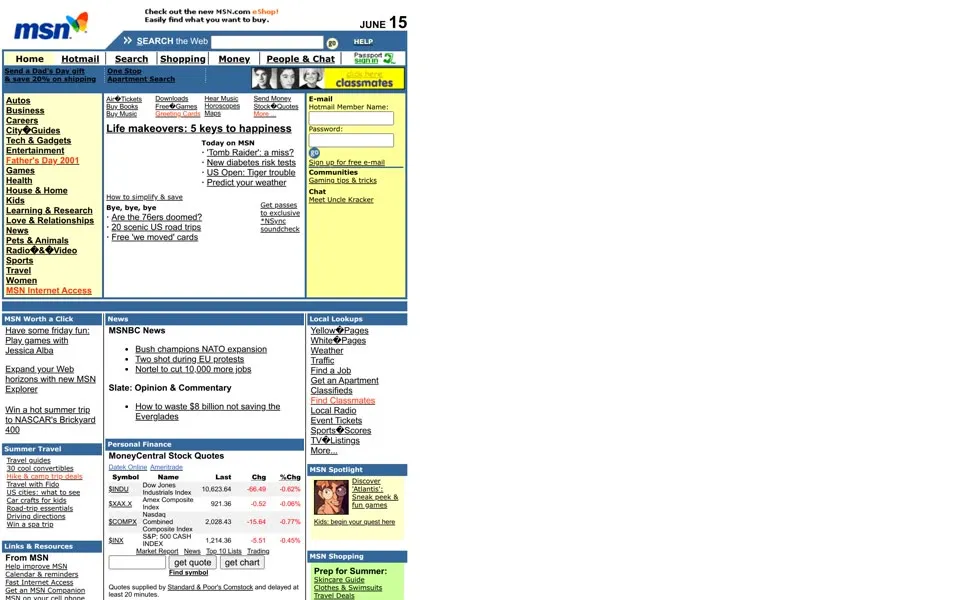
June 2001 keeps the frame and fills it further: 142 links in the code, up from 120 a year earlier. The headline is Life makeovers: 5 keys to happiness
, the left column has a Father’s Day 2001
link and ends on MSN Internet Access
. Lower down, MSN Worth a Click suggests some Friday fun: Play games with Jessica Alba
.
, and its still shows them normally.2002 – 2003 Blue walls of links
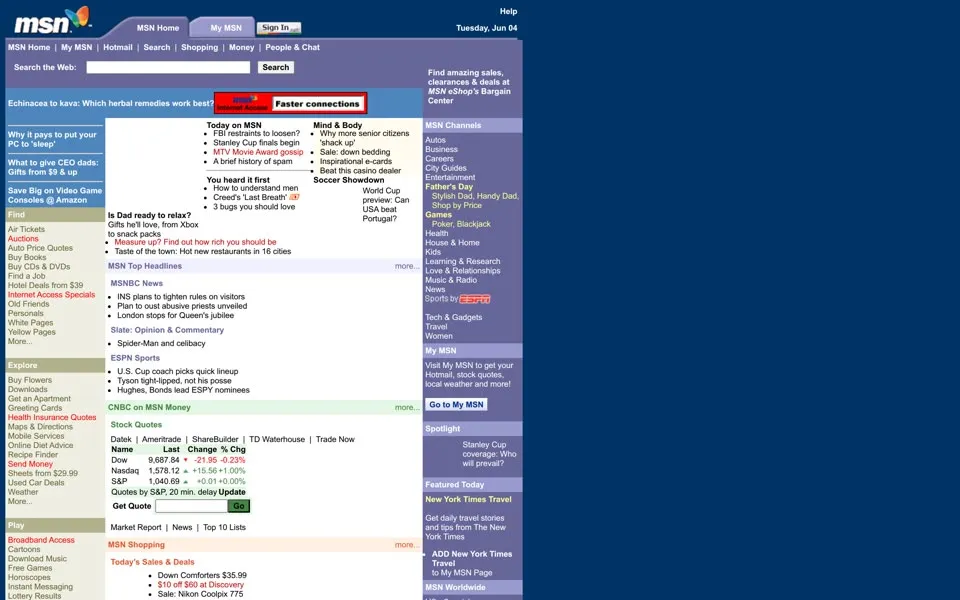
In June 2002 the yellow is gone and the page turns blue. A dark blue background frames a white middle, the tabs become a line of text links, MSN Home | My MSN | Hotmail | Search | Shopping | Money | People & Chat
, and the date sits in the corner: Tuesday, Jun 04
. The top story asks Echinacea to kava: Which herbal remedies work best?
Next to it: Why it pays to put your PC to ‘sleep’
.
The code now holds 181 links and a message meant for browsers that couldn’t read the page’s styles: If you’re seeing this message, you either have an older browser, or you have disabled CSS (Cascading Style Sheets) support in your browser
. The request to be your start page is back, as Set MSN as your Homepage
.
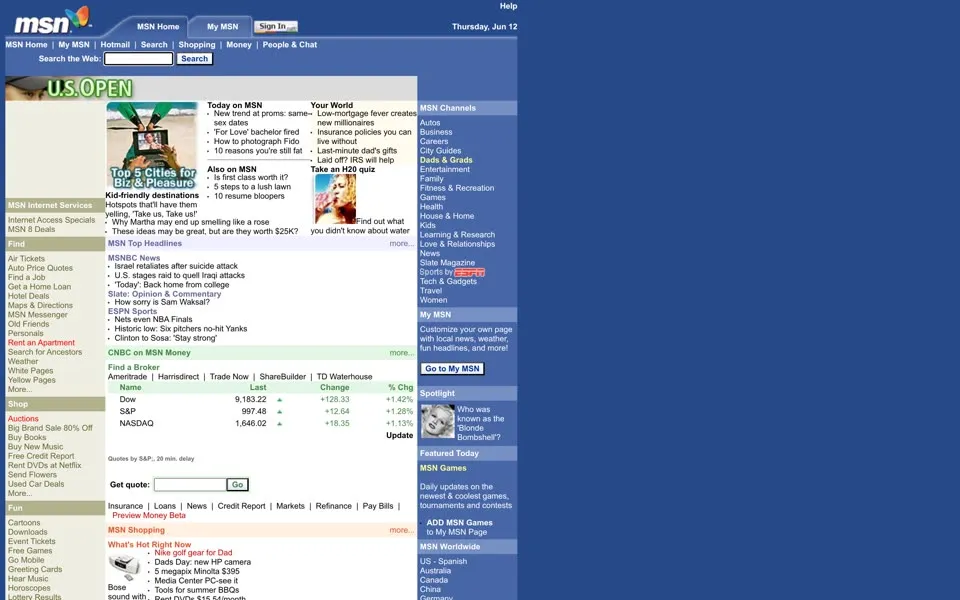
June 2003 is the same blue frame with a U.S. OPEN
banner across the top story. The left column lists the errands of the time: Old Friends
, Search for Ancestors
, Rent an Apartment
, and above them an offer for MSN 8 Deals
.
2004 – 2005 A page you could repaint
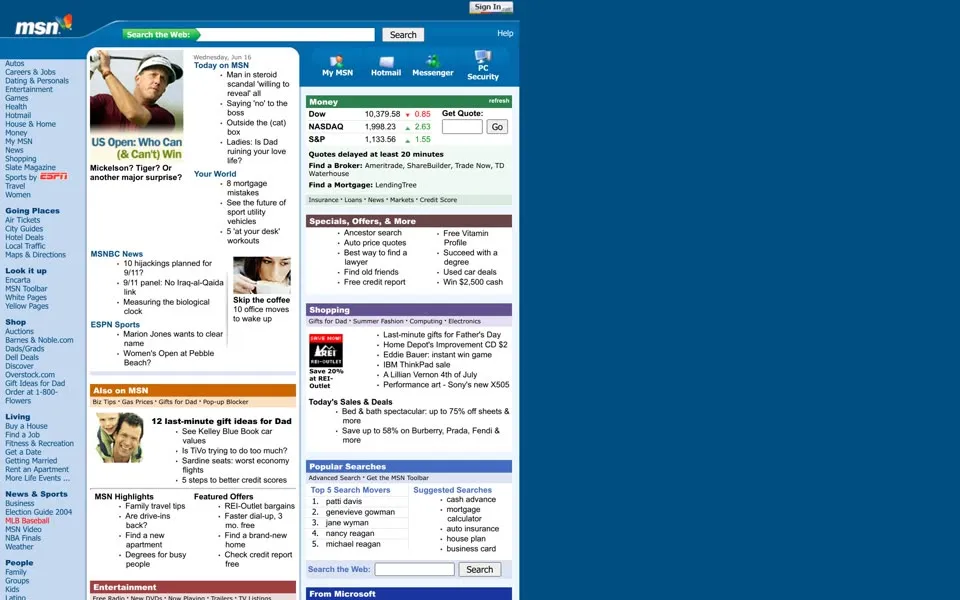
The June 2004 capture has white content columns on a dark blue background, the butterfly in a blue header and a pale blue category column down the left: Going Places
, Look it up
, Shop
. Its code has 230 links, the highest count among our captures from 1996 to 2005. The top story is US Open: Who Can (& Can’t) Win
. The code links to Tour the new MSN.com
, and the bottom of the page has Switch to broadband version
and Make this your home page
.
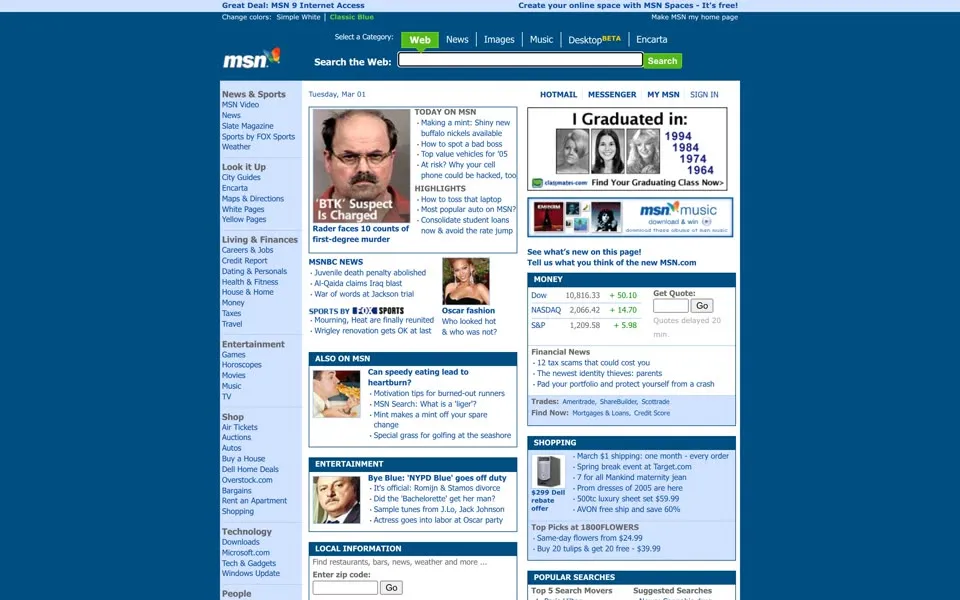
The March 2005 capture is tighter, with 148 links. A dark blue header carries a search box with tabs for Web
, News
, Images
, Music
, Desktop
(marked BETA) and Encarta
. Above it a thin strip lets you repaint the page, Change colors: Simple White | Classic Blue
, and on its right end is Make MSN my home page
.
An ad in the middle asks I Graduated in:
and offers 1994, 1984, 1974 and 1964. Under the headlines the page asks about itself: See what’s new on this page! Tell us what you think of the new MSN.com
.
The same request, eight wordings
- 1999 – 2001Set as your home page
- 2002Set MSN as your Homepage
- 2003Make this my home page
- 2004Make this your home page
- 2005Make MSN my home page
- 2006Make this your homepage
- 2007 – 2009Make MSN your homepage
- 2010 – 2015, 2018Make MSN my homepage
- 2020Make MSN my home page (Canadian edition)
- 2026Make MSN my homepage (live site)
2006 – 2008 Switch to wide page
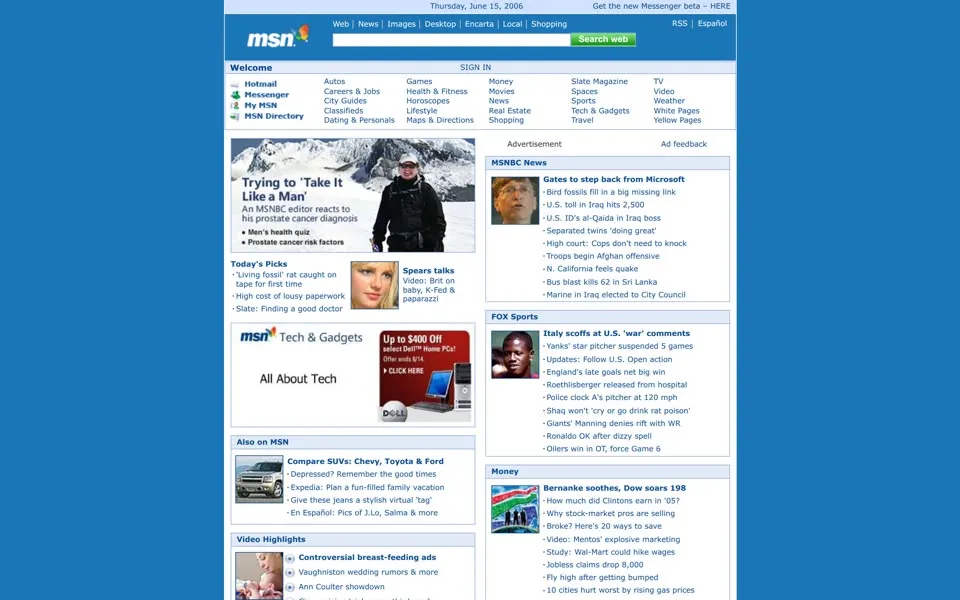
By June 2006 MSN.com looks like a dashboard. The left column lists services, Hotmail, Messenger, My MSN, and a grid of categories fills the top, among them Autos, Weather, White Pages and Yellow Pages. The lead photo carries the headline Trying to ‘Take It Like a Man’
. The top line shows Get the new Messenger beta – HERE
. The code also holds Make this your homepage
and a little quiz that doesn’t show in this still: Instant Answer: Where is Leadville?
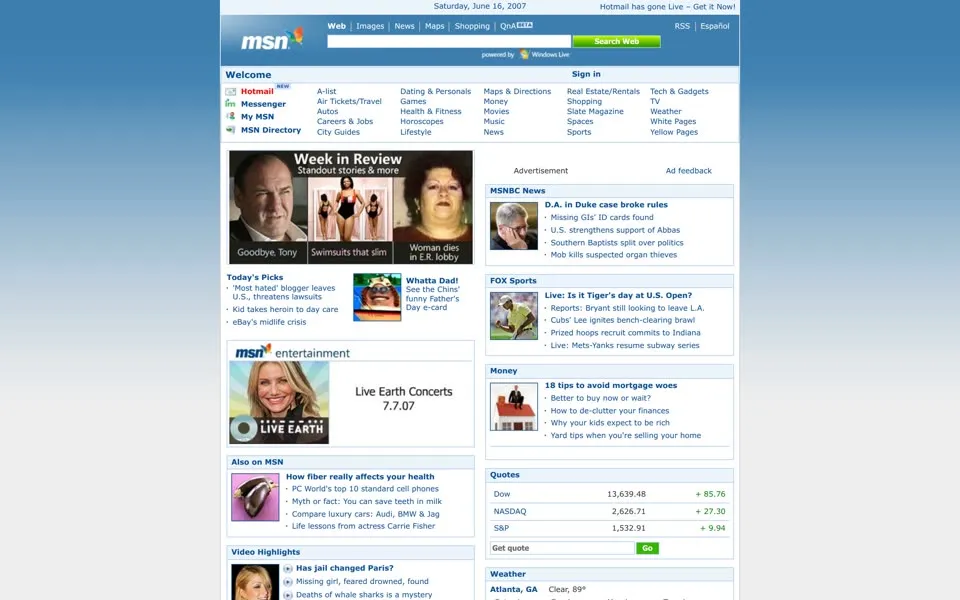
In June 2007 the top line says Hotmail has gone Live – Get it Now!
, and a photo box called Week in Review
leads the page. A Page options menu in the code offers Restore defaults
, Switch to wide page
and Take a tour
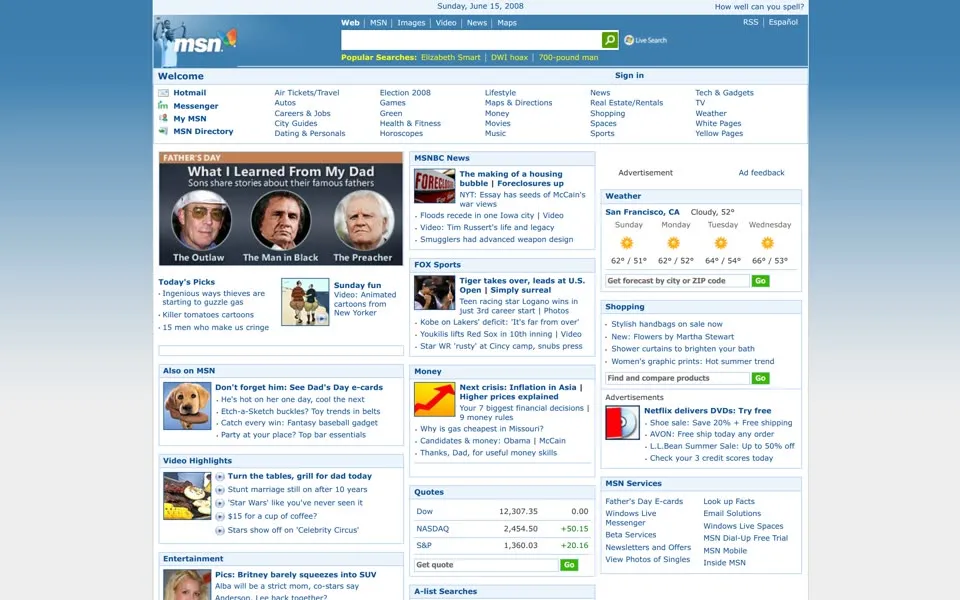
. In June 2008 the same menu has turned around: Switch to narrow page
.
The 2008 lead is What I Learned From My Dad
, and the top line asks How well can you spell?
Two categories appear that the 2007 list didn’t have, Election 2008
and Green
. Below the search box, Popular Searches lists three items: Elizabeth Smart, DWI hoax and 700-pound man
.
2009 – 2010 “50 percent fewer links”
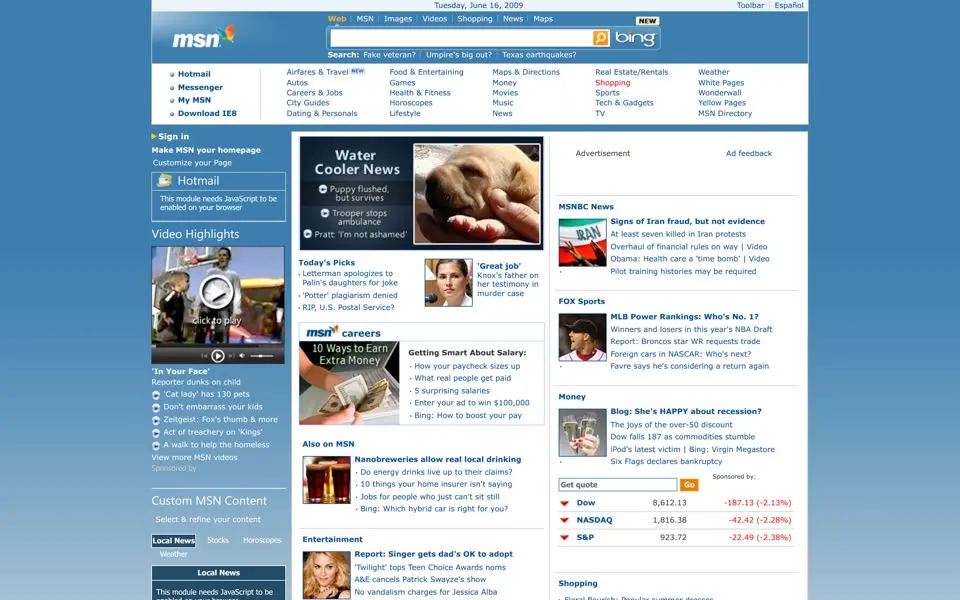
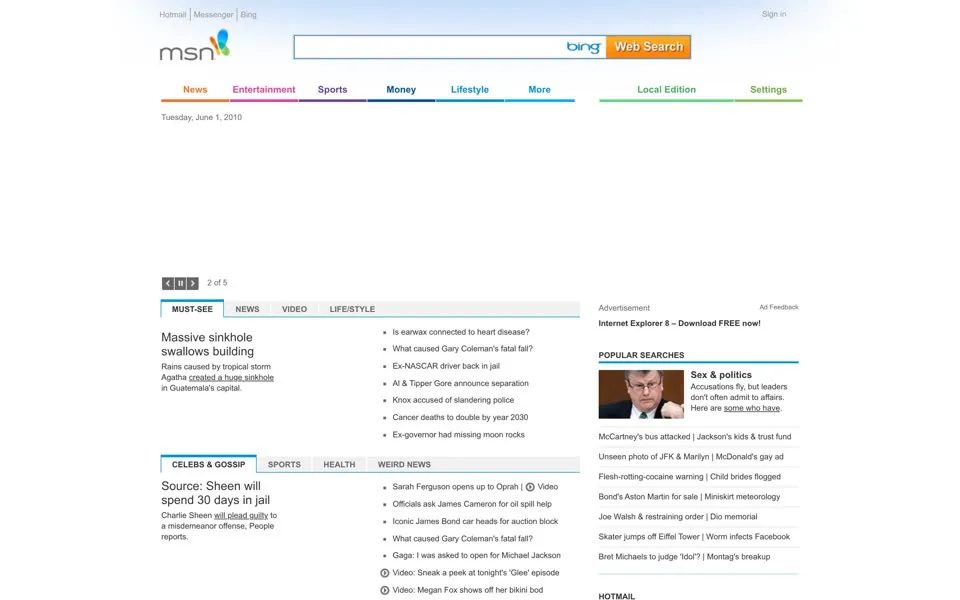
June 2009 is our last capture of the old design. Its search box carries the Bing logo, its left column says Make MSN your homepage
, and a menu in the code lets you pick how many headlines MSNBC News, Fox Sports, Money and Entertainment show, from 1 to 10. The money box has the Dow at 8,612.13, down 187.13. A forgotten comment in the code beside it does the arithmetic and keeps the computer’s rounding error: 8799.259999999998 - -187.13(-187.13) = 8799.259999999998
.
On November 3, 2009, Microsoft previewed what it called its most significant home page redesign in over a decade
.[7] On March 12, 2010, Microsoft said the new design was rolling out and that soon all 100 million U.S. users
would see it, with larger headlines, bigger graphics, fewer blue links
, more white space and a new version of the butterfly.[8]
50 percent fewer links than the previous home page
- Facebook and Twitter on the homepage:
People no longer have to jump from site to site to update their status, tweets or see what their friends are up to
- An MSN Local Edition with community news
grouped by ZIP code
The June 2010 capture has the white space and the new butterfly, colorful beside thin gray letters. It also has holes. The code of the Hotmail box says This module requires scripting to be enabled in your browser.
Parts of the still are blank. In the code, the links didn’t halve: June 2009 has 196, June 2010 has 200.
Links in each capture’s code
- 1996
- 1999
- 2000
- 2001
- 2002
- 2003
- 2004
- 2005
- 2006
- 2007
- 2008
- 2009
- 2010
- 2011
- 2012
- 2013
- 2014
- 2015
- 2016
- 2017
- 2018
- 2020
2011 – 2014 501 links and a Like button left in a comment
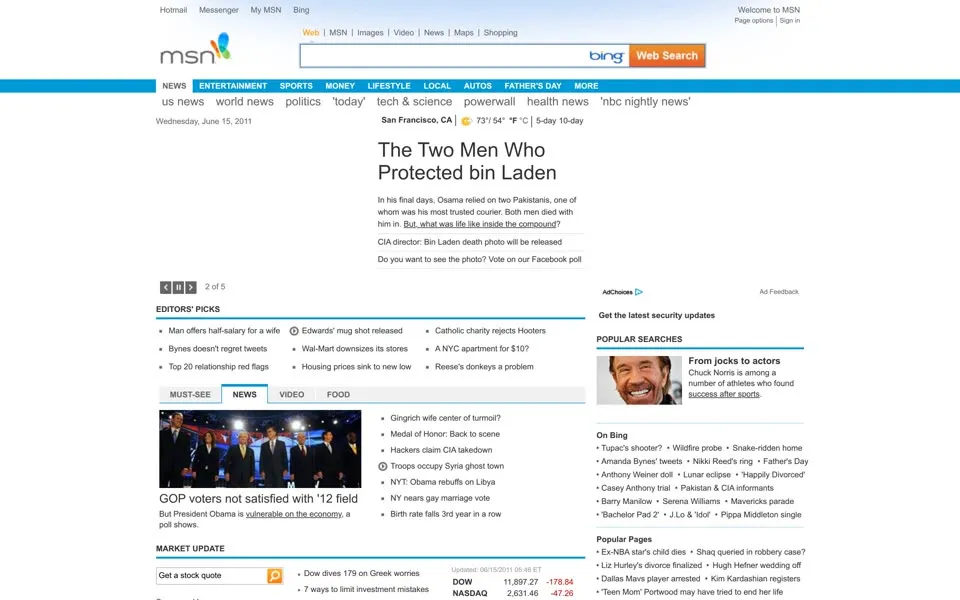
From 2011 the page grows again under a blue bar of sections, from 288 links in the code in June 2011 to 365 in June 2013. The leads run from The Two Men Who Protected bin Laden
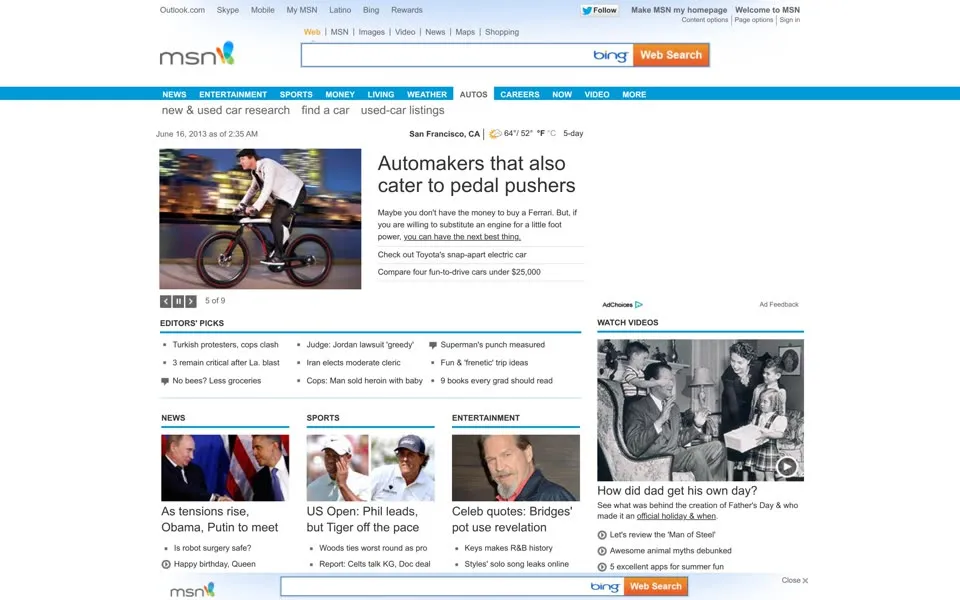
in 2011 to Automakers that also cater to pedal pushers
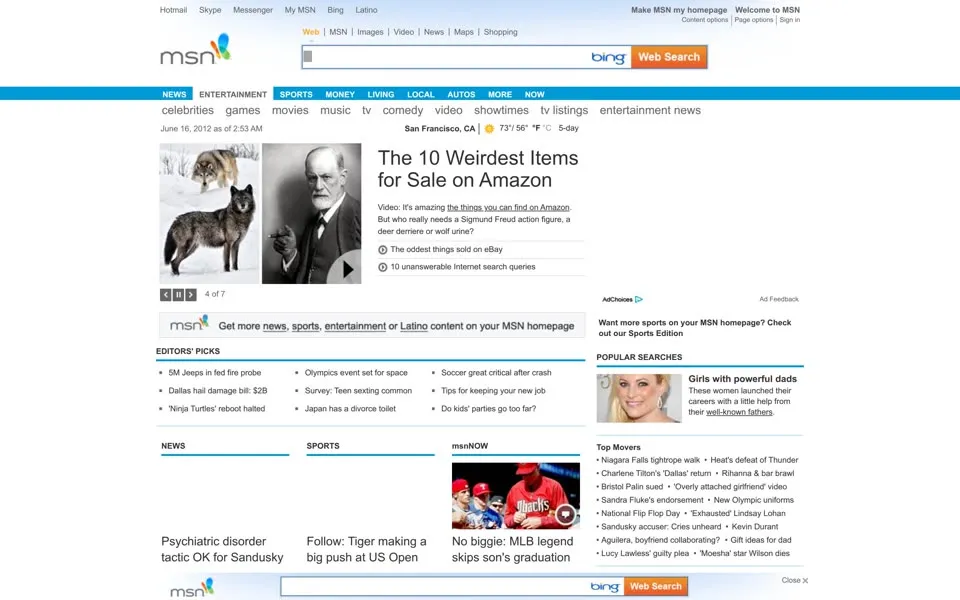
in 2013. Make MSN my homepage
sits in the top right corner in 2012 and in a strip above the logo in 2013.
In June 2012 a Content options
menu in the code can turn the whole page into a News Edition
, Entertainment Edition
, Sports Edition
or Latino Edition
. The lead story that day is The 10 Weirdest Items for Sale on Amazon
. A banner under it pushes the same idea: Get more news, sports, entertainment or Latino content on your MSN homepage
.
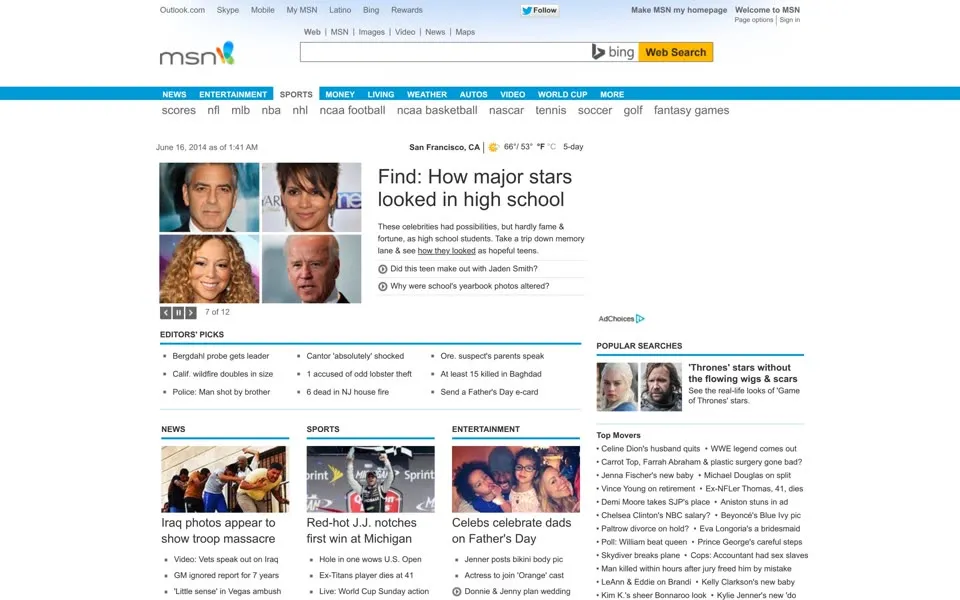
By June 2014 the section bar has a WORLD CUP
tab, and the lead says Find: How major stars looked in high school
. The code holds 501 links, the most of any capture on this page. A Twitter Follow
button sits at the top of the page, and the saved code also holds Facebook Like markup inside a comment. Near the bottom, a box with Facebook and Twitter tabs offers Get your latest feeds from Facebook
and Comment on your friends’ posts & share what’s on your mind
, the in-line updates the 2009 preview had promised.
2015 The Services Stripe and a 3D body explorer
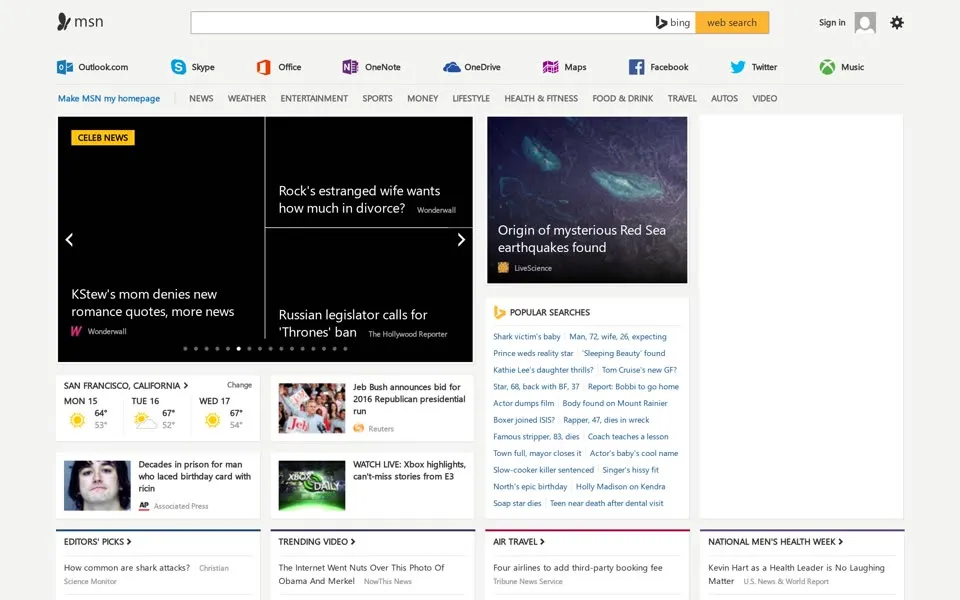
The new MSN arrived in two steps. On September 7, 2014, Microsoft opened a preview at preview.msn.com and described a row at the top that it called the Services Stripe
, quick access to mail, OneDrive, OneNote, Facebook, Skype and more.[9] On September 30 Microsoft Belgium announced Le nouveau MSN est arrivé !
[10]
The same preview post put tools beside the news: shopping lists, a savings calculator, a symptom checker, a 3D body explorer, and more
. A recipe in MSN Food & Drink could turn its ingredients into a shopping list that roams to your phone in just one click
.[9]
Outlook.comSkypeOfficeOneNoteOneDriveMapsFacebookTwitterMusic
The row under the search box in our June 2015 capture, each name with its icon. By June 2016 it has added Store and Rewards.The butterfly is now a flat dark shape beside thin letters. The browser title spells out the pitch: MSN.com - Hotmail, Outlook, Skype, Bing, Latest News, Photos & Videos
. A carousel shows headlines on black tiles, and the link count in the code falls from 501 to 357.
Make MSN my homepage
is now the first item of the section bar, and it has become a download. Its instructions in the code read Simply click to run the downloaded file at the bottom of your browser. If Prompted, click Run.
2016 – 2020 “powered by Microsoft News”
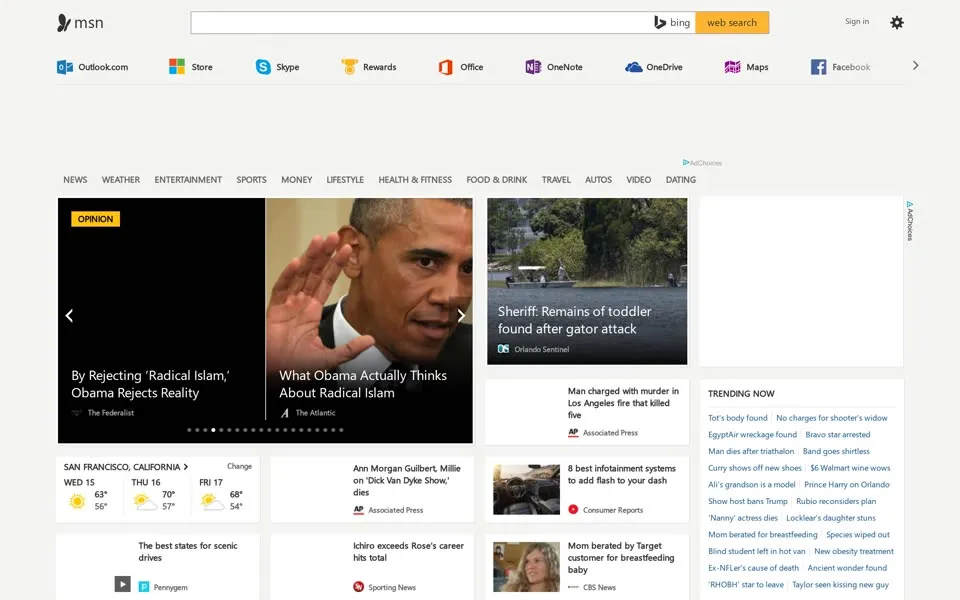
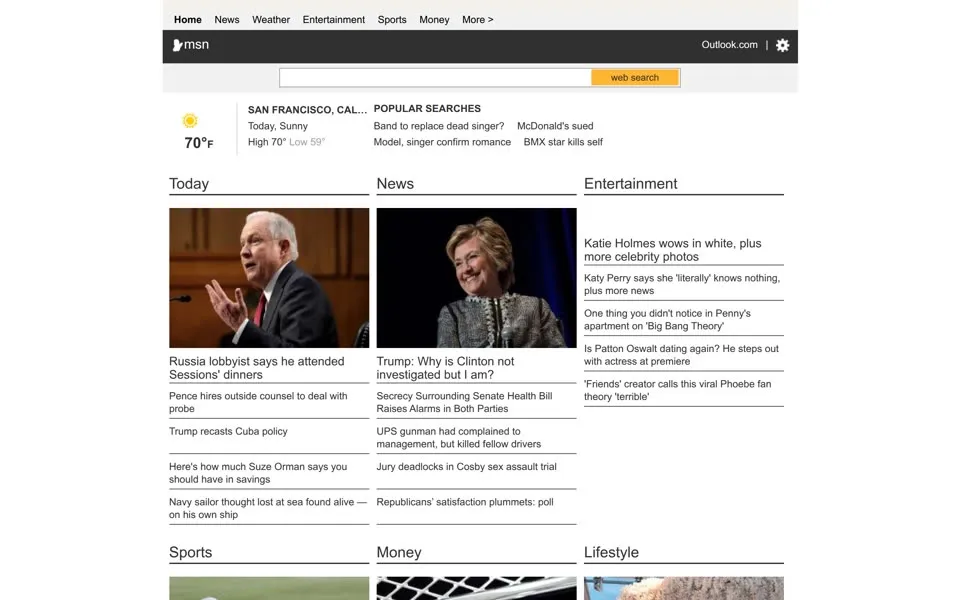
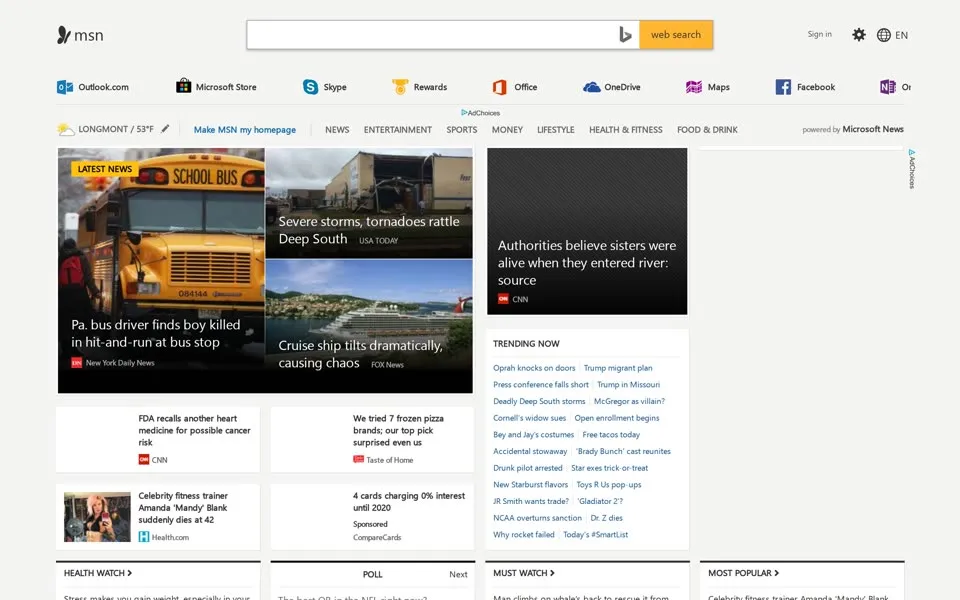
June 2016 keeps the stripe and the carousel, with the weather box set to San Francisco. The June 2017 still is a plain page: a black bar with the msn logo, a weather box for San Francisco (Today, Sunny
, high 70°) and three columns, Today, News and Entertainment. A copy saved a minute earlier has a warning in its code: You are using an older browser version. Please use a supported version for the best MSN experience.
The bare still may be that older-browser version.
November 2018 is the full page again, and the menu bar ends with powered by Microsoft News
. The weather box shows LONGMONT / 53°F
, and next to it is a blue Make MSN my homepage
. The browser title has changed: MSN | Outlook, Office, Skype, Bing, Breaking News, and Latest Videos
. We found no usable 2019 homepage among the copies we checked.
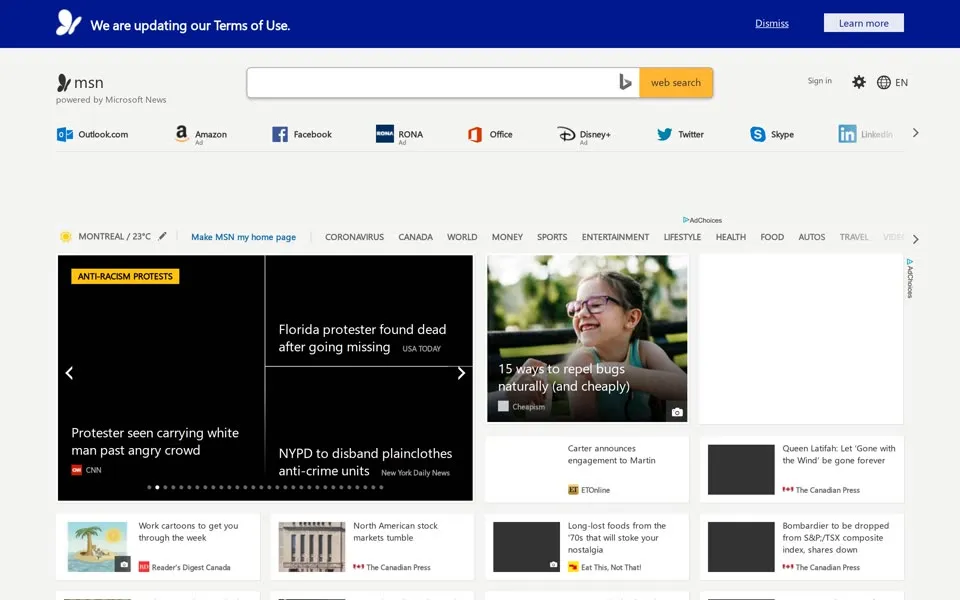
Our 2020 capture is the Canadian edition. A dark bar across the top says We are updating our Terms of Use.
The weather says MONTREAL / 23°C
, the first tab is CORONAVIRUS
, and the black lead tile carries the label ANTI-RACISM PROTESTS
. Here the button has a space in it again: Make MSN my home page
.
2021 – 2026 Start, then MSN again
For 2021 to 2025 the copies of msn.com we tried show no usable homepage: error pages in editions for Germany, Sweden and South Africa, a logo and search box with nothing under them in 2024, and a feed that fails to load in 2025. That is a gap in our record.
Those were the years of a second name. On September 7, 2021, Microsoft began rolling out Microsoft Start, a personalized feed for the web, apps, Windows and the new tab in Edge, and said MSN will remain available
.[11] In November 2024, Windows Central reported that Microsoft was moving its news services back under the MSN name, with a new logo. Microsoft’s statement called it unifying our content services under the MSN brand
.[12]
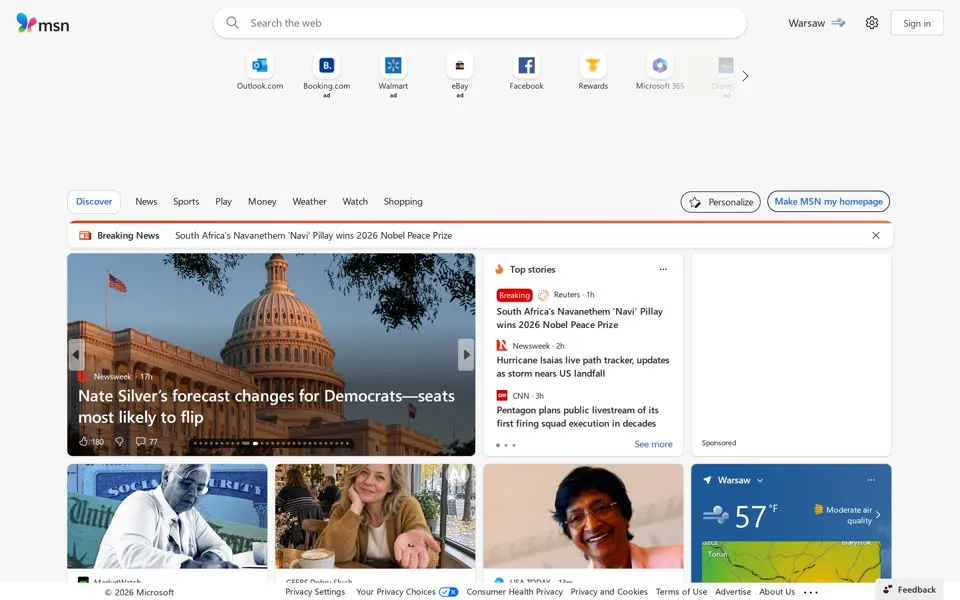
Our capture of the live page on October 9, 2026, shows that feed. We asked for the US edition. The butterfly is colorful again, beside dark letters. A row of shortcuts under the search box mixes Outlook.com, Facebook and Rewards with tiles marked ad
: Booking.com, Walmart, eBay and a faded Disney tile at the right edge.
The tabs read Discover, News, Sports, Play, Money, Weather, Watch and Shopping. The weather box shows Warsaw
; we opened the page from Poland.
1996 · start page2026 · feed1996 → 2026 A custom start page, again
In 1996 the page offered to build you a custom start page
, with stock quotes, sports scores and weather a click away. In 2026 the stock quotes, the scores and the weather are on the page already. The offer has become two buttons on the right of the menu: Personalize
and Make MSN my homepage
. Those words first appear in the code of our 2010 capture. They are the eighth wording we found of a request first seen in our November 1999 capture: Set as your home page
.
- When was the oldest msn.com homepage in this story archived?
- The oldest capture here is from October 22, 1996, in the Internet Archive's Wayback Machine. MSN’s homepage in October 1996: “Create a free custom start page.”, a “made fresh daily” wordmark and a link to the new msn.com beta.
- What does the msn.com homepage look like in 2026?
- In the newest capture here (live): MSN’s live US homepage in October 2026: the colorful butterfly, a row of shortcuts with four marked “ad”, and a news feed.
- How many MSN homepage captures does this story show?
- 23 captures between 1996 and 2026, at most one per year; the timeline above shows which years are included.
- When did MSN get the butterfly logo?
- Microsoft unveiled the multicolored MSN butterfly on February 14, 2000, alongside an advertising campaign worth more than $150 million. Our June 2000 capture is the first here to show it.
- How did Microsoft describe its 2009 MSN homepage redesign?
- On November 3, 2009, Microsoft previewed what it called its most significant home page redesign in over a decade, with 50 percent fewer links than the previous home page. On March 12, 2010, it said the rollout was underway and would soon reach all 100 million U.S. users.
- Who hosted MSN’s 1996 web show 15 Seconds of Fame?
- Charles Fleisher, the voice of Roger Rabbit, with a new guest host every week. It was one of more than 20 Web shows in MSN’s OnStage area in October 1996.
- How did the MSN logo change on its homepage?
- The logo evolution below shows 4 logo versions we picked from the captures, from 2000, 2010, 2015 and 2026. Logos from before 1996, the first capture, aren't included.
 2000Blue wordmark msn with the multicoloured butterfly (new logo announced 14 February 2000)
 2010Wordmark turns thin grey, the butterfly stays colourful (the 2010 redesign)
 2015Flat dark-grey butterfly and msn, colour gone (after the September 2014 relaunch)
 2026Colour butterfly returns beside a dark msn wordmark (brand refresh, 2024)
Each logo is cut from that year's homepage capture (the year is the capture's); click one to see it on the page. Logos from before the first capture (1996) aren't shown, and some are missing where the logo images don't render in our captures. More logo histories.
◀ drag ▶19962026
The oldest capture in this story (1996) over the newest (2026). Drag across the picture.
Which homepage should we open next?
Tell us on the PageRewind YouTube channel, and subscribe for more histories of the pages we used to visit.
 Adobe.com, 1996–2023From “Get Acrobat Reader” to “Start free trial”
Sources
Each screenshot links to its dated Wayback capture; the 2026 one links to the live site. Observations about layouts and wording refer to those screenshots; image labels, closed menus, comments and other details read from a page’s code are identified as such. External history uses the sources below.
- Microsoft · “New Web-Based Version of The Microsoft Network Debuts”, October 10, 1996: the preview, the early-November launch, OnStage and 15 Seconds of Fame. Read source ↗
- Los Angeles Times · “Microsoft Unveils Revamped Online Service”, October 11, 1996: MSN launched in the summer of 1995 as an online service. Read source ↗
- Microsoft · “MSN Continues Momentum as the First Internet Online Service”, April 30, 1996: the price plans. Read source ↗
- Microsoft · “MSN Extends 56Kbps Access to All U.S. Members”, November 12, 1997: the 56Kbps rollout at no additional charge. Read source ↗
- Microsoft · “MSN Hotmail Surpasses 30 Million Member Milestone”, December 1, 1998: the October redesign of MSN.com. Read source ↗
- Microsoft · “New Microsoft Ad Campaign Encourages People to Experience The Everyday Web on MSN”, February 14, 2000: the butterfly logo and the campaign. Read source ↗
- Microsoft · “New MSN Designed to Be the Best Home Page on the Web”, November 3, 2009. Read source ↗
- Microsoft · “Weekend Reading: March 12”, March 12, 2010: the rollout of the new design. Read source ↗
- Microsoft · “A first look at the new MSN”, September 7, 2014: preview.msn.com and the Services Stripe. Read source ↗
- Microsoft Belgium · “Le nouveau MSN est arrivé !”, September 30, 2014. Read source ↗
- Microsoft · “Introducing Microsoft Start”, Windows Experience Blog, September 7, 2021. Read source ↗
- Windows Central · “Microsoft revives MSN brand with fresh new logo”, November 11, 2024 (reported). Read source ↗
We selected one homepage capture of msn.com for every year from 1996 to 2020 where we found a usable one, most of them from mid-June, and photographed the live site on October 9, 2026: 23 in all. In the copies we checked we found no usable homepage for 1997, 1998, 2019 or 2021 to 2025. The 1997 copies land on a 1996 page, the 1998 copy shows an error message, and the later copies show error pages, foreign editions or a feed that doesn’t load.
For 2005 we used the March 1 capture, for 2010 June 1 and for 2018 November 1. The 2020 capture is the Canadian edition (msn.com/en-ca); the 2026 page is the US edition (msn.com/en-us), opened from Poland. Each preview is the first screen of a 1440-pixel-wide still; click it for the captured page, up to 2,700 pixels tall, and its link. The browser frames are illustrations of the eras.
Some captures have blank areas, among them 2010, 2012 and 2016. Link counts come from each capture’s HTML and include menus and hidden boxes. For 2017 the still and the code come from two copies saved a minute apart. We hid the Wayback toolbar. Text quoted from a page’s code (alt text, menus, comments) is named as such.
PageRewind is independent and is not affiliated with Microsoft or MSN. Screenshots and trademarks appear for historical commentary; archived pages are provided by the Internet Archive.
 AltaVista homepage history
 Hotmail homepage history