In October 1996 Adobe’s homepage had a small yellow badge under its menu that said Get Acrobat Reader
. Above it sat a photograph of two art directors under the headline Designing Women
, and a yellow tile sold $49 Fonts on the Web!
as an October special.
Scrub through the captures with the slider, or read on.
This is adobe.com from 1996 to 2023, one homepage capture per year, 28 in all. The thread is what the page gave away and what it sold. From 1996 to 2019, most adobe.com homepages we captured carry a free download, first Acrobat Reader, later Adobe Reader and Flash Player. Meanwhile the prices move from a $99.95 InDesign upgrade to subscriptions from $129 a month. In 2020 the button on the first screen says Start free trial
.
1996 – 1997 “Designing Women” and a yellow badge

The October 22, 1996 capture of adobe.com is a tight grid around one photograph. Two women sit on a crate under the headline Designing Women
, and the caption reads Kudos for Salon’s art directors!
before naming them this year’s top Web designers. Yellow tiles frame them: Photoshop 4.0 PageMaker 6.5 Race ahead to the Net!
on the left, a Photoshop tip on Rounding up your type
on the right. Under the menu sits the badge this story follows, Get Acrobat Reader
.
The red A in the top left corner was designed by Marva Warnock, the wife of co-founder John Warnock. Adobe’s own anniversary list says so, and adds that the company is named after Adobe Creek, which ran behind John Warnock’s home.[1]
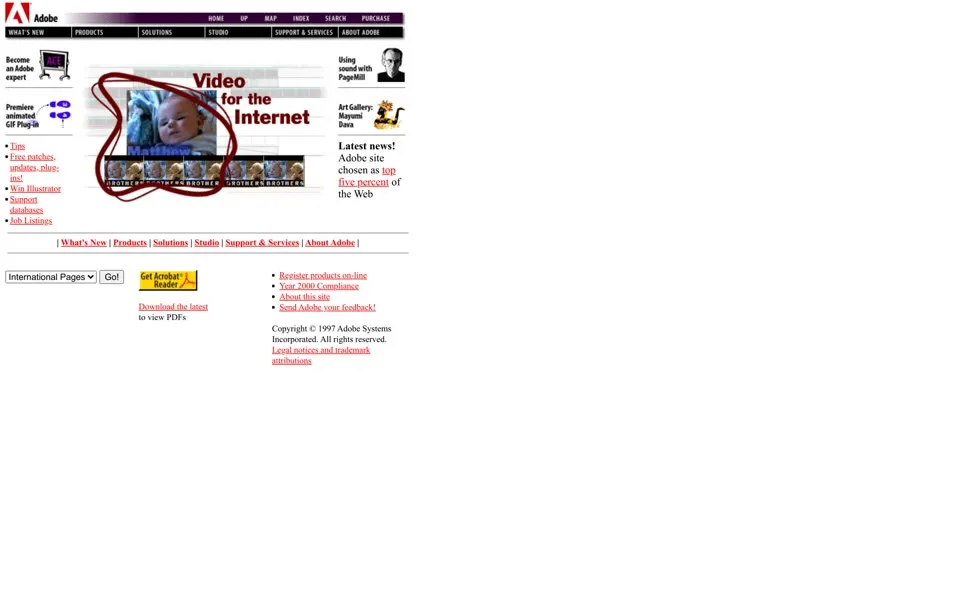
By June 1997 the photograph has made room for a column of features: Video for the Internet
, Sound with PageMill
, an art gallery. Under Latest news!
the page says Adobe site chosen as top five percent of the Web
. The International Pages menu, closed in the still, lists six languages in the 1996 code and nine in 1997, and the 1997 footer gained a link for Year 2000 Compliance
.
1998 – 1999 “Tired of Monkeying Around?”
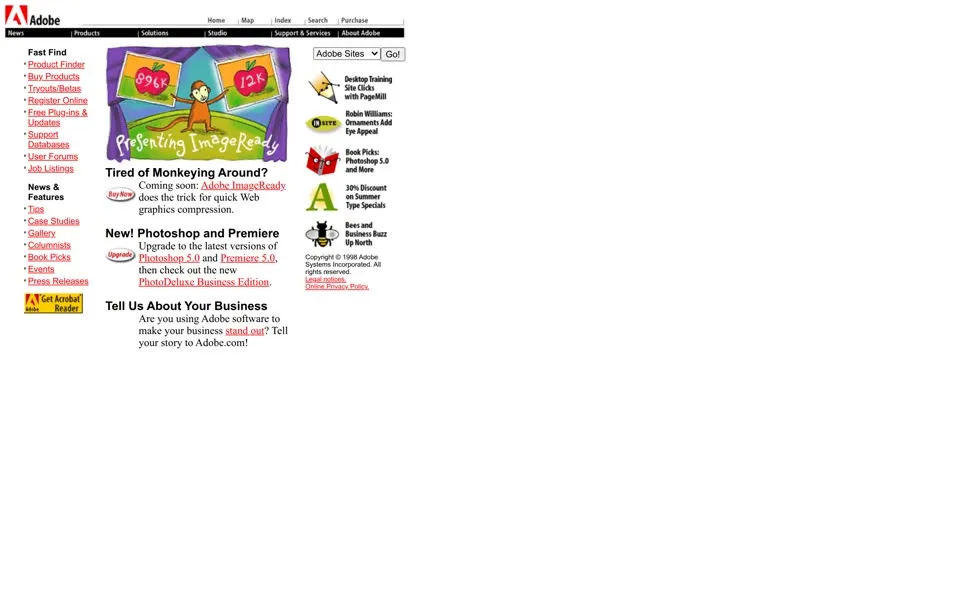
The July 1998 homepage gives its middle to a cartoon monkey between two framed apples, one labeled 896K and one labeled 12K, under a banner for ImageReady. The headline asks Tired of Monkeying Around?
and answers: Coming soon: Adobe ImageReady does the trick for quick Web graphics compression.
Below it, Adobe asks you to Upgrade to the latest versions of Photoshop 5.0 and Premiere 5.0
. The yellow badge has moved to the left column, under Press Releases.
Acrobat was nearly called Carousel. The team considered that name, but Carousel was already a registered trademark of Eastman Kodak, and by the first public demo in 1992 the product was Acrobat. It had started with The Camelot Project, a six-page paper on exchanging documents that John Warnock wrote in the summer of 1990. Acrobat went on sale with the PDF format on June 15, 1993, and the free reader on this badge opened those files.[2]
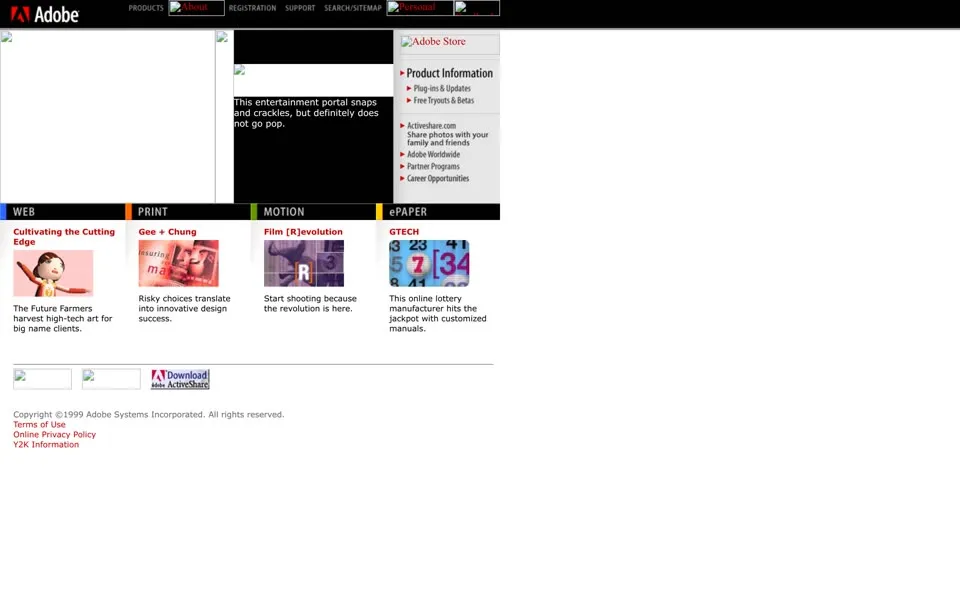
In November 1999 the page turns black at the top and sorts Adobe into four rooms: Web Center, Print Center, Motion Center and ePaper Center. The case studies underneath carry the jokes. An entertainment portal snaps and crackles, but definitely does not go pop
, and a lottery manufacturer hits the jackpot with customized manuals
. The footer adds Y2K Information
. Several images don’t render in this capture.
2000 – 2002 Upgrades for $99.95
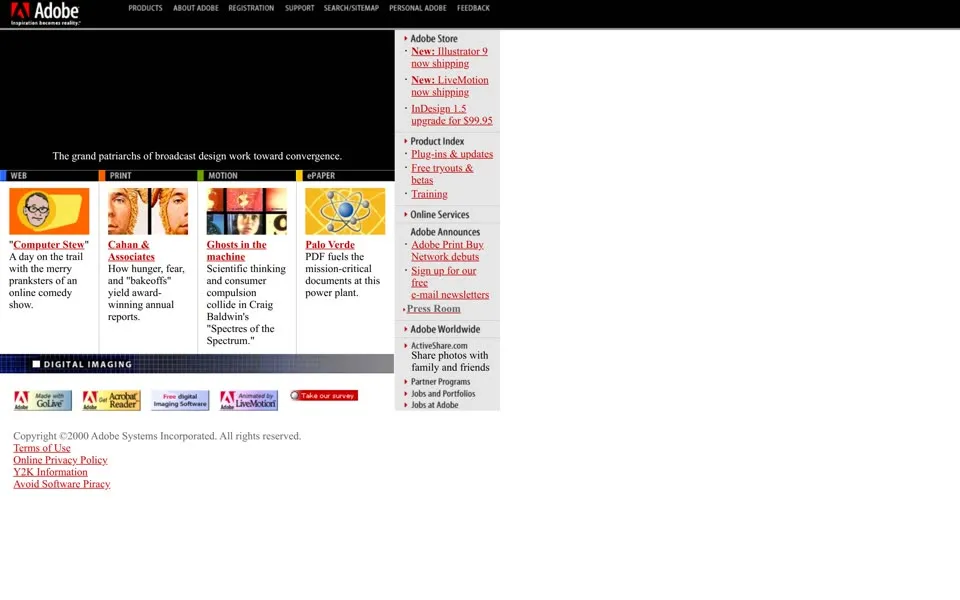
In June 2000 the logo carries a slogan, which the image’s alt text spells out as Inspiration becomes reality
. The feature panel on top is a Flash movie that doesn’t play in this replay, so the black box stays empty. The store column on the right lists prices: New: Illustrator 9 now shipping
and InDesign 1.5 upgrade for $99.95
. Lower down sit badges for Get Acrobat Reader, a free ActiveShare download for sharing photos, and a survey.
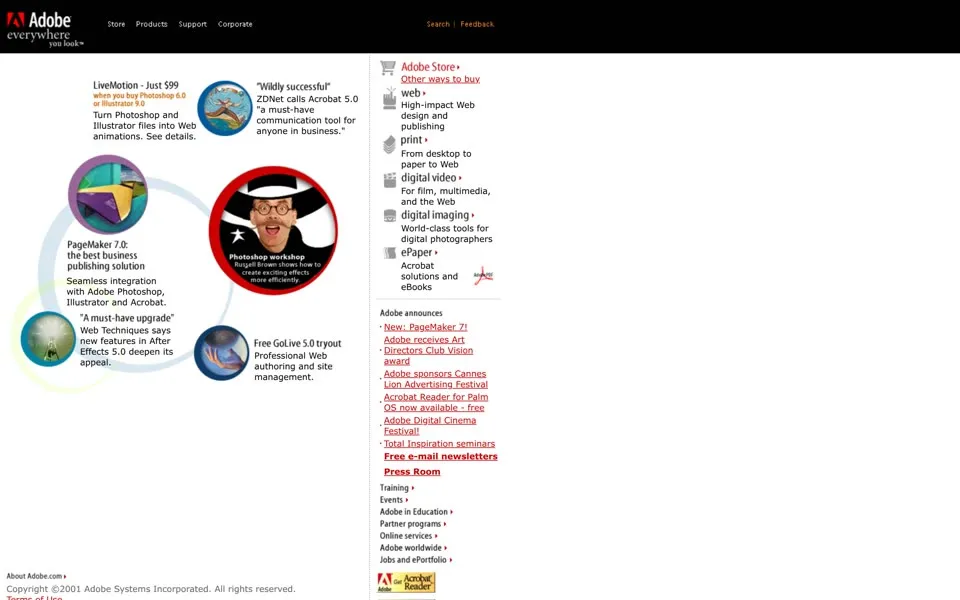
A year later the slogan is Everywhere you look
. The June 2001 page is built from circles, and its deals are bundles: LiveMotion is Just $99 when you buy Photoshop 6.0 or Illustrator 9.0
. The news column has a free item, too: Acrobat Reader for Palm OS now available - free
. The footer now has four download badges, for Acrobat Reader, Acrobat eBook Reader, an SVG Viewer and Atmosphere.
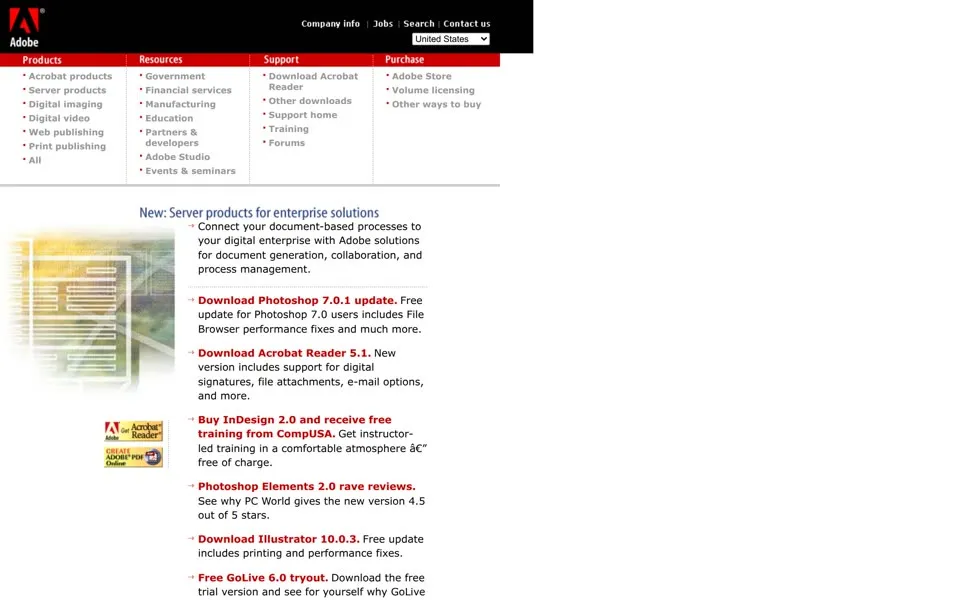
November 2002 drops the slogan and puts a black header over a red rule. The middle of the page is a list of things to download, most of them free.
Download Photoshop 7.0.1 update.
Download Acrobat Reader 5.1.
Download Illustrator 10.0.3.
Free GoLive 6.0 tryout.
Four of the download lines on the 2002 homepage, in the order they appear.
2003 – 2005 Acrobat Reader becomes Adobe Reader
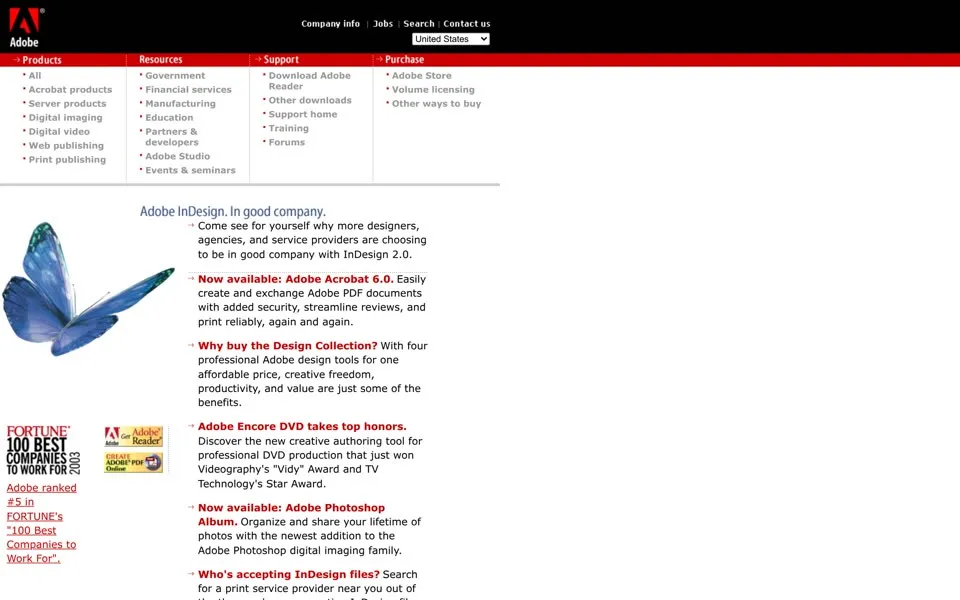
The June 2003 capture of adobe.com opens on a blue butterfly and Adobe InDesign. In good company.
The news list beside it opens with Now available: Adobe Acrobat 6.0
, and a line under the butterfly says Adobe ranked #5 in FORTUNE’s “100 Best Companies to Work For”.
One link near the top tells a small story. In November 2002 it said Download Acrobat Reader
. In June 2003 it says Download Adobe Reader
.
Photoshop changed address that year as well. In 2003 it became part of Adobe Creative Suite, the bundle whose boxes would fill this homepage a few years later.[4]
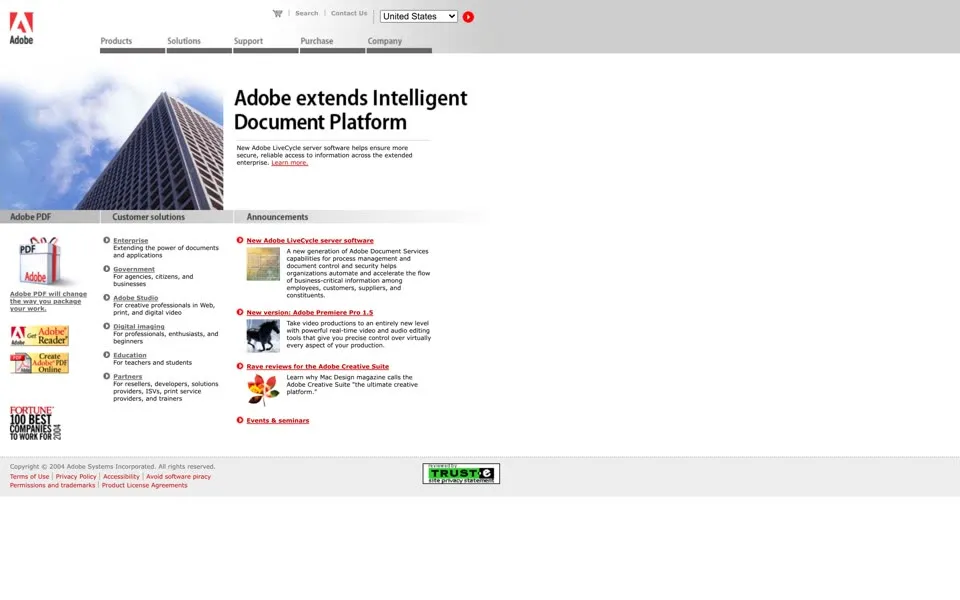
June 2004 leads with a glass tower and Adobe extends Intelligent Document Platform
, a headline for companies, not designers. The badges at the bottom now read Get Adobe Reader and Create Adobe PDF Online. In June 2005 the offer is a trial: free for 30 days!
for Acrobat 7.0 Professional. Next to it, an announcement shows the Adobe and Macromedia logos side by side. Its alt text reads Adobe to acquire Macromedia
.
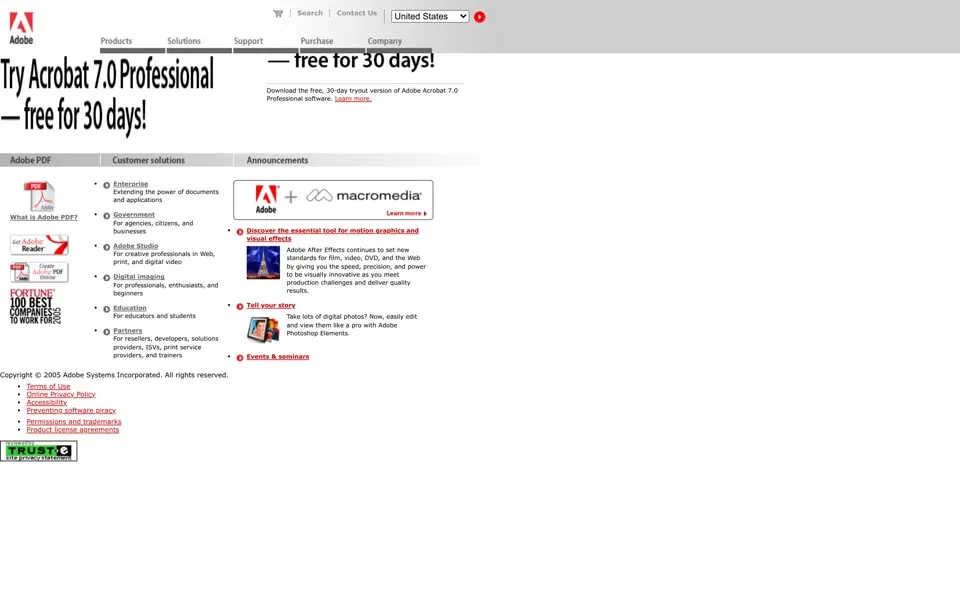
2006 – 2007 “Download Adobe Reader and Flash Player.”
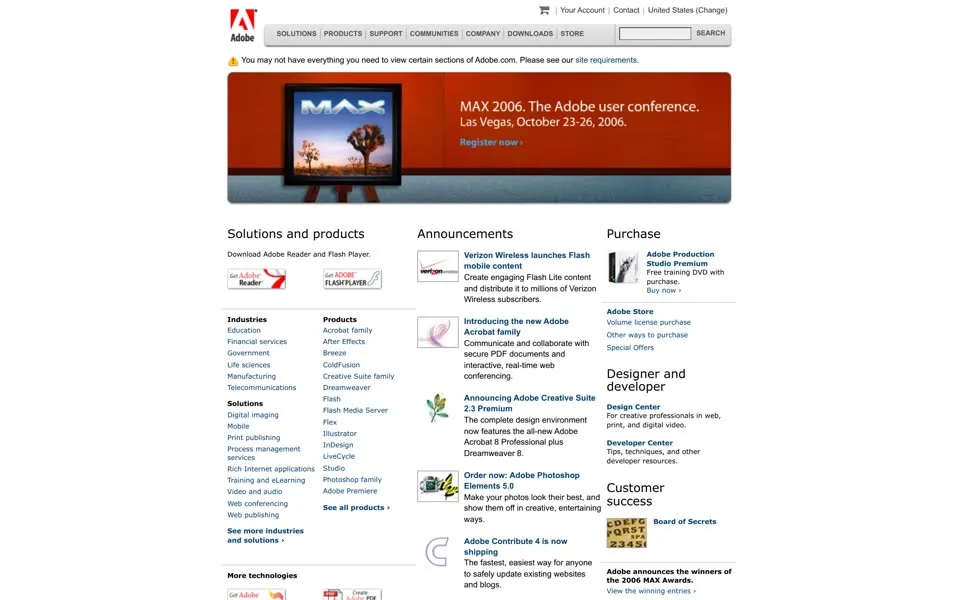
The November 2006 homepage puts a painting on an easel at the top, a banner for MAX 2006, the Adobe user conference in Las Vegas. Under Solutions and products
the first line is Download Adobe Reader and Flash Player.
Two buttons follow, the Reader one with a red swoosh and the Flash Player one with a silver f. The product list next to them names Breeze, ColdFusion, Dreamweaver and Flash. The June 2005 homepage named none of them.
That is the Macromedia deal from the year before, now on the page. Adobe’s 2008 annual report puts the total purchase price at $3.5 billion and uses December 3, 2005 as the deal’s accounting date.[5]
The June 2007 page keeps the same three columns: products, announcements and purchase. One announcement is a newcomer: Adobe Integrated Runtime (AIR) now in beta
, formerly code-named Apollo
. The Flash movie at the top of this capture doesn’t play. The 2006 still also shows a warning above the MAX banner, and the same line stays in the homepage code through 2009:
You may not have everything you need to view certain sections of Adobe.com. Please see our site requirements.
Above the MAX banner in the November 2006 still; the line is still in the homepage code in 2009.
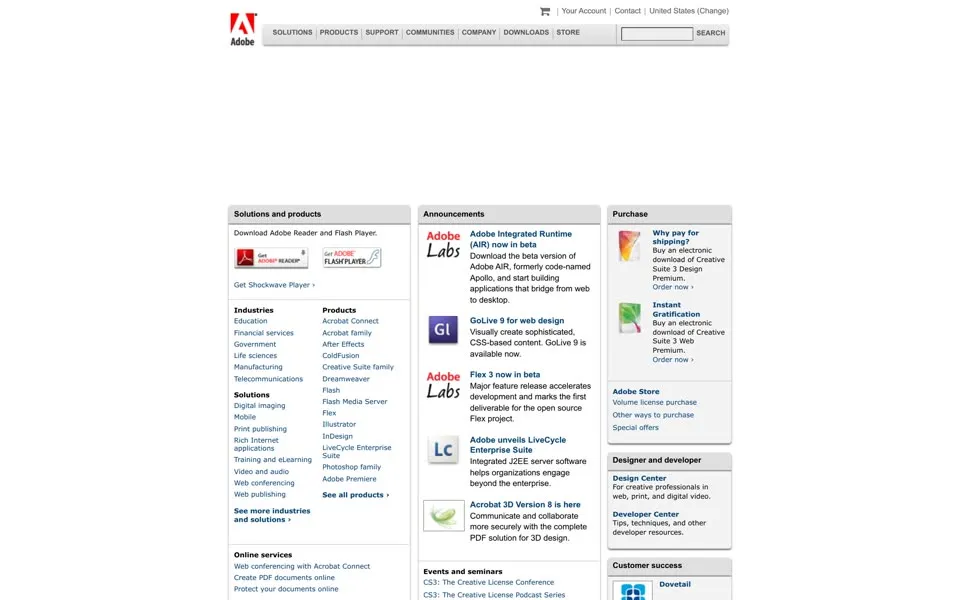
2008 – 2009 Software boxes on a dark page
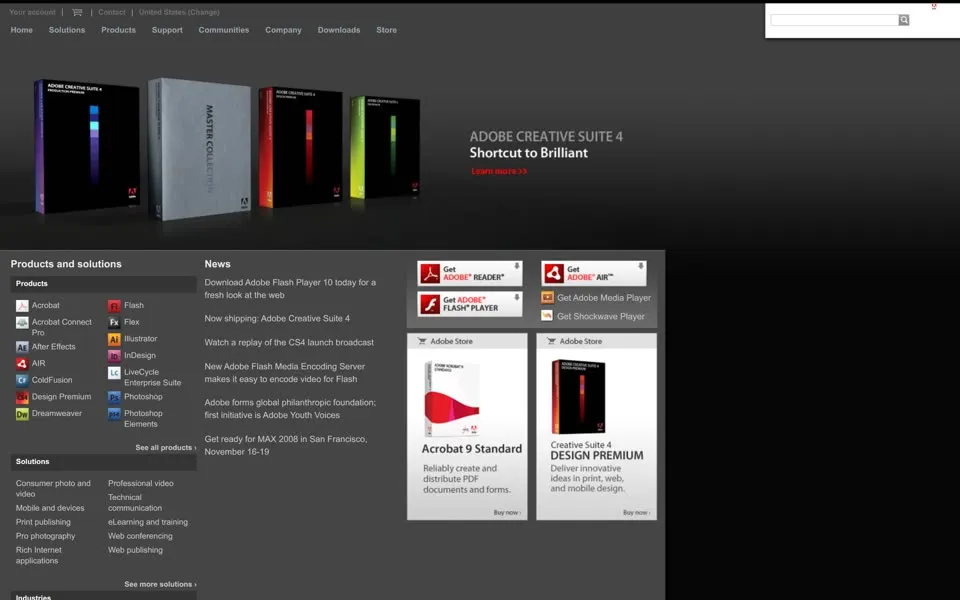
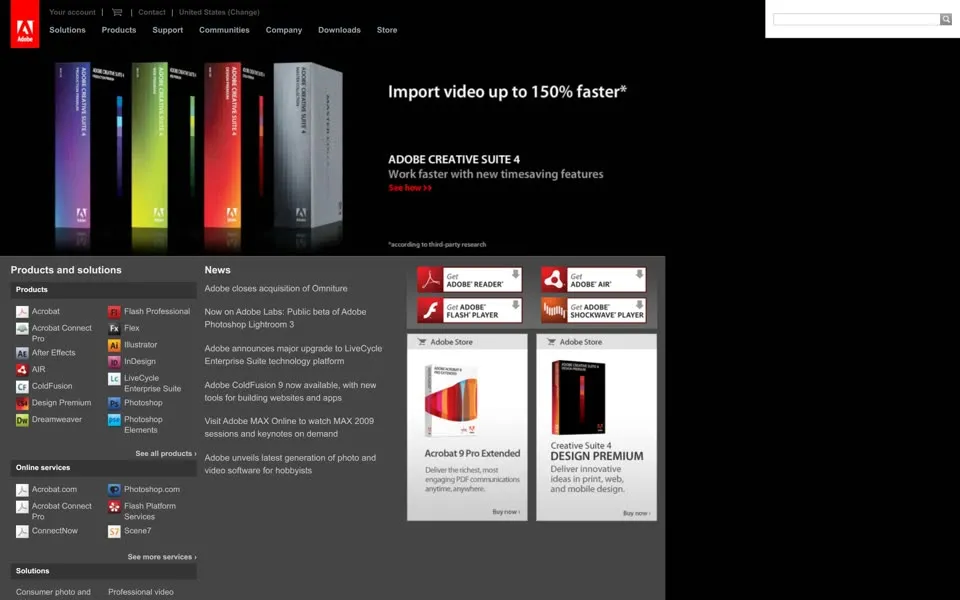
In October 2008 adobe.com turns dark. Glowing Creative Suite 4 boxes stand in a row across the top, and the image’s alt text reads Adobe Creative Suite 4 - Shortcut to brilliant.
The news column has a free offer of its own: Download Adobe Flash Player 10 today for a fresh look at the web
.
The free downloads now have their own heading. In the Downloads menu, closed in the still, the 2008 code lists Readers and Players
: Get Adobe Reader, Get Flash Player, Get Adobe AIR, Get Shockwave Player and Get Media Player.
The November 2009 capture keeps the dark page and swaps the claim for a number, Import video up to 150% faster*
, again for Creative Suite 4. Two boxes sit side by side under it: Acrobat 9 Pro Extended and CS4 Design Premium. The news column covers Adobe unveils latest generation of photo and video software for hobbyists
.
2010 – 2011 From $129 a month, before Creative Cloud
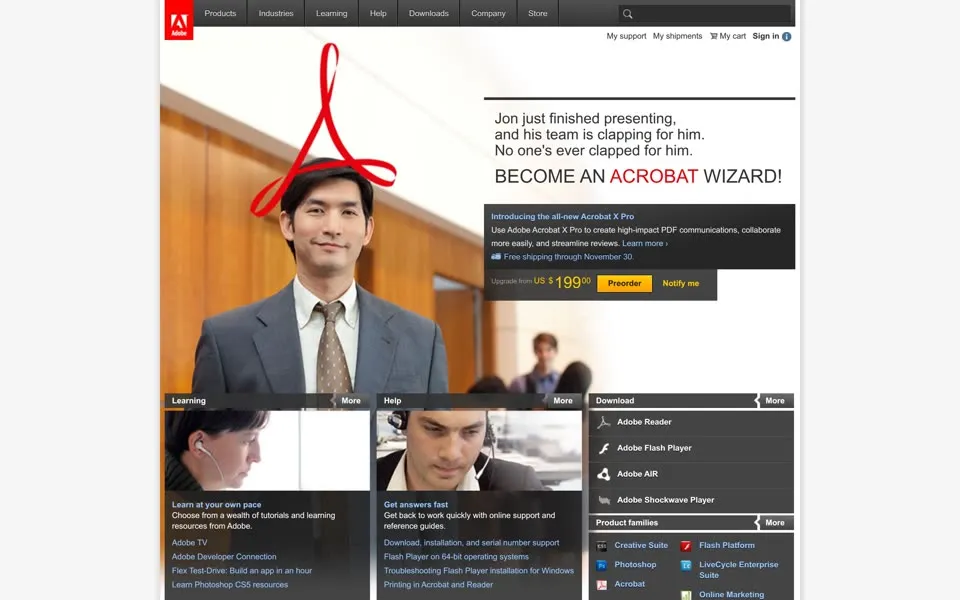
The November 2010 homepage tells a small office story. A man in a suit smiles with the red Acrobat symbol looped over his head, and the text says Jon just finished presenting, and his team is clapping for him. No one’s ever clapped for him.
Then, in capitals: BECOME AN ACROBAT WIZARD!
The offer is Acrobat X Pro, Free shipping through November 30.
, with an upgrade from US $199.00 and a Preorder button.
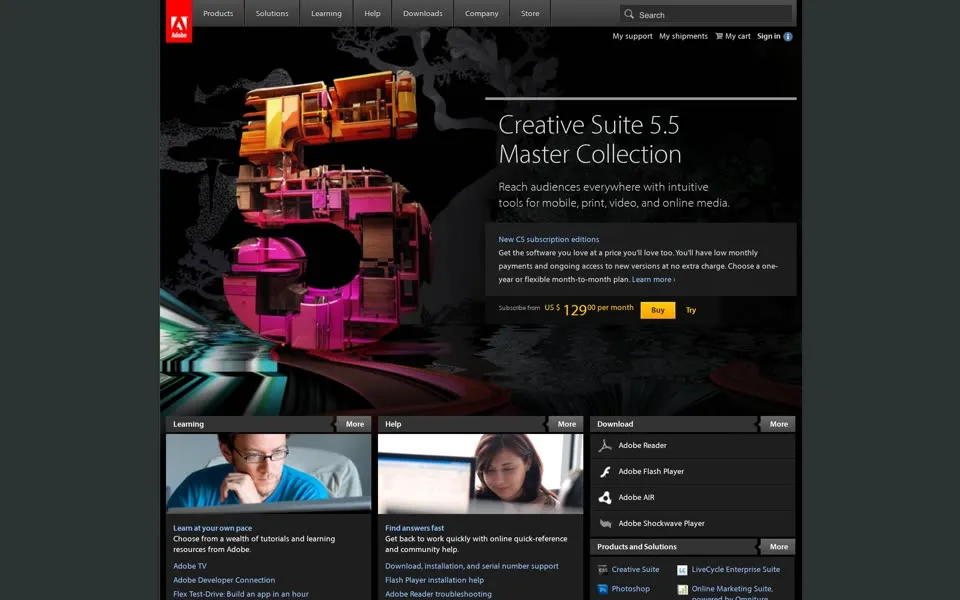
The June 2011 capture sells a different way. The hero is Creative Suite 5.5 Master Collection, and the box under it is headed New CS subscription editions
. It promises low monthly payments and ongoing access to new versions at no extra charge
and offers a one-year or flexible month-to-month plan
. The price line says Subscribe from US $129.00 per month, with Buy and Try buttons beside it.
That is a monthly plan for the CS5.5 Master Collection, eleven months before Creative Cloud’s May 2012 launch. The Support column on both pages still links to Flash Player installation help.
2012 – 2014 Creative Cloud moves in
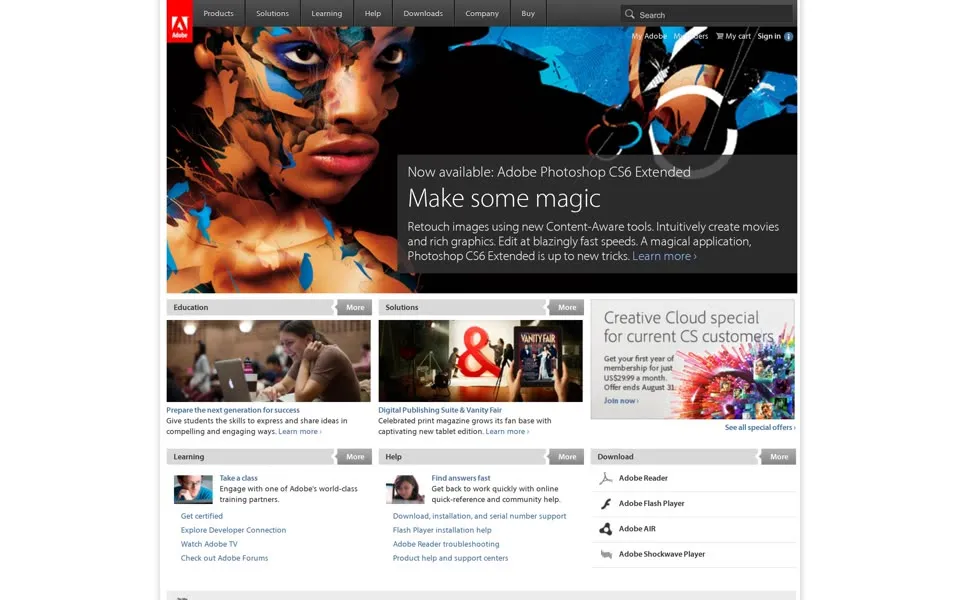
The June 2012 homepage leads with Now available: Adobe Photoshop CS6 Extended
and Make some magic
, over a painted face. Its first line of copy is Retouch images using new Content-Aware tools.
To the right sits a smaller box: a Creative Cloud special for current CS customers. Adobe had started Creative Cloud as a subscription offer the month before, in May 2012.[6]
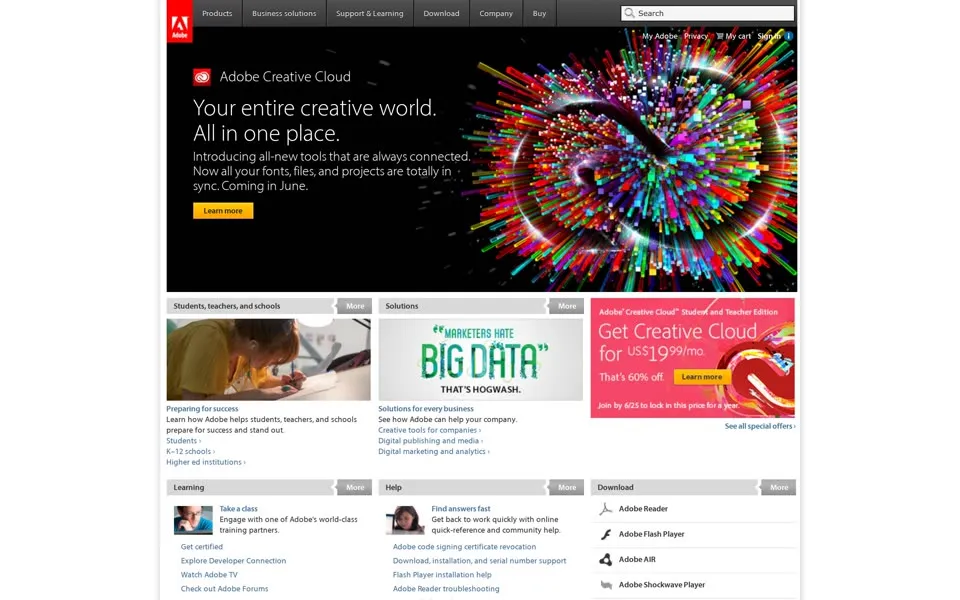
By June 2013 Creative Cloud has the whole top of the page: Your entire creative world. All in one place.
In May 2013 Adobe said new features for its creative products would go only to Creative Cloud subscribers. CS6 stayed on sale as a perpetual license, and the 2013 menu still lists Creative Suite 6
right under Adobe Creative Cloud.[6]
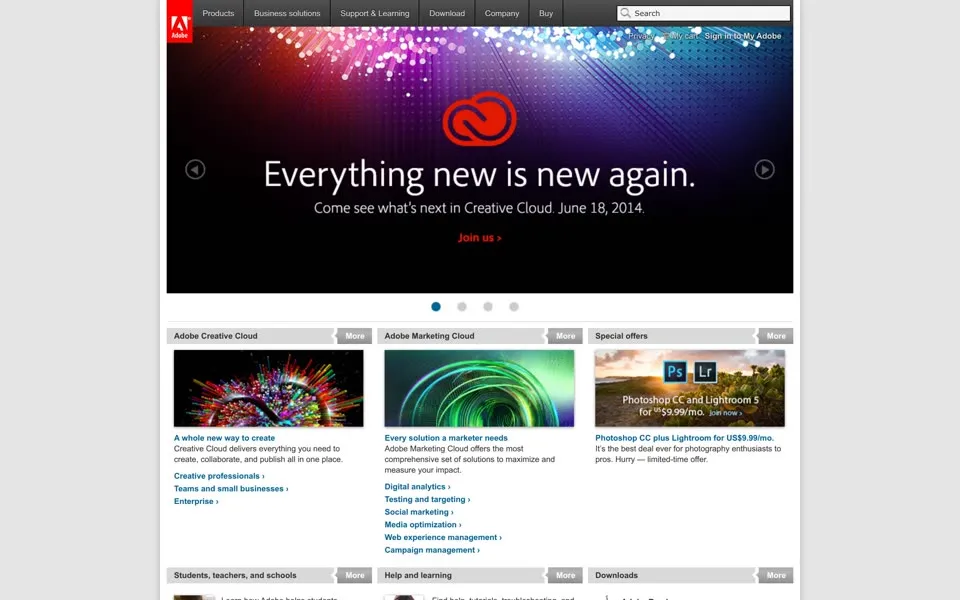
In June 2014 the Creative Cloud symbol glows red over a purple field: Everything new is new again.
The line under it is a date, Come see what’s next in Creative Cloud. June 18, 2014.
The Downloads menu in its code still lists Flash Player, Adobe Reader and Adobe AIR.
2015 – 2017 The conference takes the first screen
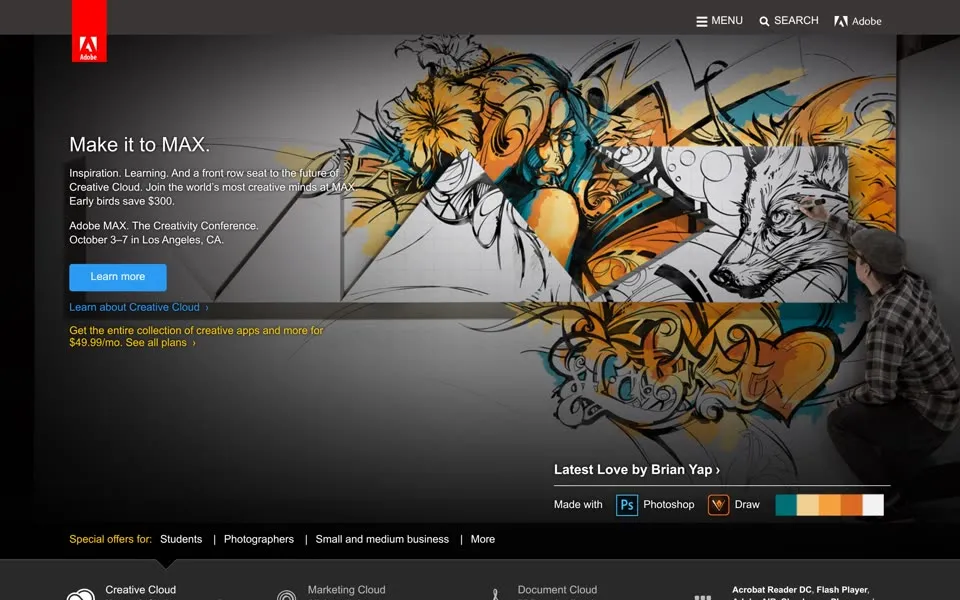
By June 2015 one full-width campaign fills the first screen: a graffiti illustration and Make it to MAX.
, for Adobe’s conference, with Early birds save $300.
Near the bottom, a dark strip still lists Acrobat Reader DC, Flash Player, Adobe AIR, Shockwave Player and more
.
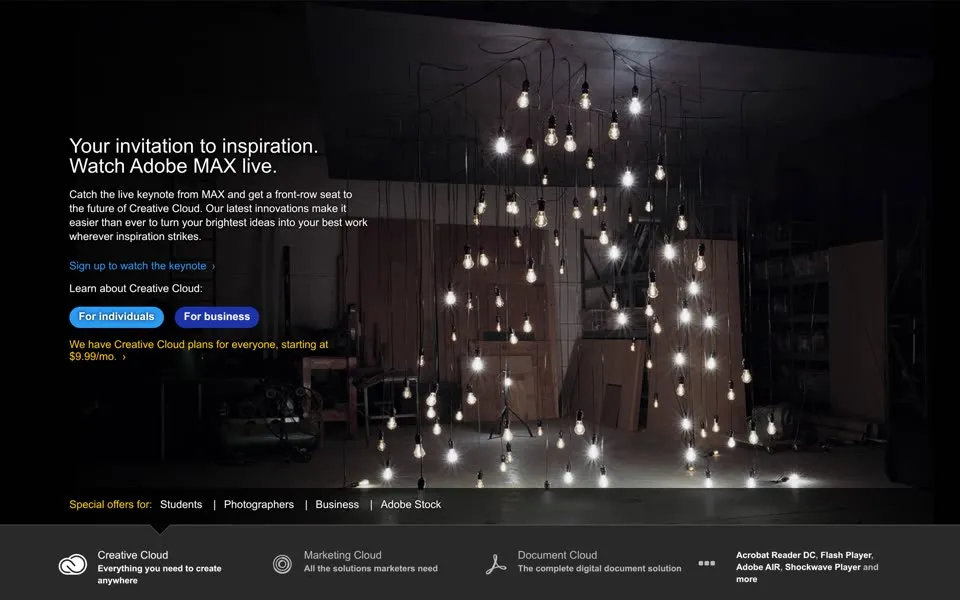
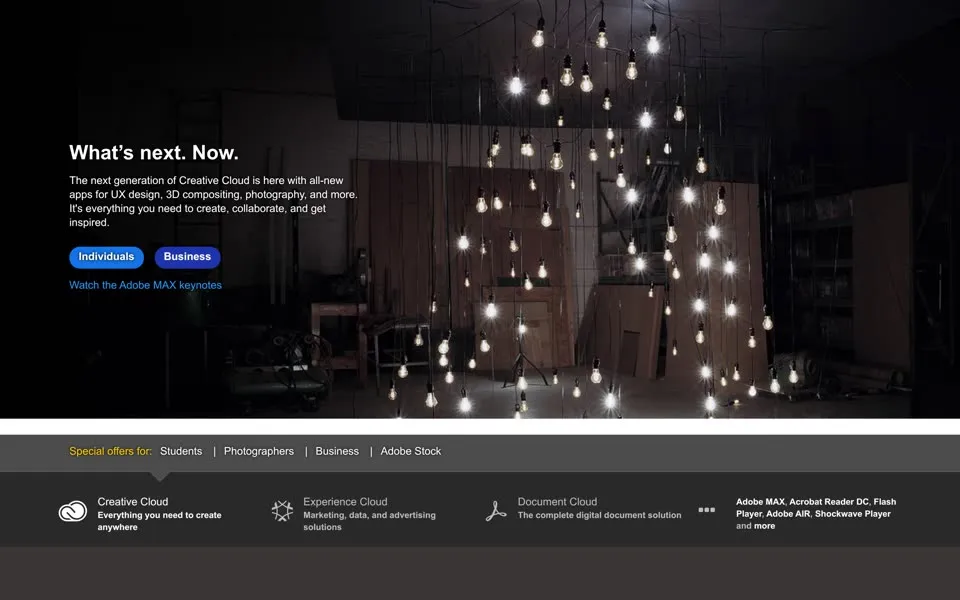
November 2016 and November 2017 use the same photograph, dozens of light bulbs hanging in a dark room. In 2016 it says Your invitation to inspiration. Watch Adobe MAX live.
In 2017 it says What’s next. Now.
and The next generation of Creative Cloud is here
. The strip with the free downloads is still near the bottom of both pages.
It had an end date by then. On July 25, 2017 Adobe announced it would stop updating and distributing Flash Player at the end of 2020, and pointed developers to open web formats.[7] The November 2017 homepage still links to it.
2018 – 2019 Shockwave drops out of the row
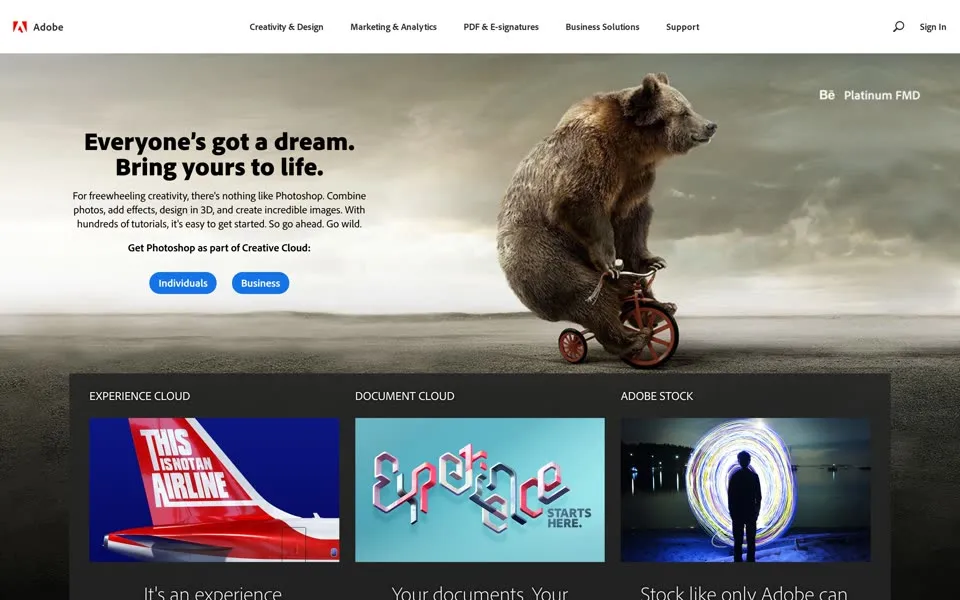
The June 2018 homepage is the friendliest one here: a bear rides a tiny tricycle under Everyone’s got a dream. Bring yours to life.
The copy is a Photoshop ad, For freewheeling creativity, there’s nothing like Photoshop.
At the very bottom, above the copyright line, the old row is still there: Adobe Acrobat Reader DC, Adobe Flash Player, Adobe AIR, Adobe Shockwave Player.
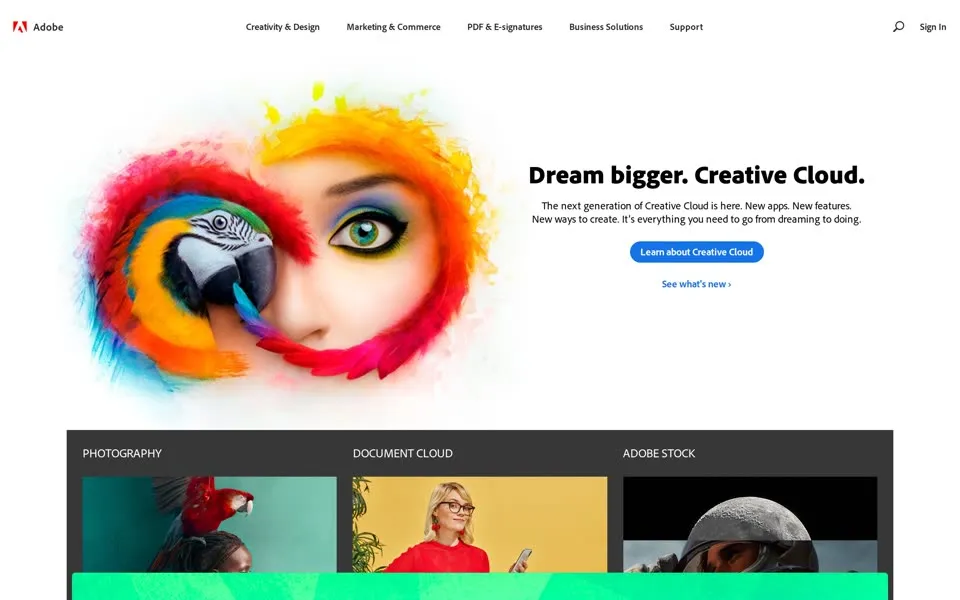
In June 2019 the bear has become a parrot pressed to a painted face, and the headline is Dream bigger. Creative Cloud.
The row at the bottom is shorter: Adobe Acrobat Reader DC, Adobe Flash Player and Adobe AIR. Shockwave Player is gone. The footer is drawn by a script here, so the downloaded HTML of this capture doesn’t name any of them; the still does. The 2020 to 2022 stills stop before the footer, so this is the last capture where we can see the row.
Flash then ended twice. Adobe stopped supporting Flash Player on December 31, 2020, and on January 12, 2021 it began blocking Flash content from running in the player.[8]
2020 – 2023 “Start free trial”
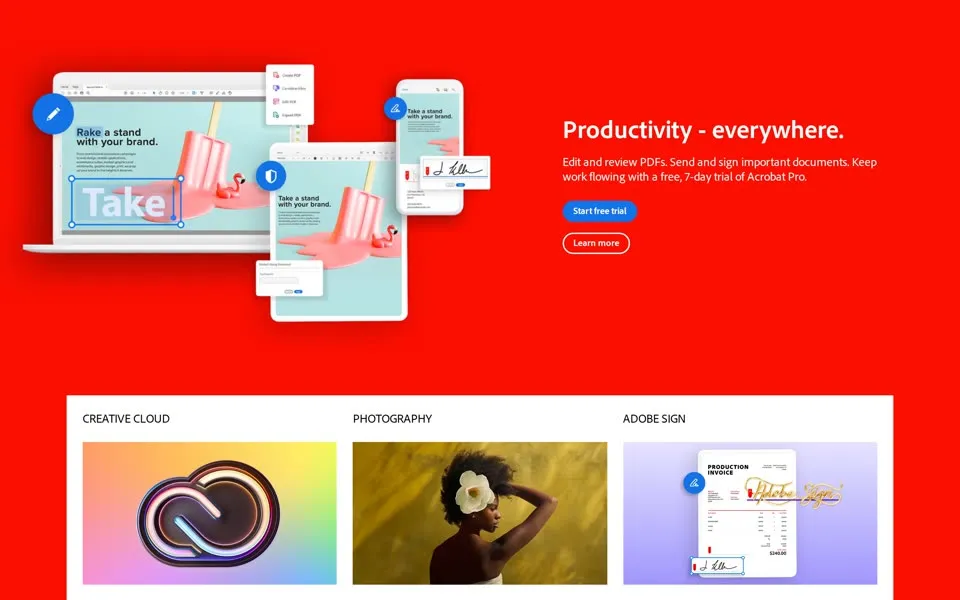
The June 2020 homepage is red from edge to edge. It says Productivity - everywhere.
and Keep work flowing with a free, 7-day trial of Acrobat Pro.
The blue button under it says Start free trial
. Eighteen days earlier, on May 28, 2020, Adobe had announced a single-color, all-red logo in a warmer red.[9]
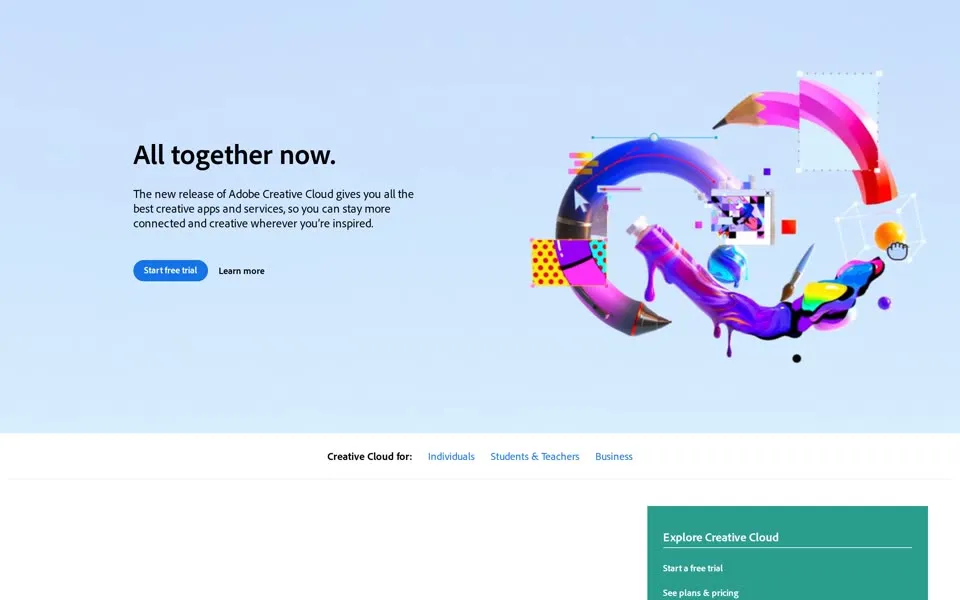
June 2021 says All together now.
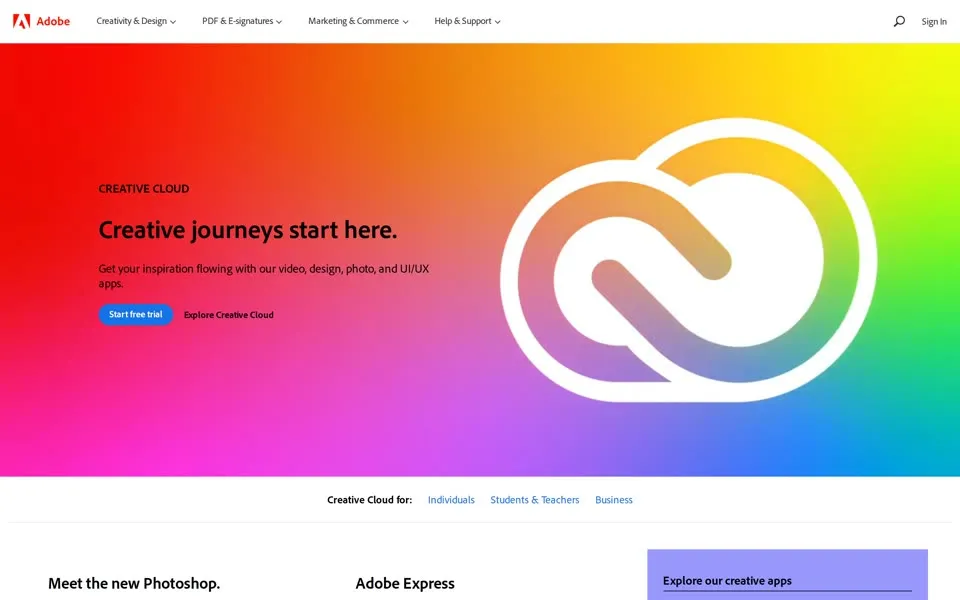
next to a colorful collage on pale blue, and June 2022 puts a white Creative Cloud symbol on a rainbow gradient with Creative journeys start here.
Both heroes have the same button, Start free trial
. The new Creative Cloud logo mixes the colors of Adobe’s product brands with its red, Adobe wrote in 2020.[9]
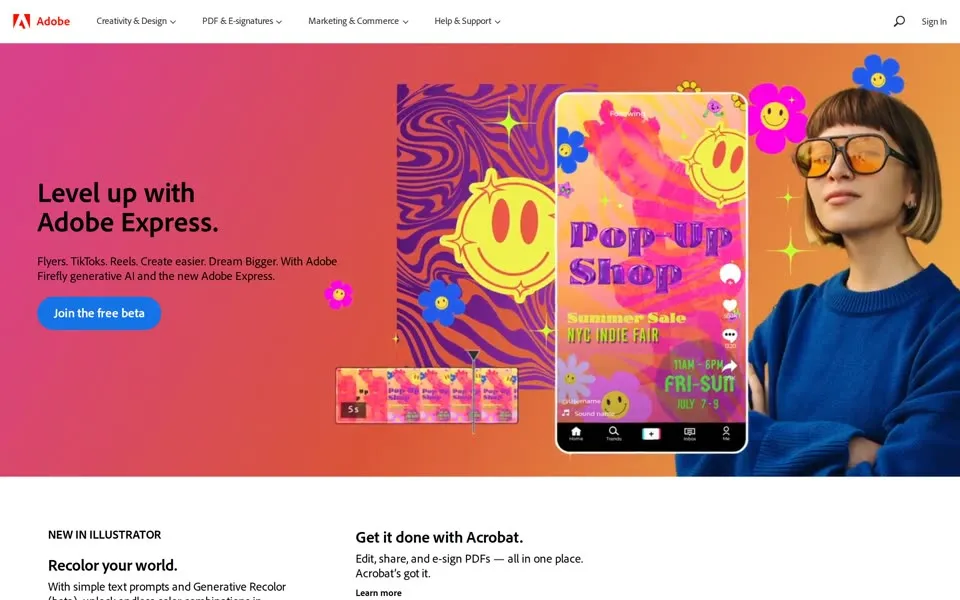
The June 2023 capture has a new kind of free offer. Level up with Adobe Express.
it says, then Flyers. TikToks. Reels.
and With Adobe Firefly generative AI and the new Adobe Express.
The button says Join the free beta
. Firefly itself had started as a beta on March 21, 2023, and Adobe said it made more than 70 million images in its first month.[10][11]
 1996 · Designing Women1996 · Then2023 · Adobe Express2023 · Now
Our 2024 and 2025 captures replay as blank pages, and the live site answered our 2026 visit with Access Denied, so the homepage timeline stops in June 2023. The yellow badge from 1996 offered one free program, the one that opens PDFs. In 2023 the free offer on the first screen is a beta of Adobe Express with Firefly generative AI.
1999 – 2024 Photoshop worked on The Abyss before its launch
Photoshop worked in Hollywood before it went on sale. According to Adobe, an early version was used for the visual effects of The Abyss (1989), where co-creator John Knoll, a visual effects supervisor on the film, used it on the water pseudopod sequence.[4]
The program began as Display, a pixel imaging program created by Thomas Knoll. Adobe bought it and released it as Photoshop in 1990.[3] One click down from the homepage, its product page has its own captures.
In November 1999 the Photoshop page calls version 5.5 The world-standard image-editing solution for print and the Web
. A case study further down says DreamWorks brings the dinosaurs of Jurassic Park to life in multimedia games with Photoshop and Premiere.
In February 2003 Photoshop 7.0 is the professional image-editing standard
.
On New Year’s Day 2014 the browser tab reads Download Photoshop CC by joining Creative Cloud today
, and the right column still advertises Photoshop CC and Lightroom on an annual plan for $9.99 a month, with Offer ends Dec. 31.
On January 1, 2020 the page says Creativity is everywhere. Now Photoshop is too.
and Get Photoshop on desktop and iPad for just US$20.99 /mo.
On January 1, 2024 a jaguar drinks from a pool in a library of books, next to Start with Photoshop. Amazing will follow.
The line below says Plans starting at
and stops there: the price didn’t make it into this replay.
- When was the oldest Adobe homepage in this story archived?
- The oldest capture here is from October 22, 1996, in the Internet Archive's Wayback Machine. adobe.com in October 1996: “Designing Women” honors two Salon art directors, with yellow product tiles and a Get Acrobat Reader badge.
- What does the adobe.com homepage look like in 2023?
- In the newest capture here (June 15, 2023): adobe.com in June 2023: “Level up with Adobe Express.”, Adobe Firefly generative AI and a Join the free beta button.
- How many Adobe homepage captures does this story show?
- 28 captures between 1996 and 2023, at most one per year; the timeline above shows which years are included.
- How did the Adobe logo change on its homepage?
- The logo evolution below shows 8 logo versions we picked from the captures, from 1996, 1999, 2000, 2001, 2002, 2009, 2018 and 2022. Logos from before 1996, the first capture, aren't included.
 1996Red A symbol beside a bold black wordmark.
 1999A narrower white wordmark joins the red symbol.
 2000The wordmark adds Inspiration becomes reality.
 2001The tagline changes to everywhere you look.
 2002The wordmark moves below the red A and the tagline disappears.
 2009The stacked symbol and wordmark turn white inside a red tab.
 2018The black wordmark returns beside the red symbol.
 2022The symbol and wordmark share a warmer red.
Each logo is cut from that year's homepage capture (the year is the capture's); click one to see it on the page. Logos from before the first capture (1996) aren't shown, and some are missing where the logo images don't render in our captures. More logo histories.
◀ drag ▶19962023
The oldest capture in this story (1996) over the newest (2023). Drag across the picture.
Which homepage should we open next?
Tell us on the PageRewind YouTube channel, and subscribe for more histories of the pages we used to visit.
 Altavista.com, 1996–2013From “#1 on the Web” to “© 2013 Yahoo!”
Sources
Archived screenshots link to their dated Wayback captures. What the homepages say comes from those captures; lines read from a page’s code, such as alt texts and closed menus, are identified as such. External history uses the sources below, all published by Adobe.
- Adobe · “10 things you might not know about Adobe’s 40 years of innovation”. Read source ↗Source for Adobe Creek and for Marva Warnock designing the stylized A.
- Adobe Blog · “Evolution of the Digital Document: Celebrating Adobe Acrobat’s 25th Anniversary”; June 14, 2018. Read source ↗Source for the Carousel name, the 1992 demo and the June 15, 1993 launch of Acrobat and PDF.
- Adobe Blog · “Happy 25th Anniversary Photoshop!”; February 18, 2015. Read source ↗Source for Thomas Knoll’s Display and its 1990 release as Photoshop.
- Adobe Blog · “Celebrating 35 years of creativity, community and innovation with Adobe Photoshop”; February 19, 2025. Read source ↗Source for The Abyss and for Photoshop joining Creative Suite in 2003.
- Adobe · Annual Report on Form 10-K, fiscal 2008. Read source ↗Source for the $3.5 billion Macromedia purchase price and the December 3, 2005 accounting date.
- Adobe · Annual Report on Form 10-K, fiscal 2013. Read source ↗Source for Creative Cloud in May 2012, new features for subscribers only from May 2013, CS6 still offered, and 0.3 million to 1.4 million paid subscriptions.
- Adobe Blog · “Flash & The Future of Interactive Content”; July 25, 2017. Read source ↗Source for the plan to stop updating and distributing Flash Player at the end of 2020.
- Adobe · “Adobe Flash Player EOL General Information Page”. Read source ↗Source for the end of support on December 31, 2020 and the content block from January 12, 2021.
- Adobe Blog · “Evolving our brand identity”; May 28, 2020. Read source ↗Source for the all-red logo, the warmer red and the Creative Cloud gradient.
- Adobe News · “Adobe Unveils Firefly, a Family of new Creative Generative AI”; March 21, 2023. Read source ↗Source for the Firefly beta.
- Adobe News · “Adobe Firefly Delivers Creator-Focused, Commercially Viable Generative AI to Millions”; May 10, 2023. Read source ↗Source for more than 70 million images in the first month of the beta.
We selected one homepage capture of adobe.com for every year from 1996 to 2023 in the Internet Archive, 28 in all, mostly from mid-June; the exceptions are 1996 (October 22), 1997 (June 25), 1998 (July 3), 1999 (November 29), 2002 (November 2), 2006 (November 2), 2008 (October 31), 2009 (November 1), 2010 (November 2), 2016 (November 1) and 2017 (November 1). The 2024 and 2025 captures we tried replay as blank pages, with scripts on and off, and the 2026 attempts, archived and live, returned a blank page or Access Denied. Some captures were replayed with scripts turned off because the archived scripts stalled the page. We also show five captures of the Photoshop product page (November 28, 1999; February 2, 2003; January 1, 2014; January 1, 2020; January 1, 2024), which are not counted among the homepages.
Not everything renders in these replays. Some images don’t show in the 1999 capture, the Flash features at the top of 2000 and 2007 don’t play, 2014 and 2015 render without some secondary stylesheets, the 2016 footer is only partly styled, a green strip crosses a promotional picture low on the 2019 page, some product blocks low on the 2021 to 2023 pages are incomplete, and the 2020 to 2022 stills end before the footer. Lines quoted from a page’s code, such as alt texts and menus that open on hover, are labeled as code. PageRewind is independent and not affiliated with Adobe. Adobe, Acrobat, Photoshop and Creative Cloud are trademarks of Adobe.
 Hotmail homepage history
 Nokia homepage history