Type hotmail.com today and you end up at Outlook. In June 2024 and June 2025 the page it led to still carried the old name in its browser tab: Microsoft Outlook (formerly Hotmail)
. In December 1996 the same address opened a white page with one text box, an Enter
button and a red question: Who Should Sign Up?
Scrub through the captures with the slider, or read on.
This is hotmail.com from 1996 to 2026 in 25 captures, and the thread is a name that kept changing on a page whose job did not. HoTMaiL became MSN Hotmail by 1998, Windows Live Hotmail in 2007 and Outlook in 2013, while the page went on asking for a sign-in. Its 1997 code already promised that your email ID was yours for life
.
1996 One box and a red question
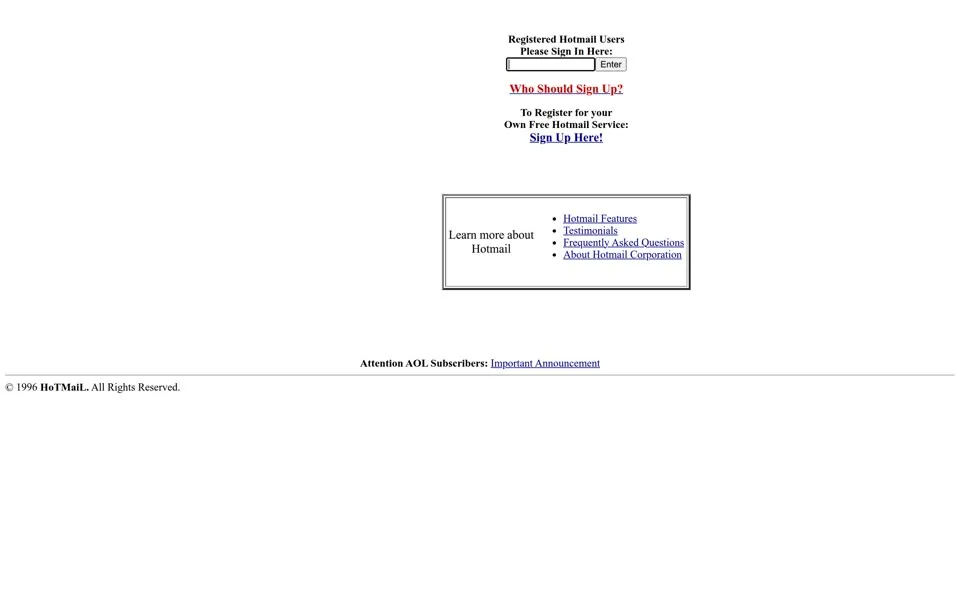
Our oldest capture is from December 20, 1996. The page is white and nearly empty: Registered Hotmail Users Please Sign In Here:
, one text box and an Enter
button. Below it, in red, Who Should Sign Up?
, and a framed box with four links: Hotmail Features, Testimonials, Frequently Asked Questions and About Hotmail Corporation. The header images are missing in this replay.
The browser title and the copyright line both spell the name HoTMaiL
. The capitals are H, T, M and L, the name of HTML, the language web pages are written in.[2] Sabeer Bhatia and Jack Smith had launched it on July 4, 1996, Independence Day in the US.[1]
The missing header image still has its words in the code. Its alt text reads Hotmail is now Over 500,000 Users Strong!
At the very bottom, a link says Attention AOL Subscribers: Important Announcement
.
Hotmail also spread through other people's mail. Every message sent from Hotmail carried a short ad for free Hotmail at the bottom, so each recipient got an invitation.[4]
In Adam Penenberg's account, investor Tim Draper pushed for “PS: I love you. Get your free e-mail at Hotmail”, and the founders agreed to the line without the “P.S. I Love You” part (reported).[3]
1997 Pick frames before you sign in
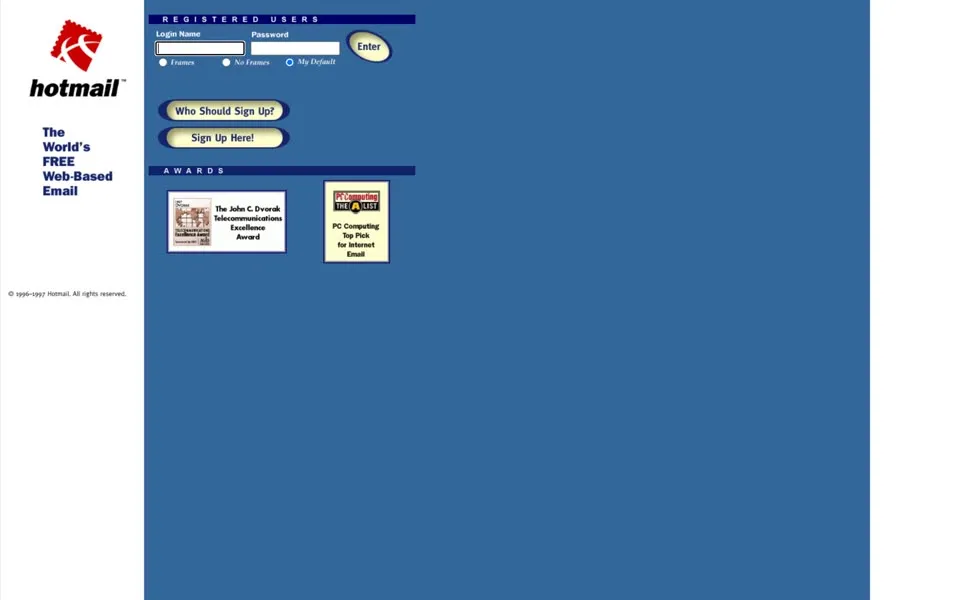
A year later, on December 12, 1997, the page is blue. A red emblem sits over a lowercase hotmail
, beside the slogan The World's FREE Web-Based Email
. The sign-in panel, headed REGISTERED USERS
, asks for a Login Name and Password and adds three radio buttons: Frames
, No Frames
and My Default
. You chose how your inbox would be built before you saw it.
Under AWARDS
hang two badges, the John C. Dvorak Telecommunications Excellence Award and PC Computing's Top Pick for Internet Email
.
The best line on the page is one nobody saw. The meta description, written for search engines, says: Your email ID is yours for life whether you change jobs, move a few thousand miles or change your name.
The keywords next to it include sponsors, advertising banners
.
Nineteen days after this capture, on December 31, 1997, Microsoft announced it had bought Hotmail and its more than 9 million members.[5] The press release made the same point as that meta tag: a Hotmail address did not depend on your internet provider, your home address or your employer.[5]
1998–1999 An orange MSN oval
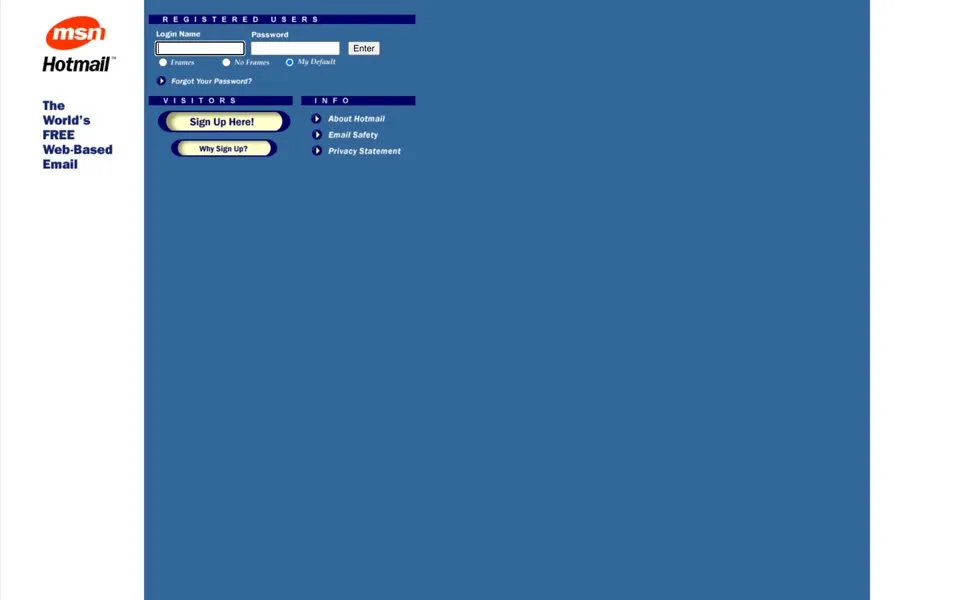
By November 11, 1998, the red emblem is gone. An orange MSN oval sits above the word Hotmail, and the code's alt text calls it [MSN Hotmail Logo]
. The blue page and the Frames choice stay. New links appear on the right: About Hotmail
, Email Safety
and Privacy Statement
.
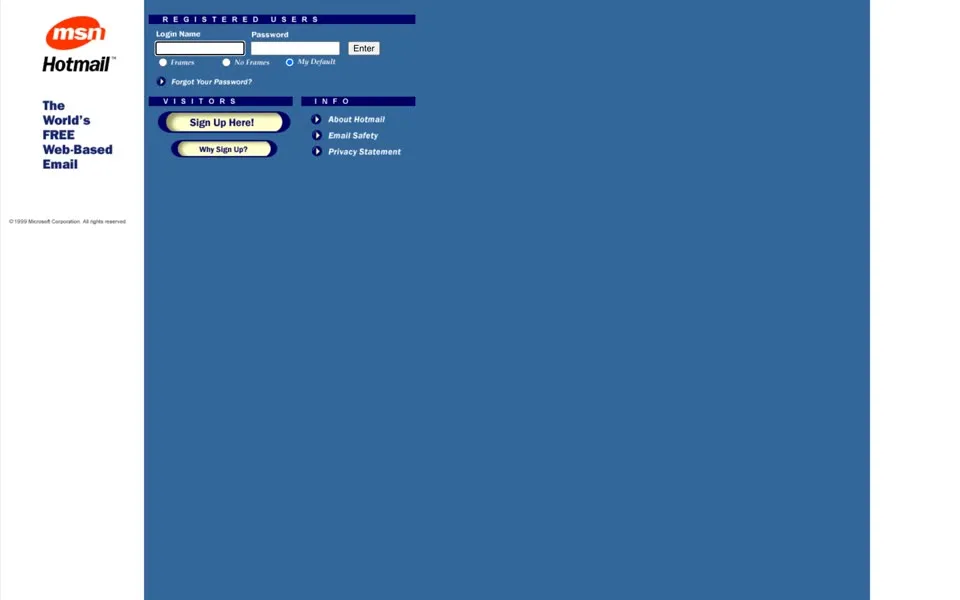
The January 25, 1999 capture looks almost the same. The small print does not. The copyright at the bottom is an image, and its alt text changes from Copyright 1996-1998
to © 1999 Microsoft Corporation. All Rights Reserved
. In the code, the help pages that ended in .html now end in .asp, the file type of Microsoft's Active Server Pages.
2000–2001 “Your Account is Safe at Hotmail”
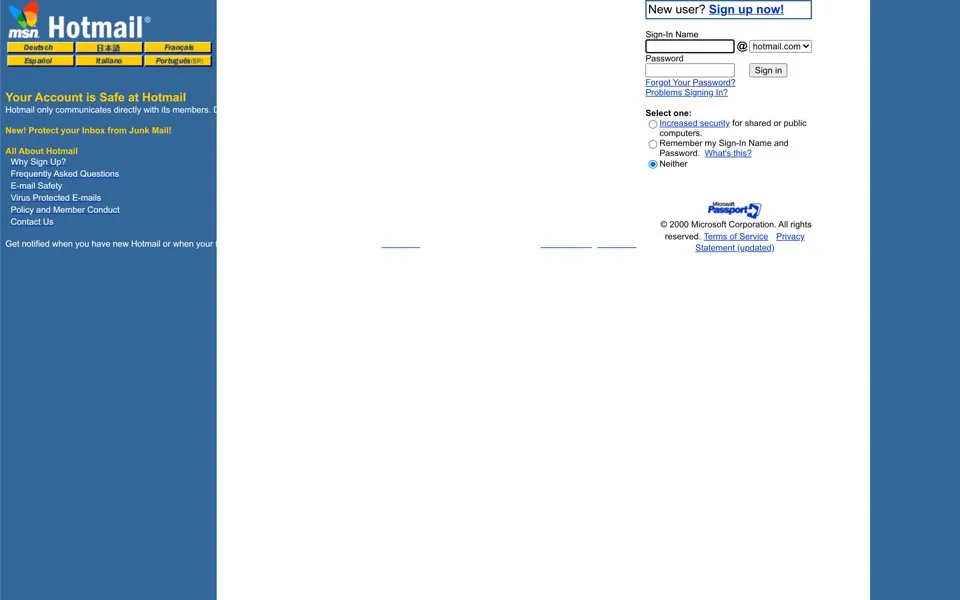
By August 15, 2000, hotmail.com sends visitors to a sign-in page on hotmail.passport.com. The left column is blue, with six yellow language buttons: Deutsch, 日本語, Français, Español, Italiano and Português (BR). The Frames and No Frames buttons are gone. In July 1999 Microsoft had announced a redesign of MSN Hotmail without HTML frames or heavy graphics, for its more than 40 million members.[7]
The loudest line under the languages is about safety: Your Account is Safe at Hotmail
, then Hotmail only communicates directly with its members. Don't be fooled by forwarded e-mail chain letters!
A year earlier, in August 1999, outsiders had found a way to read other people's mailboxes. WIRED reported that the exploit used a login script called “start” and the password “eh”, and Microsoft said the hole was closed.[8]
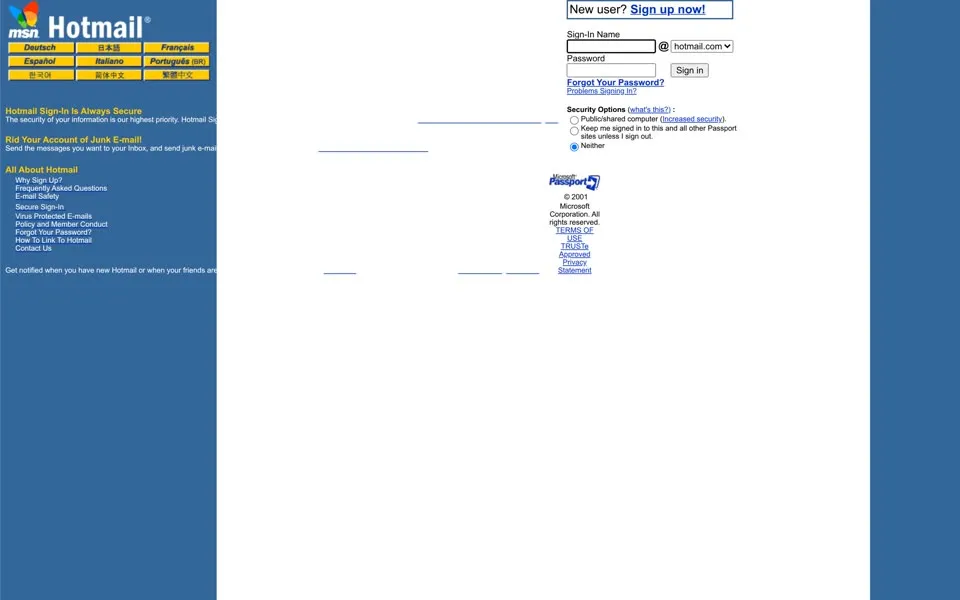
The June 15, 2001 page goes further: Hotmail Sign-In Is Always Secure
, with industry-standard SSL encryption, and always has
. Junk mail now goes to a Bulk Mail folder
. The code adds a detail no visitor saw. HTML comments at the bottom of both pages carry a version line starting V: WIN2K
, shorthand for Windows 2000, and in 2001 a machine name: H: LC3-LFD9.law5.internal.hotmail.com
.
2002 “More Useful Everyday”
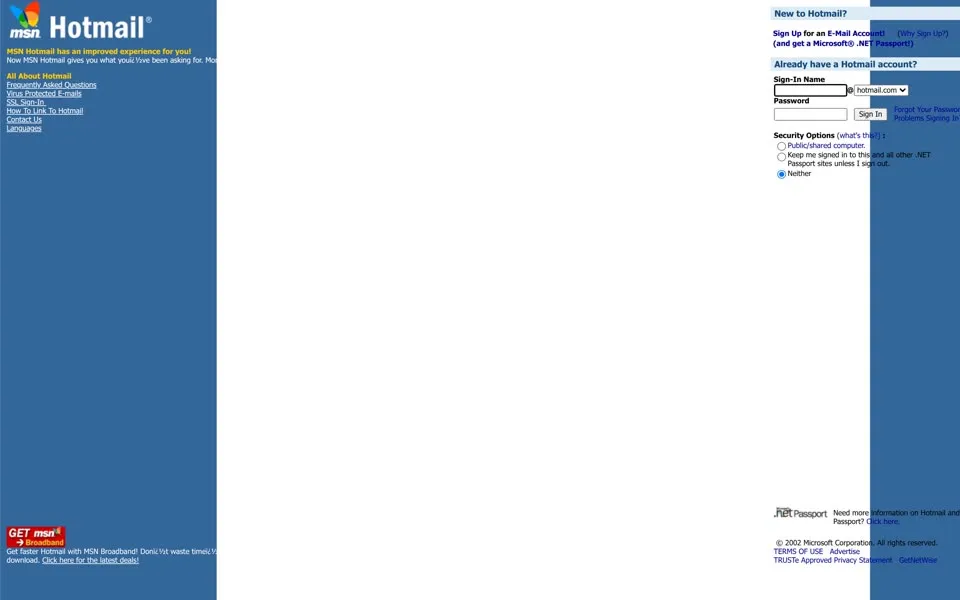
The December 2, 2002 capture has a new browser title, MSN Hotmail - More Useful Everyday
. Its pitch, in the left column: More storage space, large attachments that get delivered, and guaranteed access to your account no matter how often you sign in.
The sign-up pitch spells out a second product: Sign Up for an E-Mail Account!
(and get a Microsoft® .NET Passport!)
. Near the bottom, an ad sells the connection too: Get faster Hotmail with MSN Broadband!
Then our record has a hole. For 2003 to 2006 the archive replays a different year, a blank Passport page or an error, so there is no capture of those years here. One of them mattered for every webmail page. In June 2004, after Yahoo raised its storage and Google announced Gmail with 1 GB, Ars Technica reported that Hotmail would offer 250 MB free.[9]
2007 “MSN Hotmail is changing…”
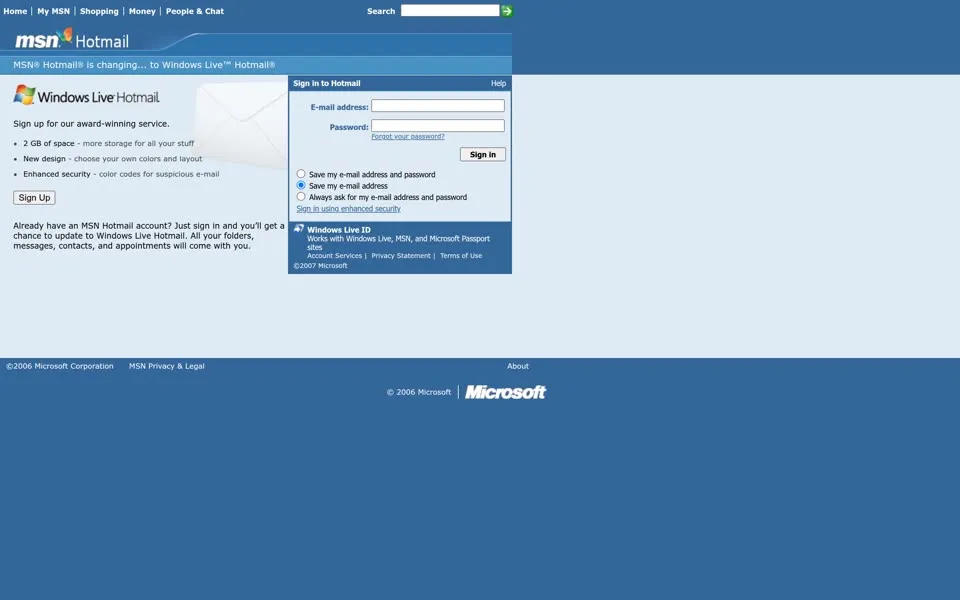
The June 14, 2007 capture catches a switch in progress. A strip across the top reads MSN® Hotmail® is changing... to Windows Live™ Hotmail®
, and below it is the new four-color Windows Live logo. The reasons fit in a short list: 2 GB of space
, a New design - choose your own colors and layout
and Enhanced security - color codes for suspicious e-mail
.
Then the promise again, this time on the screen: Already have an MSN Hotmail account? Just sign in and you’ll get a chance to update to Windows Live Hotmail. All your folders, messages, contacts, and appointments will come with you.
The box on the right says Sign in to Hotmail
and takes a Windows Live ID
.
Microsoft had announced the worldwide launch of Windows Live Hotmail on May 6, 2007, in 36 languages, with the rollout starting the next day, when MSN Hotmail had more than 280 million active accounts. It said more than 20 million beta testers had helped shape it.[10]
2010–2012 “The efficient way to do email”
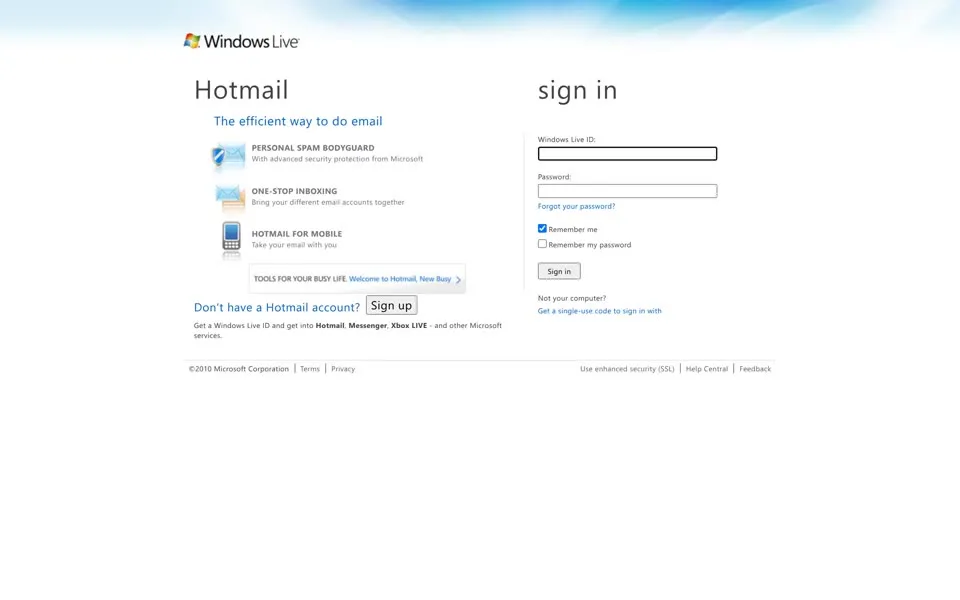
Our next usable capture is from June 16, 2010, on login.live.com. The page is white and sparse. On the left is a large Hotmail
and The efficient way to do email
; on the right, sign in
in lowercase. The features read like a box on a shelf: PERSONAL SPAM BODYGUARD
, ONE-STOP INBOXING
, HOTMAIL FOR MOBILE
.
Below them are Don't have a Hotmail account?
and a Sign up button. A month before this capture, Microsoft had shown a new Hotmail with Sweep, which moved or deleted messages in bulk, and a view that grouped a conversation into one thread.[11] The small print sells a bundle: Get a Windows Live ID and get into Hotmail, Messenger, Xbox LIVE - and other Microsoft services.
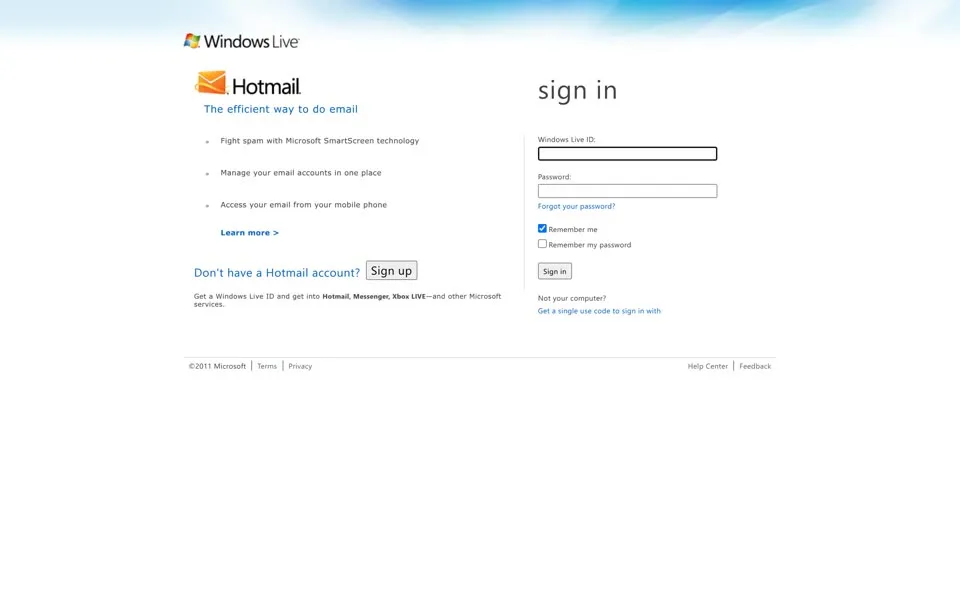
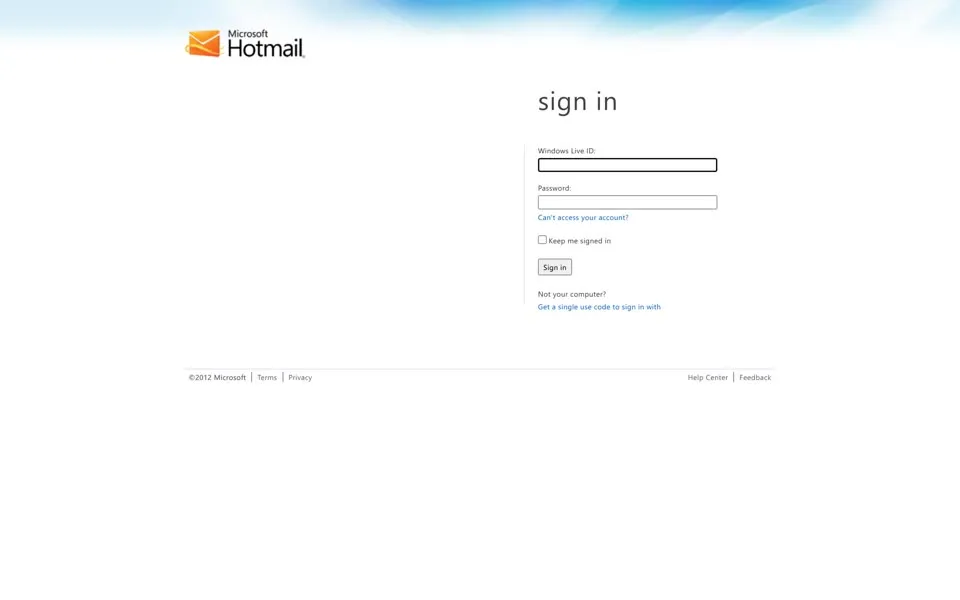
Our 2011 capture shows an orange envelope beside the word Hotmail, and in 2012 the logo reads Microsoft Hotmail. With JavaScript switched off, all three pages say the same thing: Windows Live ID requires JavaScript to sign in.
2013 Outlook takes the sign-in page
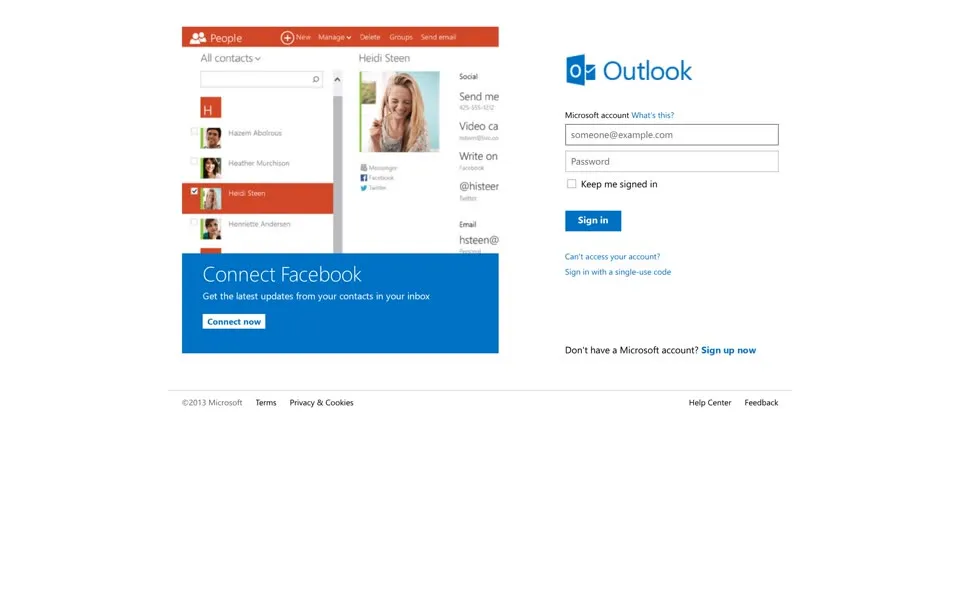
On June 16, 2013, the sign-in page says Outlook
in blue, next to a promotion with a contacts app and the words Connect Facebook
. The account is now a Microsoft account
, and the notice for browsers without JavaScript changed with it: Microsoft account requires JavaScript to sign in.
The meta description keeps one foot in the old name. Outlook.com, it says, works with your Hotmail account
.
Microsoft had opened a preview of Outlook.com on July 31, 2012, and said its design had 60% fewer header pixels and showed 30% more messages.[12] Moving over kept the old address, and during the preview you could even switch back to Hotmail.[13] Outlook.com left preview on February 18, 2013, when Microsoft began upgrading every Hotmail account.[14] In early May it said the upgrade was finished and Outlook.com had more than 400 million active accounts.[15]
2014–2016 The name leaves, the code keeps it
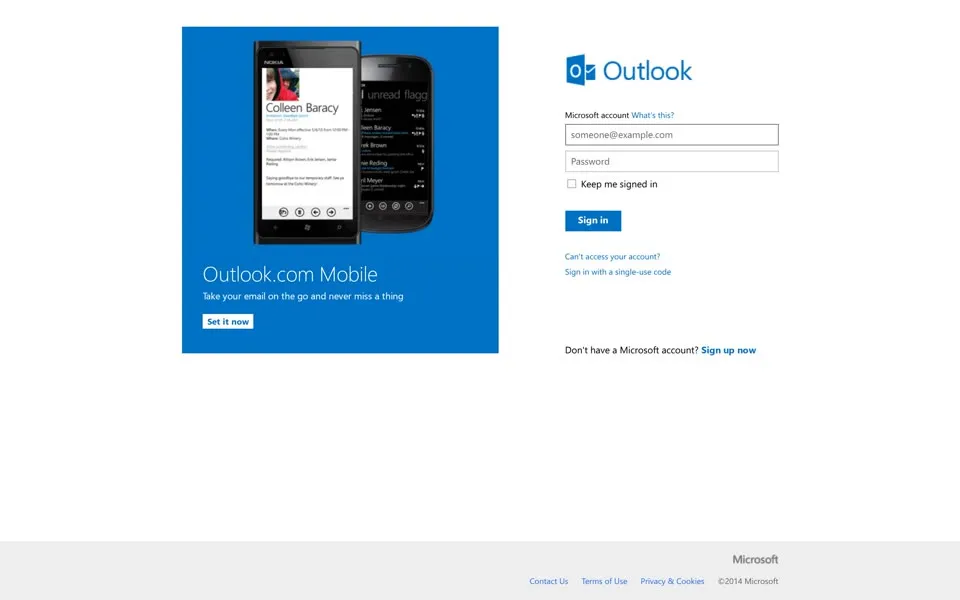
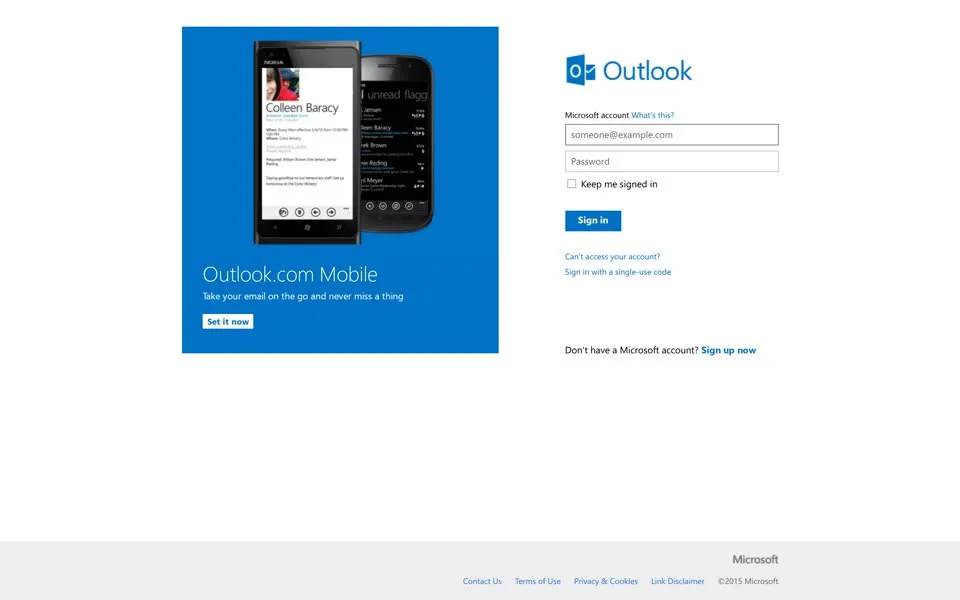
In June 2014 and June 2015 the sign-in page pairs the Outlook form with a blue Outlook.com Mobile
panel and a phone. The 2014 meta description has moved on from SkyDrive: Outlook.com now promises to collaborate easily with OneDrive and Office Online integration
.
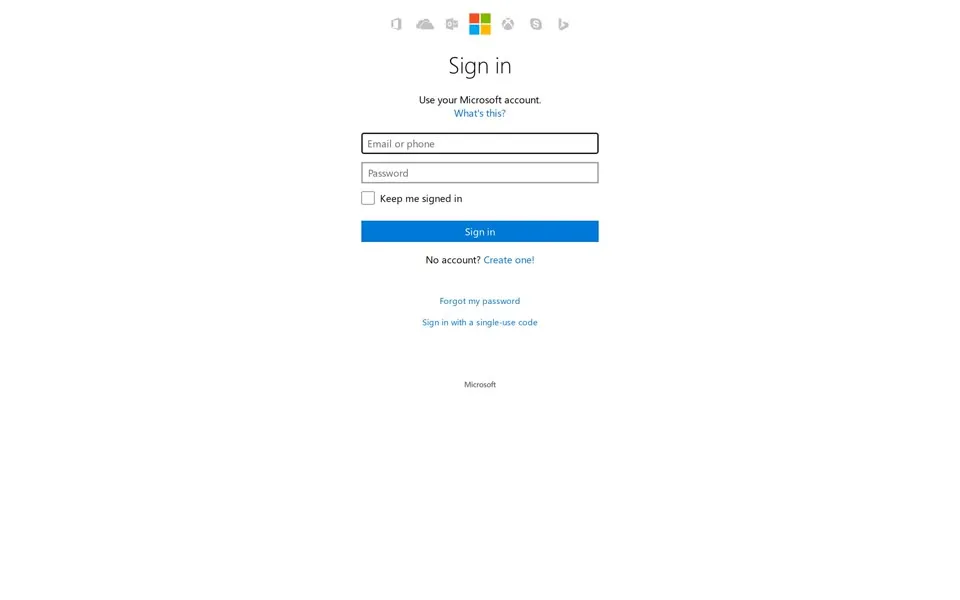
By June 16, 2016, the panel is gone too. What is left is one centered form, Sign in
and Use your Microsoft account.
, under a row of grey icons for Microsoft's other services. The word Hotmail is nowhere on the screen.
It is still in the code. The sign-in script behind each of the 2014, 2015 and 2016 pages still sets one of its values to Hotmail
, including the June 2016 one, three years after the upgrade was declared finished.
2017–2019 “Organize your world”
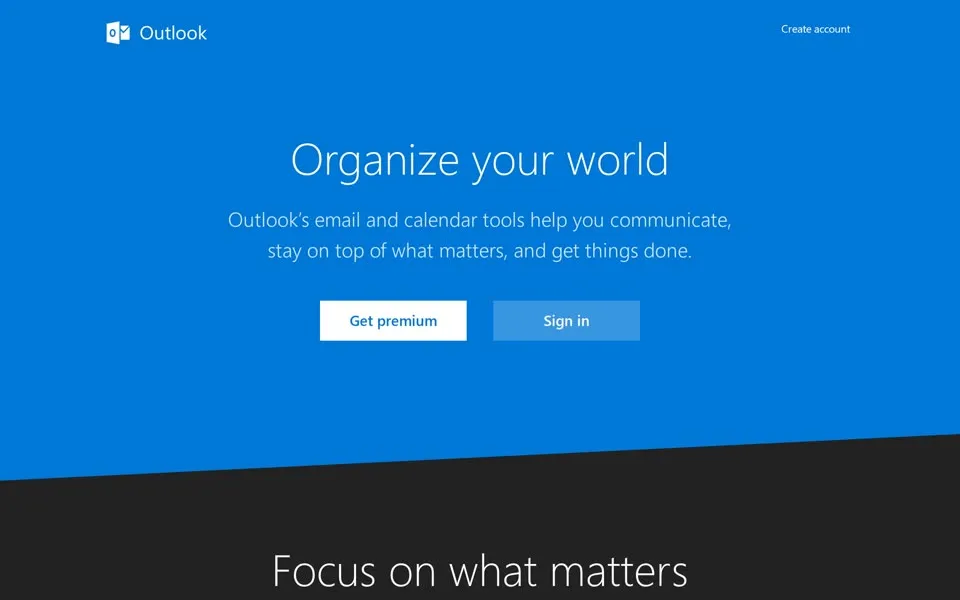
From 2017 our captures follow outlook.live.com/owa/, the address hotmail.com redirects to today. Unlike every capture from 1997 to 2016, this first screen has no password box. A blue band says Organize your world
, with two buttons, Get premium
and Sign in
, and further down, Focus on what matters
. The browser title is Outlook.com - Microsoft free personal email
.
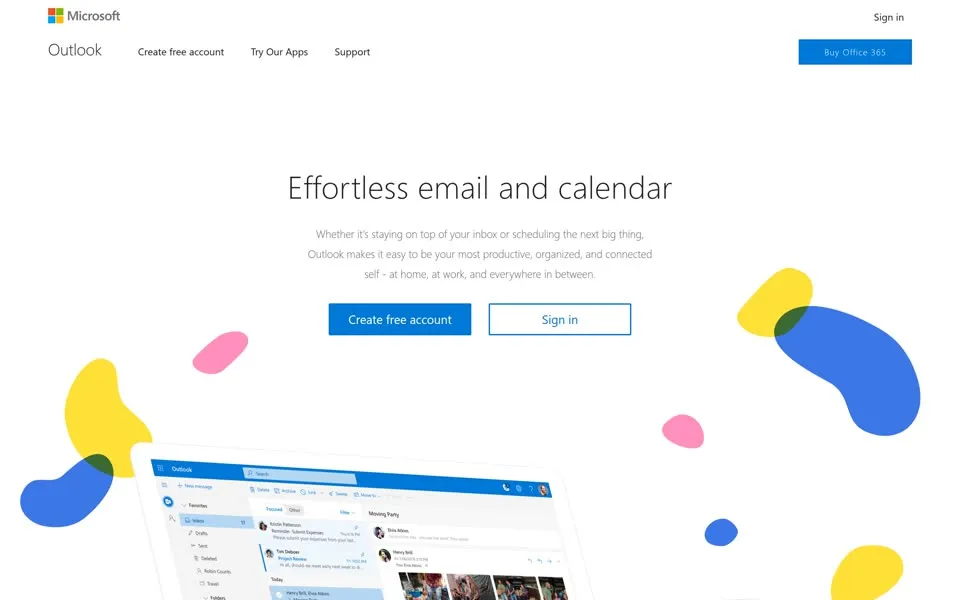
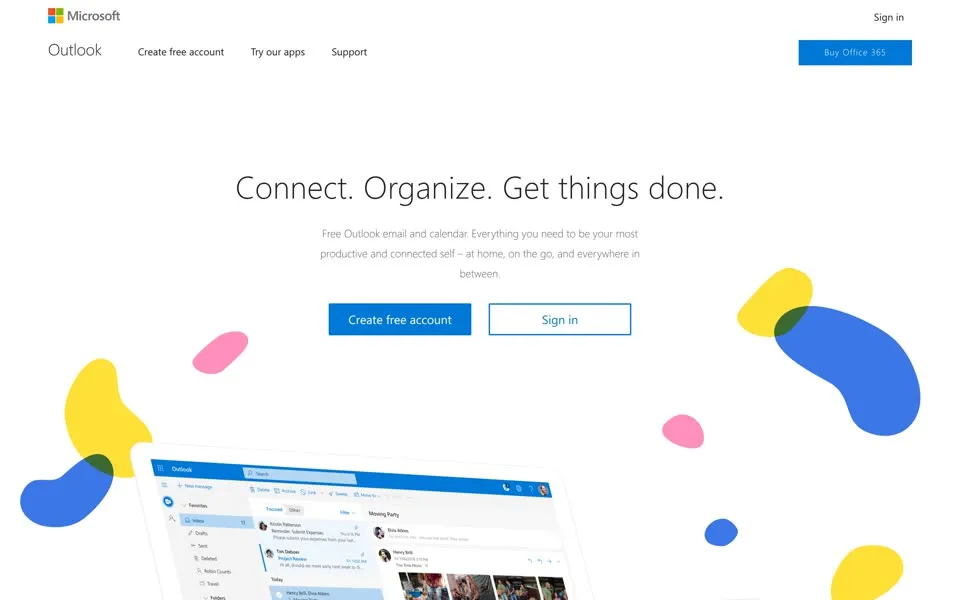
In 2018 the line is Effortless email and calendar
, among yellow, blue and pink shapes floating around a screenshot of the inbox, and Create free account
now comes before Sign in
. The 2019 page keeps the shapes and changes the line to Connect. Organize. Get things done.
Without JavaScript, the page says only JavaScript is required to sign in.
2020–2023 “Connect. Organize. Get things done.”
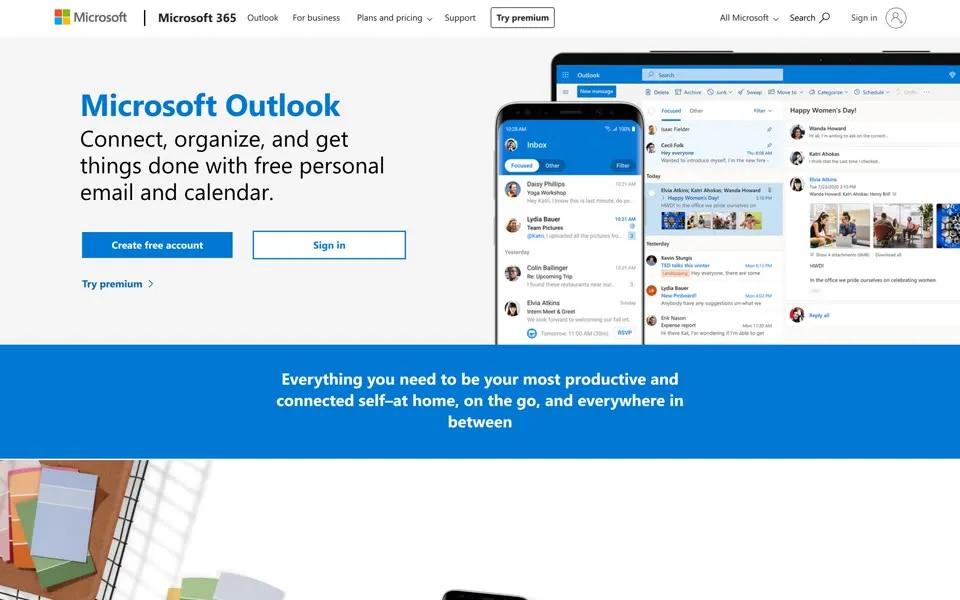
In June 2020 hotmail.com led to a product page on microsoft.com. Microsoft Outlook
, it says, then Connect, organize, and get things done with free personal email and calendar.
A tablet and a phone show the inbox beside it. The alt text calls them A tablet and a phone showing Outlook inbox on the screens
.
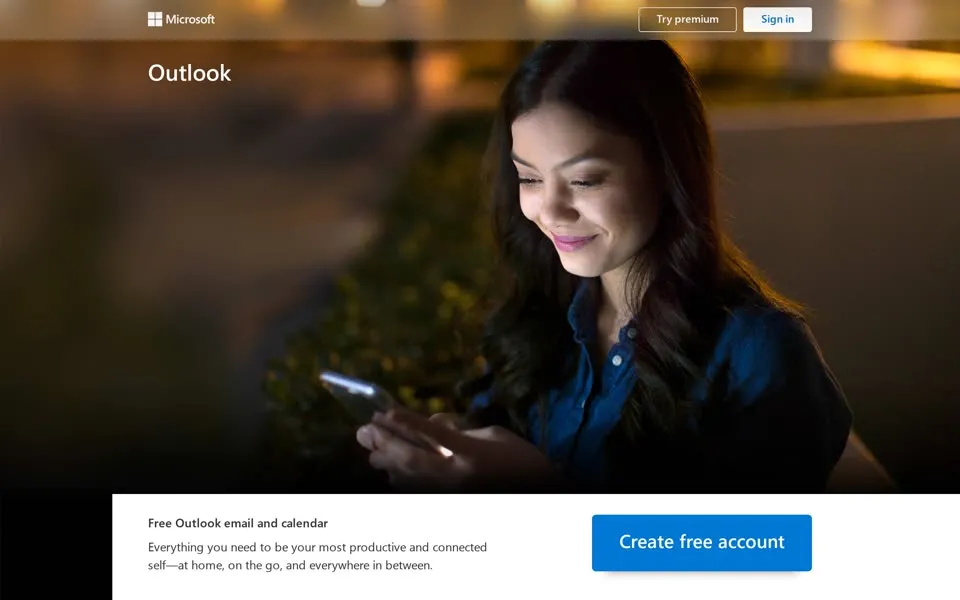
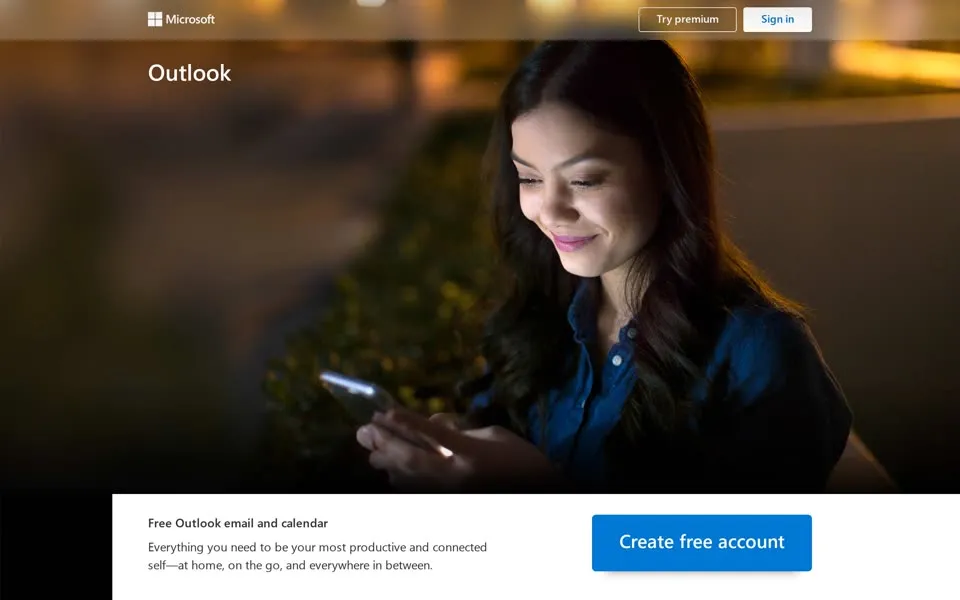
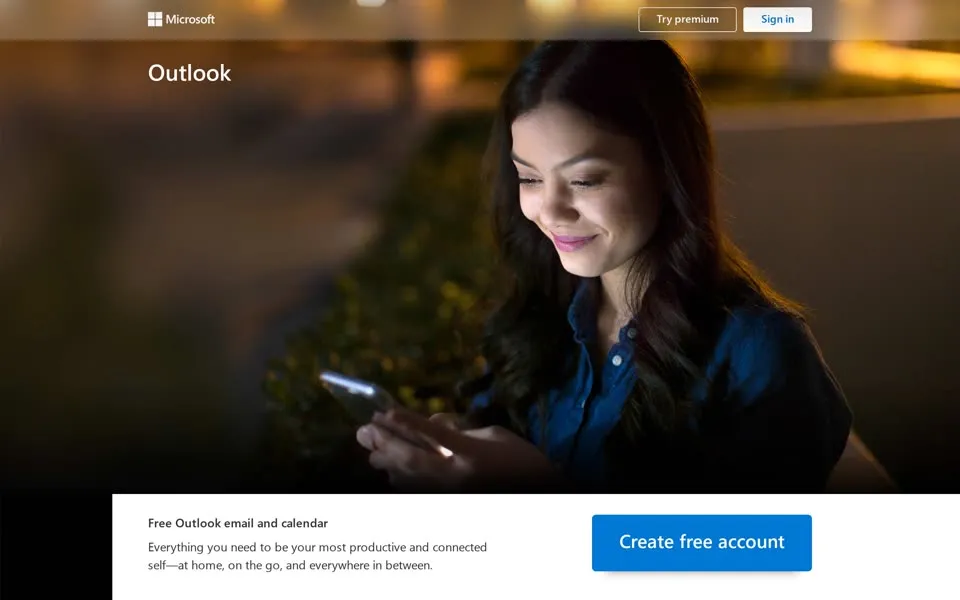
The 2021, 2022 and 2023 captures are back on outlook.live.com and nearly identical: a woman lit by her phone at night, the word Outlook, and a white panel with Free Outlook email and calendar
and a blue Create free account
button.
Their headline is missing in the replay. The code of all three has the 2019 line again, Connect. Organize. Get things done.
Each one also dates itself in a script path, from 2021.4.9.04
to 2023.4.13.03
.
2024–2025 “Formerly Hotmail”
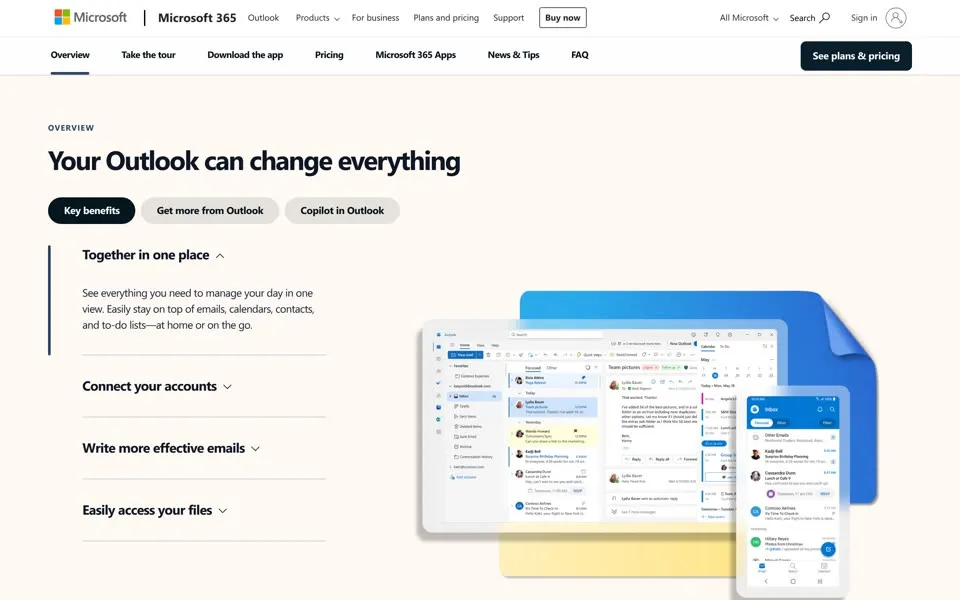
On June 15, 2024, the page hotmail.com led to has a cream background, the headline Your Outlook can change everything
and tabs for Key benefits
, Get more from Outlook
and Copilot in Outlook
. Its browser title brings back the old name: Microsoft Outlook (formerly Hotmail): Free email and calendar | Microsoft 365
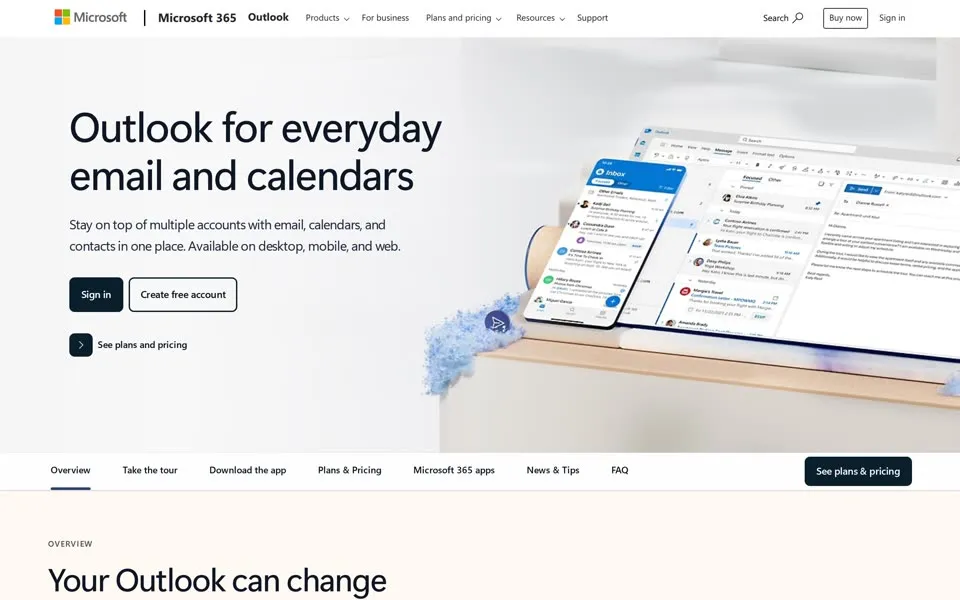
. The 2025 page keeps that title under a new headline, Outlook for everyday email and calendars
.
Further down, below the part our screenshots cover, both pages have a section called What happened to Hotmail?
It answers: Outlook.com replaced Hotmail years ago, but your Hotmail account will continue to work across Outlook apps.
Earlier, in the FAQ, question 02 asks whether a Hotmail.com, Live.com or MSN.com address is the same as Outlook. The answer starts with Yes!
Two old ideas are still in the code. An image's alt text describes an email window with sweep message popup
, the Sweep button from 2010. And free mail is still paid for by advertising, as the 1997 keywords suggested: without a Microsoft 365 subscription, the page says, you’ll see ads in your inbox clearly marked with an ad label
.
2026 “Your inbox, organized”
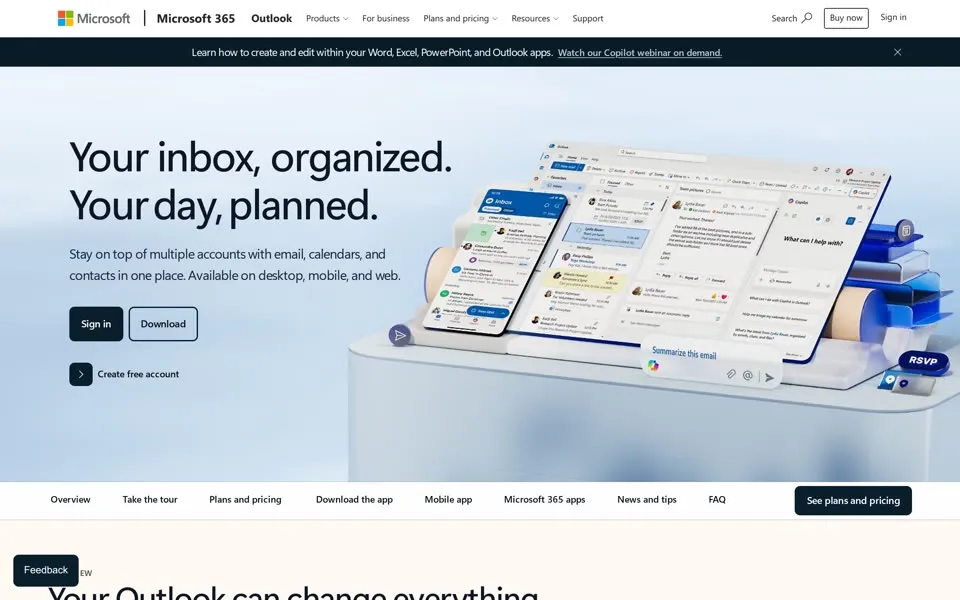
In our live capture from October 16, 2026, the product page leads with Your inbox, organized. Your day, planned.
beside a stack of inbox screenshots. The browser title has dropped the brackets: Microsoft Outlook Personal Email and Calendar | Microsoft 365
. Typing hotmail.com takes you to outlook.live.com instead, and Microsoft's help pages still explain how to sign in to Hotmail, with a Microsoft account, at Outlook.com.[16]
Go back to the first capture. In 1996 the page was one box and an Enter
button, under a name spelled in the capitals of HTML. Thirty years and several names later, an @hotmail.com address still signs in, which is what the 1997 code had promised: yours for life
.
1996 · Please Sign In Here1996 · Then2026 · Your inbox, organized2026 · LiveThe 1997 page promised an email ID “yours for life”. The name on the page changed; the address did not.Hotmail, 1997 → Outlook, 2026
- When was the oldest hotmail.com homepage in this story archived?
- The oldest capture here is from December 20, 1996, in the Internet Archive's Wayback Machine. Our oldest HoTMaiL capture: one sign-in box, “Enter” and a red “Who Should Sign Up?”; the header images are missing.
- What does the hotmail.com homepage look like in 2026?
- In the newest capture here (live): Live Outlook page: “Your inbox, organized. Your day, planned.” beside layered inbox previews.
- How many Hotmail homepage captures does this story show?
- 25 captures between 1996 and 2026, at most one per year; the timeline above shows which years are included.
- How did the Hotmail logo change on its homepage?
- The logo evolution below shows 10 logo versions we picked from the captures, from 1997, 1998, 2000, 2007, 2010, 2011, 2012, 2013, 2018 and 2021. Logos from before 1996, the first capture, aren't included.
 1997Red globe emblem above the lowercase Hotmail name.
 1998An orange MSN oval replaces the globe above Hotmail.
 2000The MSN butterfly appears beside a white Hotmail wordmark.
 2007The Windows flag and Windows Live name replace MSN.
 2010Hotmail becomes a plain grey wordmark beneath Windows Live.
 2011An orange envelope appears beside the black Hotmail name.
 2012Microsoft is added above Hotmail beside the orange envelope.
 2013The blue Outlook icon and name replace Hotmail.
 2018Outlook uses a thin wordmark without the envelope icon.
 2021The Outlook wordmark becomes heavier and white.
Each logo is cut from that year's homepage capture (the year is the capture's); click one to see it on the page. Logos from before the first capture (1996) aren't shown, and some are missing where the logo images don't render in our captures. More logo histories.
◀ drag ▶19962026
The oldest capture in this story (1996) over the newest (2026). Drag across the picture.
Which homepage should we open next?
Tell us on the PageRewind YouTube channel, and subscribe for more histories of the pages we used to visit.
 Adobe.com, 1996–2023From “Get Acrobat Reader” to “Start free trial”
Sources
External history links here. Wording from the pages comes from the dated captures shown alongside it: click a screenshot for the full-page image or its date for the Wayback replay. The final frame is from the live site.
- WIRED, Po Bronson, “HotMale”, December 1998. WIRED ↗Source for the July 4, 1996 launch by Sabeer Bhatia and Jack Smith.
- Ars Technica, Sean Gallagher, “How Hotmail changed Microsoft (and email) forever”, December 29, 2017. Ars Technica ↗Source for “HoTMaiL” as a reference to HTML.
- TechCrunch, Adam L. Penenberg (book excerpt), “PS: I Love You. Get Your Free Email at Hotmail”, October 18, 2009. TechCrunch ↗Source for Tim Draper's proposed tagline and the founders dropping “P.S. I Love You”.
- Steve Jurvetson and Tim Draper (DFJ), “Viral Marketing”, 1997, edited version November 1998 (archived copy). Archived copy ↗Source for the ad in every outgoing message, 12 million sign-ups in about 18 months and under $500,000 in marketing.
- Microsoft, “Microsoft Acquires Hotmail”, December 31, 1997. Microsoft ↗Source for the acquisition, more than 9 million members and an address independent of provider, location and employer.
- Microsoft, “MSN Hotmail, World's Largest E-mail Provider, Surpasses 30 Million Member Milestone”, December 1, 1998. Microsoft ↗Source for 30 million active accounts, 150,000 new accounts a day and more than half of members outside the US.
- Microsoft, “MSN Hotmail Announces Major Redesign”, July 9, 1999. Microsoft ↗Source for the redesign without HTML frames and high-resolution graphics, and more than 40 million members.
- WIRED, James Glave, “Hotmail Hackers: ‘We Did It’”, August 30, 1999; The Guardian, Neil McIntosh and Rory Carroll, August 31, 1999. WIRED ↗ The Guardian ↗Source for the August 1999 security hole; the “start” script and the password “eh” are from WIRED only.
- Ars Technica, Eric Bangeman, June 24, 2004. Ars Technica ↗Source for Hotmail's announced 250 MB, after Yahoo's increase and Gmail's 1 GB.
- Microsoft, “Microsoft Launches Windows Live Hotmail Worldwide”, May 6, 2007. Microsoft ↗Source for the 36 languages, more than 280 million active accounts and more than 20 million beta testers.
- Windows Blog, Brandon LeBlanc, “The new Hotmail makes me happy”, May 18, 2010. Windows Blog ↗Source for Sweep and the conversation view.
- Windows Blog (Latin America), Chris Jones, Outlook.com preview announcement, July 31, 2012. Windows Blog ↗Source for the preview and Microsoft's 60% fewer header pixels and 30% more visible messages.
- Microsoft, Dick Craddock, “Upgrade from Hotmail to Outlook.com”, August 3, 2012. Microsoft ↗Source for keeping the @hotmail.com address, password, settings and data, and switching back during the preview.
- Official Microsoft Blog, “Microsoft announces the official launch of Outlook.com”, February 18, 2013. Microsoft ↗Source for the end of the preview and the start of upgrading all Hotmail accounts.
- Official Microsoft Blog, “Weekend Reading: May 3rd edition”, May 3, 2013. Microsoft ↗Source for the completed upgrade and more than 400 million active Outlook.com accounts.
- Microsoft Support, “How to sign in to Hotmail”, checked October 16, 2026. Microsoft Support ↗Source for signing in to Hotmail with a Microsoft account at Outlook.com.
How this was made. One selected capture of what hotmail.com showed for each year from 1996 to 2026 where we found a usable one, 25 in all, mostly from mid-June; the exceptions are 1996 (December 20), 1997 (December 12), 1998 (November 11), 1999 (January 25), 2000 (August 15), 2002 (December 2) and 2026 (October 16, the live page). From 2000 hotmail.com forwarded visitors to a sign-in page, so the captures follow it: Passport sign-in pages in 2000–2002, login.live.com in 2007–2016, outlook.live.com in 2017–2019 and 2021–2023, and Microsoft's Outlook product page in 2020, 2024 and 2025. The 2026 frame is a separate live capture of Microsoft's Outlook product page, taken October 16, 2026. There is no usable capture for 2003–2006, 2008 or 2009; the replays served another year, a blank page or an error. It is a sample of the page over time, not every redesign.
The 1996 header images, the 2012 promotional pictures and the 2021–2023 headlines are missing in the archive's replays. The captures are limited to 2,700 CSS pixels in height (5,400 image pixels at 2×), so the lower parts of the longer pages, including the 2024–2025 FAQ, are quoted from their HTML. Lines quoted from a page's code, such as meta descriptions, alt texts, comments and scripts, are labeled as code. PageRewind is independent and not affiliated with Microsoft. Hotmail, MSN, Windows Live and Outlook are trademarks of Microsoft Corporation.
 AltaVista homepage history
 Nokia homepage history