Today Microsoft's homepage opens with a greeting, Hi there, welcome to Microsoft
, and an empty box that says
Ask a question
. Thirty years ago the question came from Microsoft. On the oldest capture we could find, from October 1996, the picture
at the top of the page is gone, and the only thing left of it is the text written to stand in for it: MICROSOFT: Where do you want to
go today?
This page goes through the captures and what's written in them, the menus, the footers and the small print, to show how
the homepage tried to answer that question: from a list of 38 locations to one empty box.
▶ Watch the 2:59 videoDrag the slider to flip through every year, or read on.
1996 Where do you want to go today?
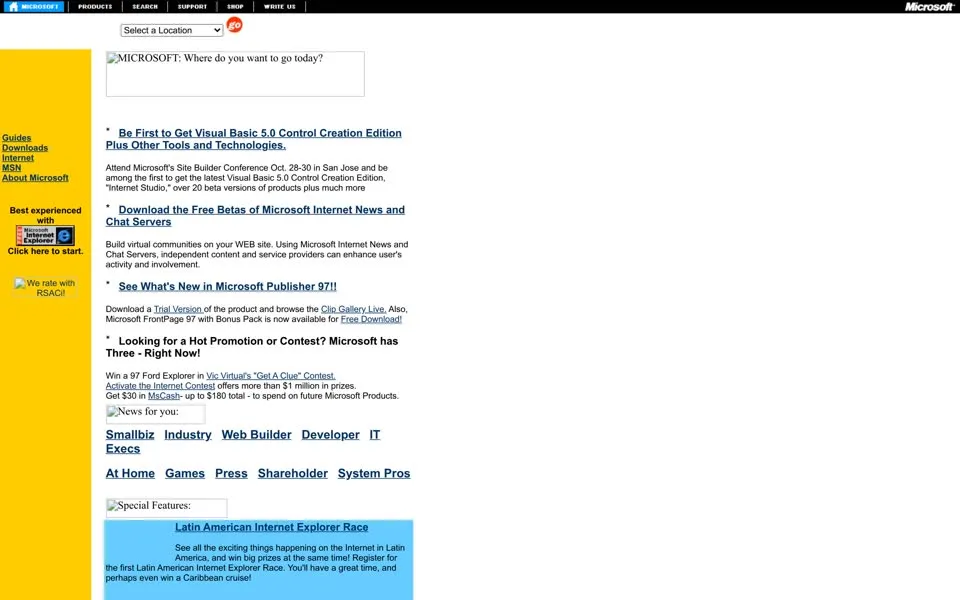
The browser tab says Microsoft Corporation. Across the top runs a black toolbar: PRODUCTS
, SEARCH
, SUPPORT
,
SHOP
, WRITE US
. Under it, a drop-down that says Select a Location
, with 38 countries and regions inside, from Argentina
to Uruguay, and a red go
button. Then the banner, or what is left of it.
The banner image was never archived. A browser that can't load a picture shows its alt text instead, and this one's alt text is the slogan:
MICROSOFT: Where do you want to go today? The same goes for the badge on the left: We rate with RSACi!The page answers the question with lists. A yellow sidebar: Guides
, Downloads
, Internet
, MSN
, About
Microsoft
. A row of ten links for ten kinds of visitor: Smallbiz
, Industry
, Web Builder
, Developer
,
IT Execs
, At Home
, Games
, Press
, Shareholder
, System Pros
. The news is aimed at people who build
websites: Be First to Get Visual Basic 5.0 Control Creation Edition
, free betas of the Internet News and Chat Servers
,
FrontPage 97 now available for Free Download!
And two contests and a coupon run at once. A 1997 Ford Explorer in Vic Virtual's "Get A Clue" Contest
. An Activate the Internet
contest with more than $1 million in prizes
. And a coupon: Get $30 in MsCash - up to $180 total - to spend on future Microsoft
Products.
In the sidebar, an animated badge: Best experienced with Microsoft Internet Explorer. Click here to start.
There is no 1997 homepage in the archive: after October 1996 the next capture of microsoft.com is from December 1998.
1998 The browser and the trial
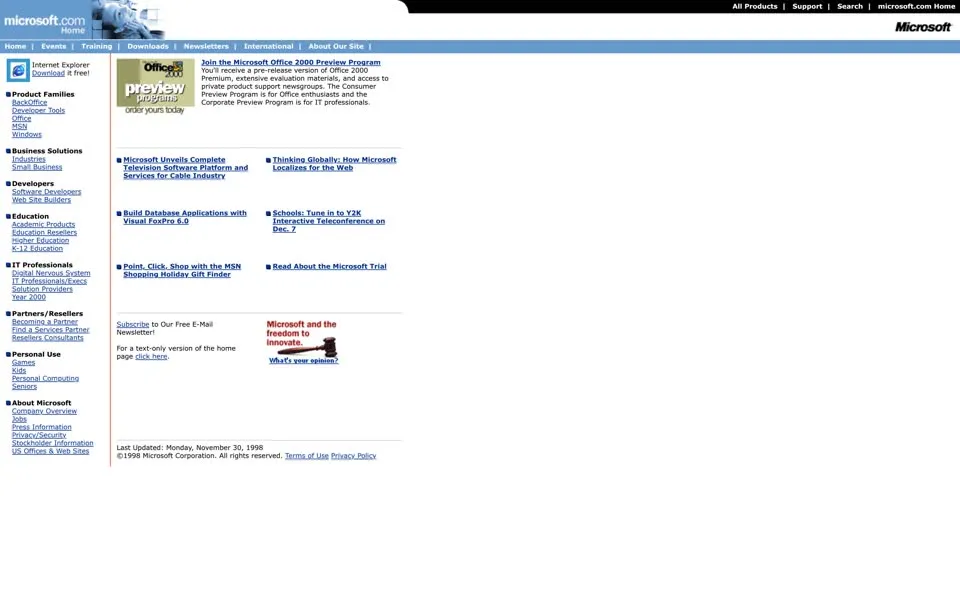
By December 1998 the browser tab says Welcome to Microsoft's Homepage
, and the left column sorts the whole site by who you are:
Business Solutions, Developers, Education, IT Professionals, Partners/Resellers, and Personal Use
, which splits into Games
,
Kids
, Personal Computing
and Seniors
. Top left, Internet Explorer again: Download it free!
That browser had put Microsoft in court. In October 1997 the Justice Department sued, alleging that Microsoft required PC makers to ship
Internet Explorer with Windows 95; in May 1998 it and 20 states filed a broad antitrust case, and the trial began on October 19,
1998.1 Six weeks later the homepage has a link, Read About the Microsoft Trial
, and a little
picture of a judge's gavel: Microsoft and the freedom to innovate. What's your opinion?
1999 – 2000 Microsoft answers the judge
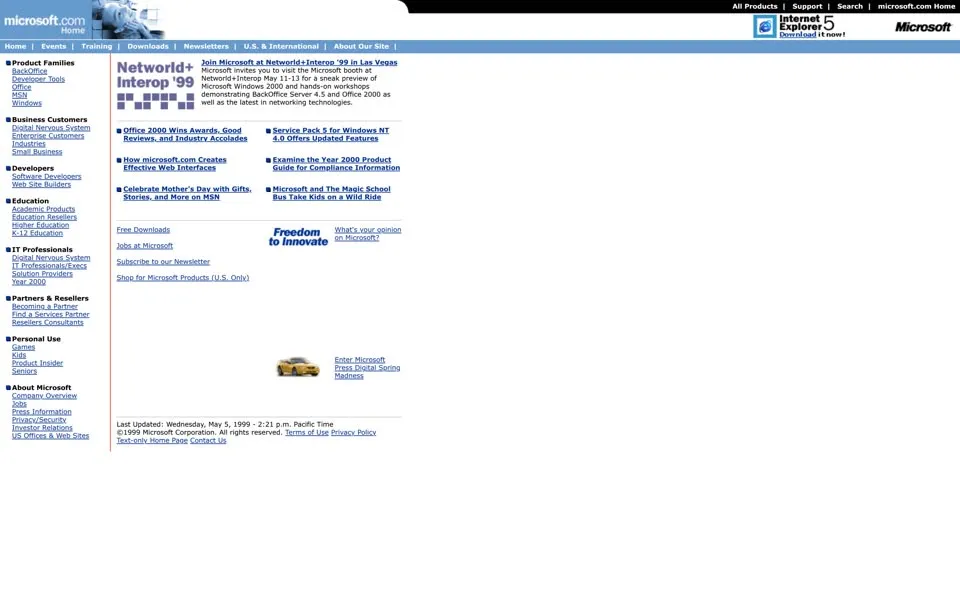
In May 1999 the gavel box asks again, What's your opinion on Microsoft?
, next to a Year 2000 Product Guide
and Microsoft
and The Magic School Bus Take Kids on a Wild Ride
.
On June 7, 2000, Judge Jackson of the federal district court ordered Microsoft split in two: an Operating Systems Business
and an Applications
Business
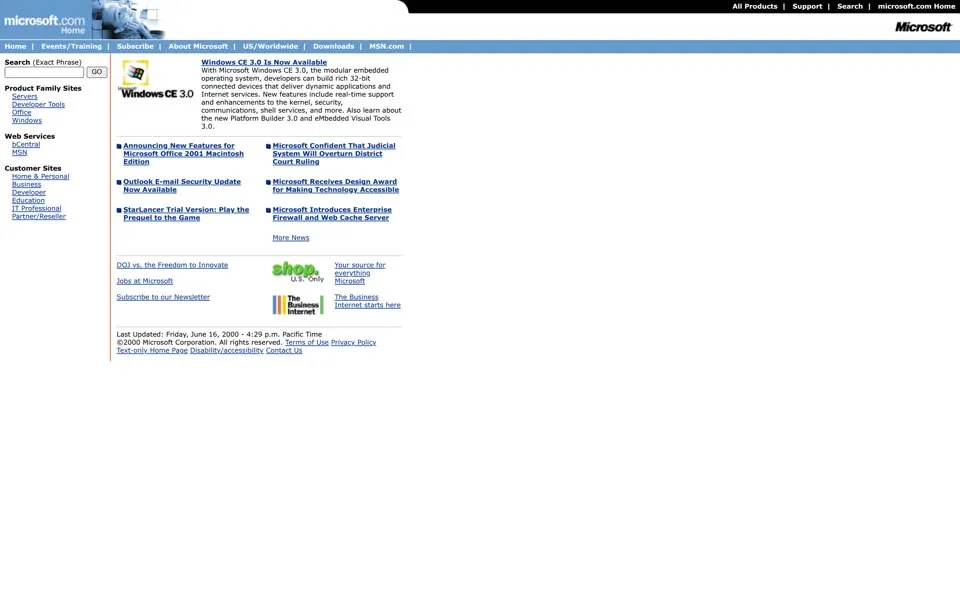
.2 On the homepage captured twelve days later, among announcements for Windows CE 3.0
and Office 2001 for the Mac, one headline reads:
Microsoft Confident That Judicial System Will Overturn District Court Rulingmicrosoft.com, June 2000
Below it, a link: DOJ vs. the Freedom to Innovate
. And the footer, as every year from 1998 to 2005, stamps the page to the
minute: Last Updated: Friday, June 16, 2000 - 4:29 p.m. Pacific Time
.
2001 – 2002 Windows XP is here
The ruling didn't hold. On June 28, 2001 a federal appeals court threw out the order to break Microsoft up.1
Four months later, on October 25, 2001, Windows XP went on sale worldwide,3 and that day the top of
the homepage says it in white letters over a photo: Windows XP is here!
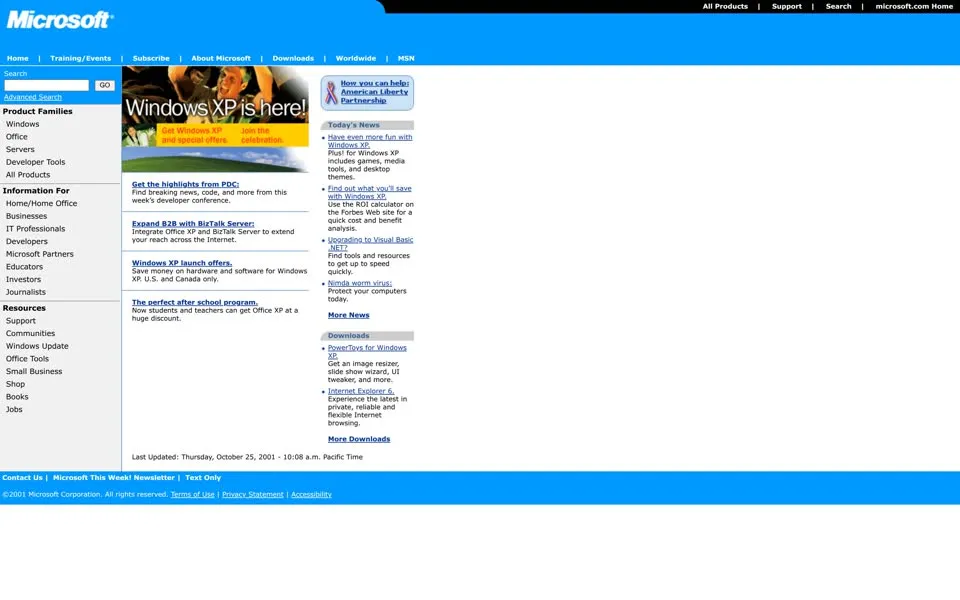
The rest of the launch-day page is a sign of the time. Next to the XP banner: How you can help: American Liberty Partnership
, six
weeks after September 11. Under Today's News
sit Have even more fun with Windows XP
and the Forbes ROI calculator. Then a
warning: Nimda worm virus: Protect your computers today.
The tab now says Welcome to the Microsoft Corporate Web Site
.
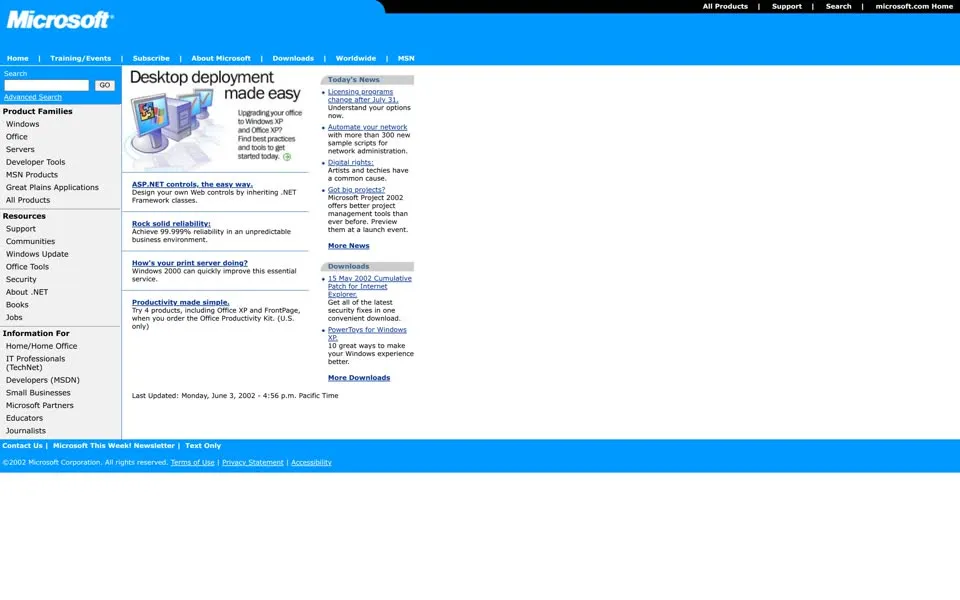
And in June 2002 the slogan from 1996 is back, this time where nobody can lose it: in the page title, at the very top of the browser window.
1996 · banner alt text
MICROSOFT: Where do you want to go today?2002 · page title
Microsoft Corporation -- Where Do You Want to Go Today?2003 – 2008 “Experience this in Silverlight”
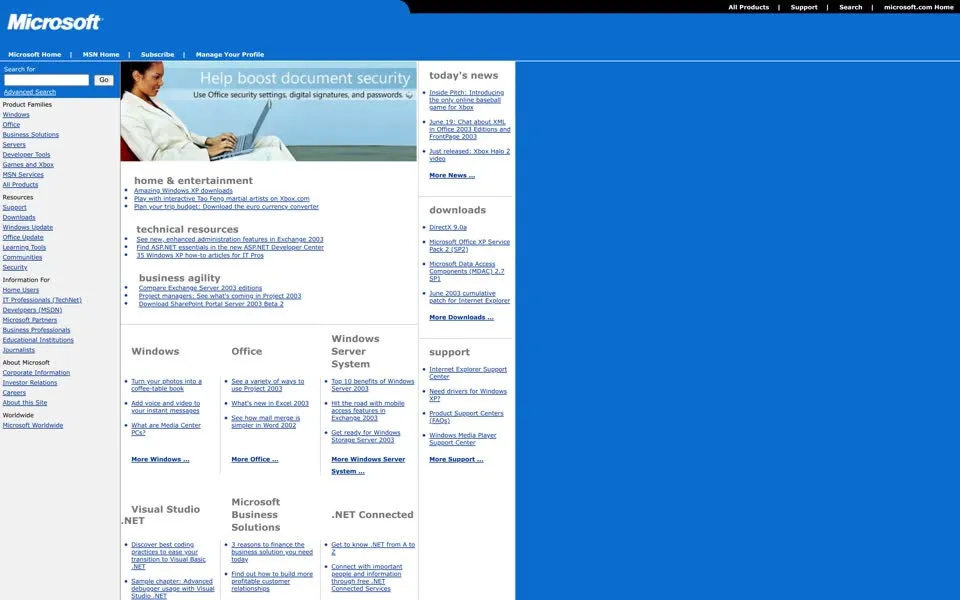
The answers keep piling up. In 2003 the page is three columns, home & entertainment
, technical resources
and
business agility
, with headlines like Turn your photos into a coffee-table book
and What are Media Center PCs?
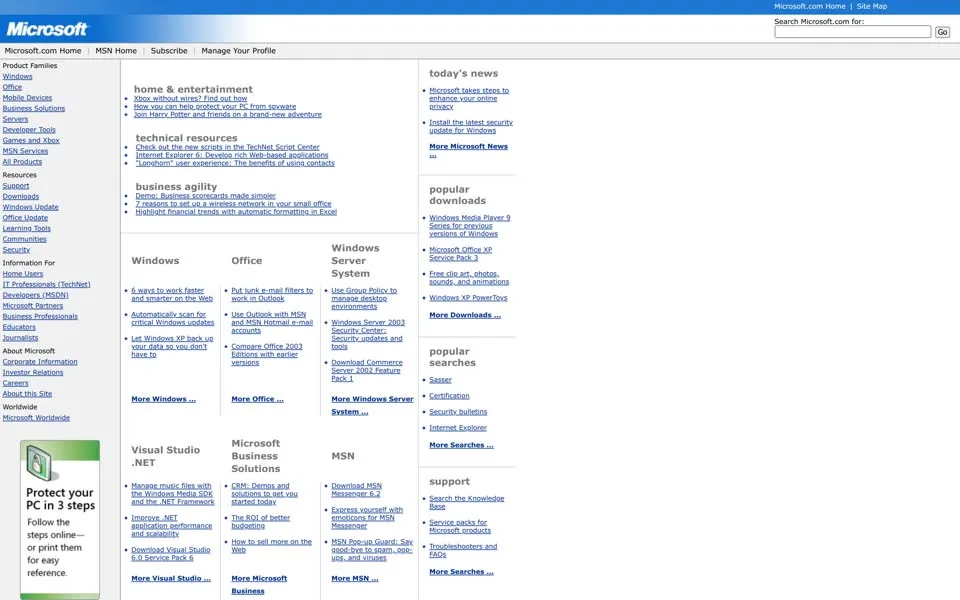
In 2004: How you can help protect your PC from spyware
, Join Harry Potter and friends on a brand-new adventure
, and a first
look at the "Longhorn" user experience
.
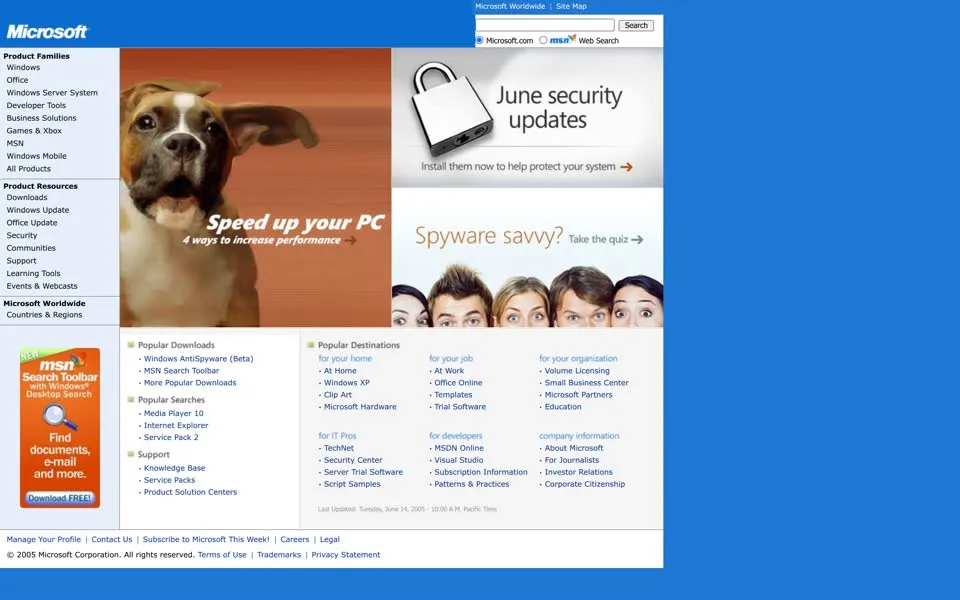
In 2005 the photos get bigger: a boxer dog with its ears flying, Speed up your PC. 4 ways to increase performance
, a padlock for
June security updates
, and five faces peeking over the edge: Spyware savvy? Take the quiz.
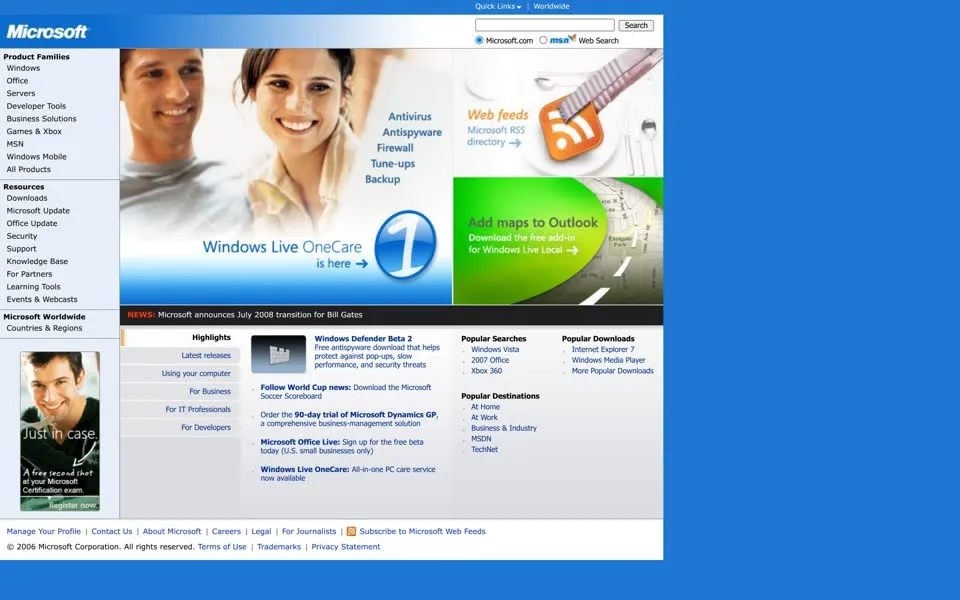
On June 15, 2006 Microsoft announced that from July 2008 Bill Gates would step back from his day-to-day role to work on his
foundation.4 On the homepage the next day it is one line in a news bar:
NEWS: Microsoft announces July 2008 transition for Bill Gates
. The page around it is busier: Follow World Cup news: Download the
Microsoft Soccer Scoreboard
, Windows Defender Beta 2, Windows Live OneCare.
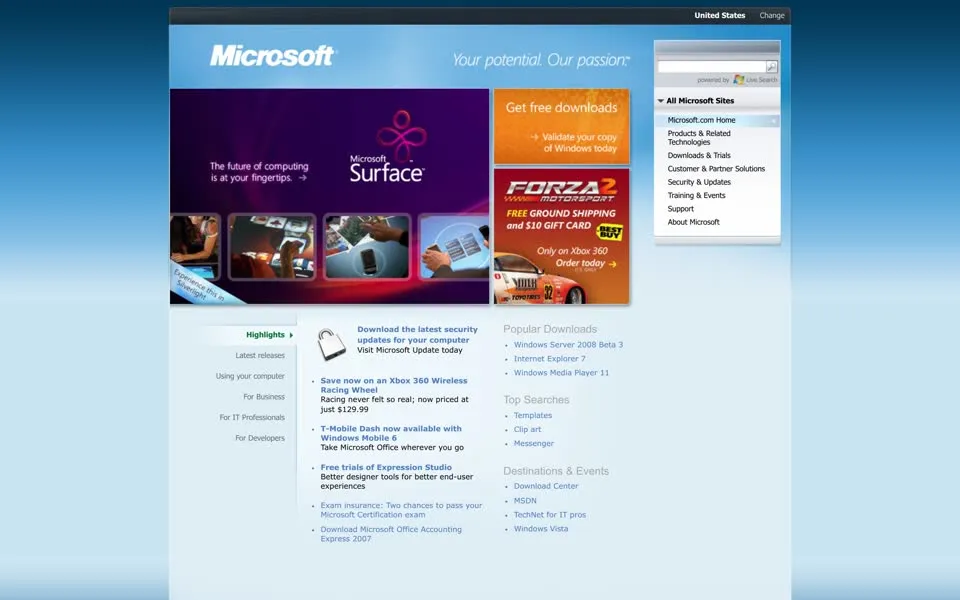
From 2007 the address is no longer microsoft.com but /en/us/default.aspx, and a bar at the top offers
to change your browser: Add Live Search to your browser
.
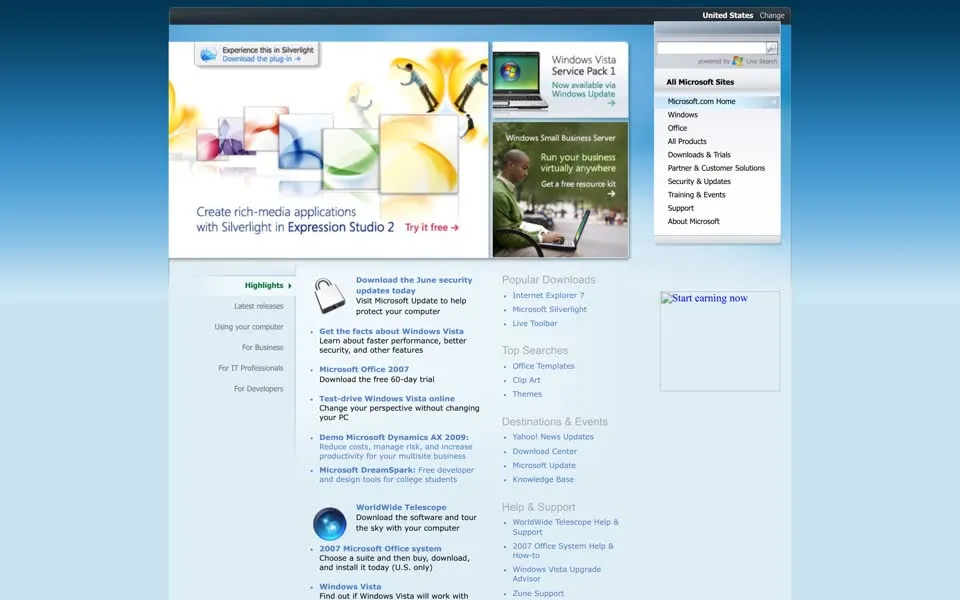
In June 2008 the homepage asks for a plug-in: Experience this in Silverlight. Download the plug-in.
The installer text in the
page's code promises it won't take long: Enhance your experience on Microsoft.com with Microsoft Silverlight. Approximately a 1MB
download and a 20-second install.
2009 – 2011 235 links, menus included
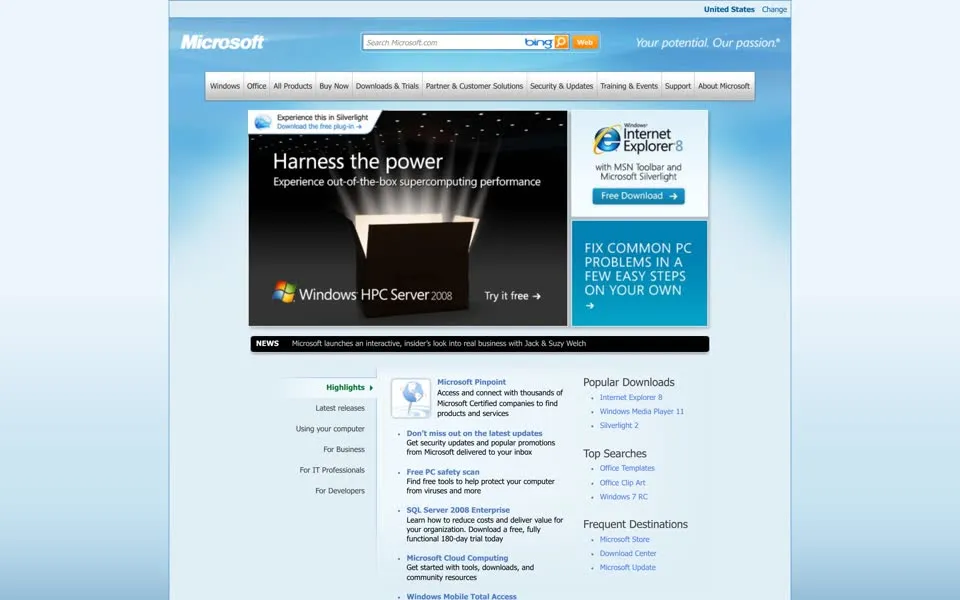
Then the menus take over. From 2009 the bar at the top opens into drop-downs that list nearly every product family. Under Windows
alone: Windows 7, Windows Vista, Windows XP, Windows Mobile, Windows Automotive, Windows Azure, Windows Embedded, Windows Media Player,
Windows Internet Explorer, and Earlier Windows Versions
. Bing appears in 2009, with Bing cashback
.
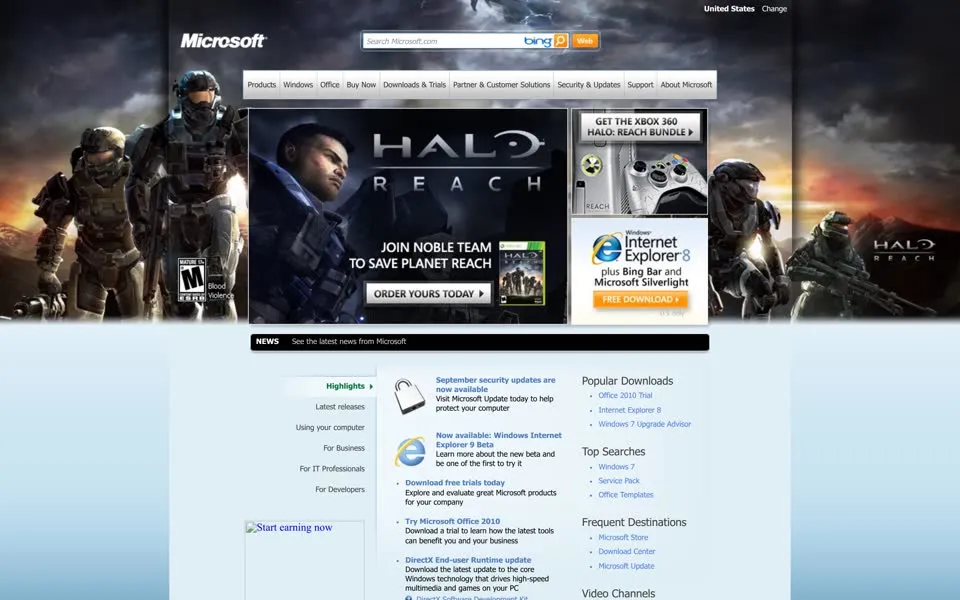
You can't see the menus on the screenshots, because they're closed. You can count them. The September 2010 homepage, Halo: Reach on top, has 235 links in its code. On the Windows XP launch page in 2001 there were 54.
Links in the page's code
Words of text
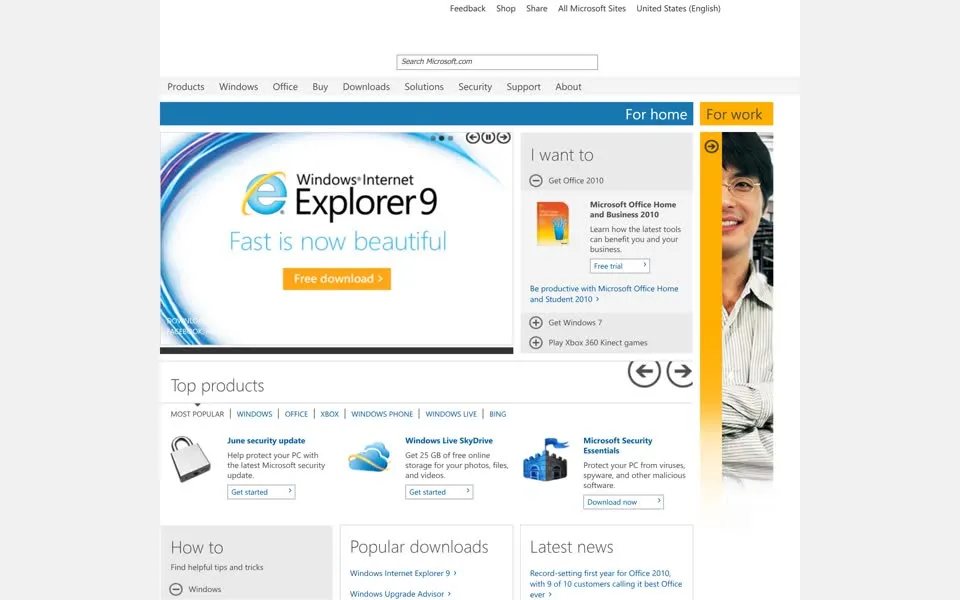
In 2011 even the browser tab is a list: Microsoft Corporation: Software, Smartphones, Online, Games, Cloud Computing, IT Business
Technology, Downloads
. A Share
menu offers Baidu, Delicious, Digg, Facebook, StumbleUpon, Tumblr and Twitter. And the page asks
its visitors what they think of it:
Amount of information available: ( ) Not enough ( ) Just right ( ) Too much
The typo, tells us
, is in the original.
2012 Four squares, one picture
On August 23, 2012 Microsoft changed its logo for the first time in 25 years: four colored squares and the Segoe typeface.5 Two months later Windows 8 and Microsoft's own Surface tablet went on sale, on October 26.6 That day the homepage clears out:
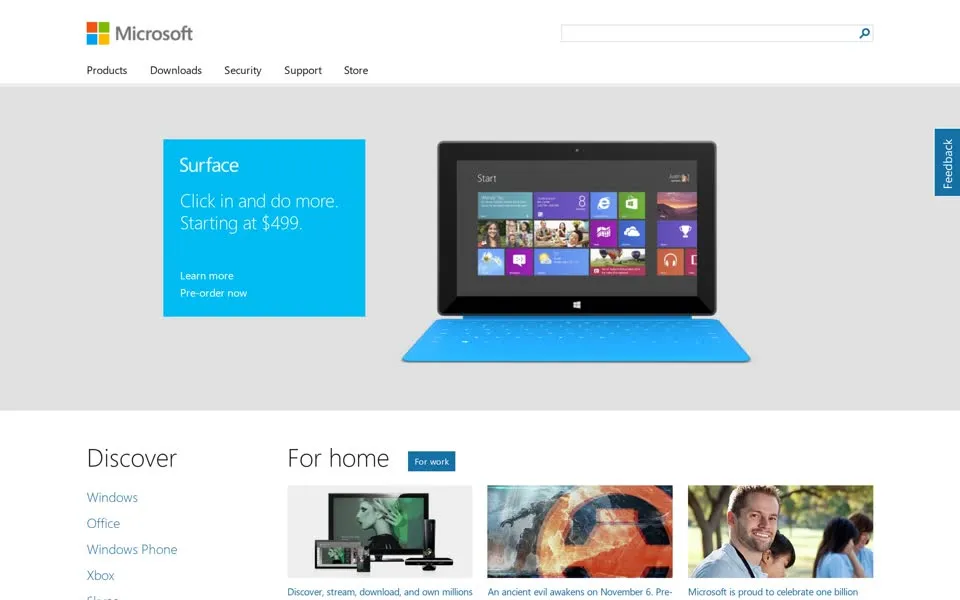
One blue box, Surface. Click in and do more. Starting at $499.
, next to a tablet showing the new tiled Start screen. Under the
price: Pre-order now
. The capture is from 01:18 UTC on October 26, still the evening of October 25 in the US.
Below it, Discover
and For home
, with three pictures. The menu is five words: Products, Downloads, Security, Support, Store. The tab
has a new subtitle, Microsoft Home Page | Devices and Services
, the phrase Steve Ballmer had used for the company in his shareholder
letter earlier that month.7
Further down, a card for Halo 4: An ancient evil awakens on November 6. Pre-order now.
2013 – 2019 843 links and a cart
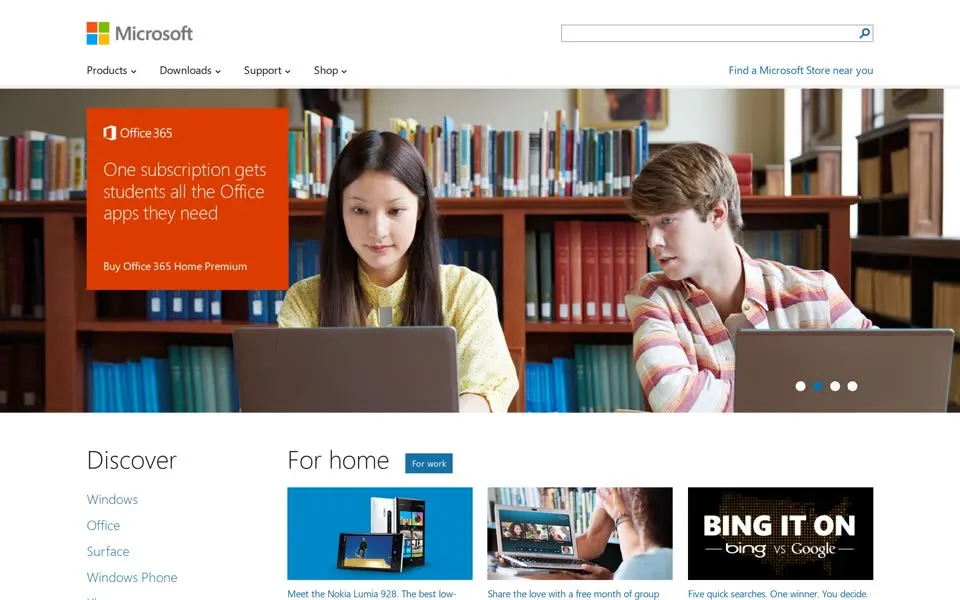
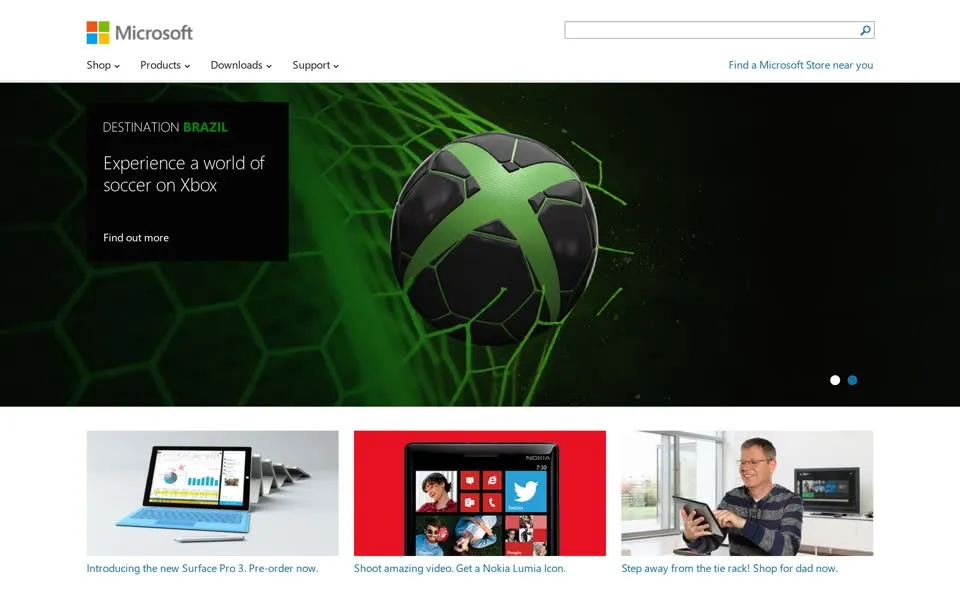
From here on one product fills the top of the page: Office 365 in 2013 (with a BING IT ON
tile next to it, Bing vs. Google), the
Xbox One in 2014. The 2014 menu lists Nokia devices
next to Surface and Xbox.
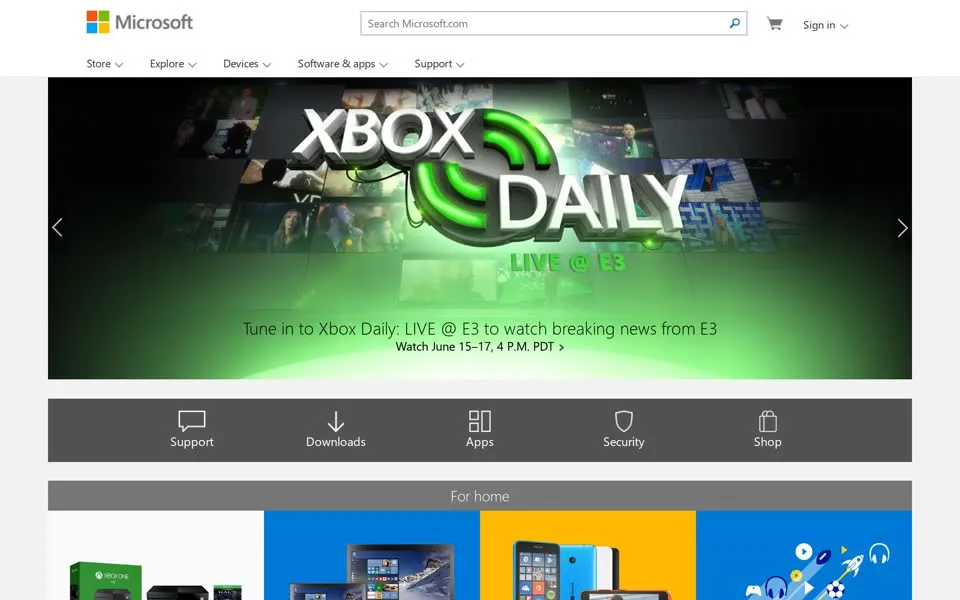
By 2015 there's a cart in the top corner and the title is Microsoft – Official Home Page
. The menu starts with Store
:
Surface, Office, PCs & tablets, Xbox, Windows Phone, the Microsoft Band. Open all its drop-downs and this is the busiest Microsoft
homepage of all: 843 links, most of them in the shop.
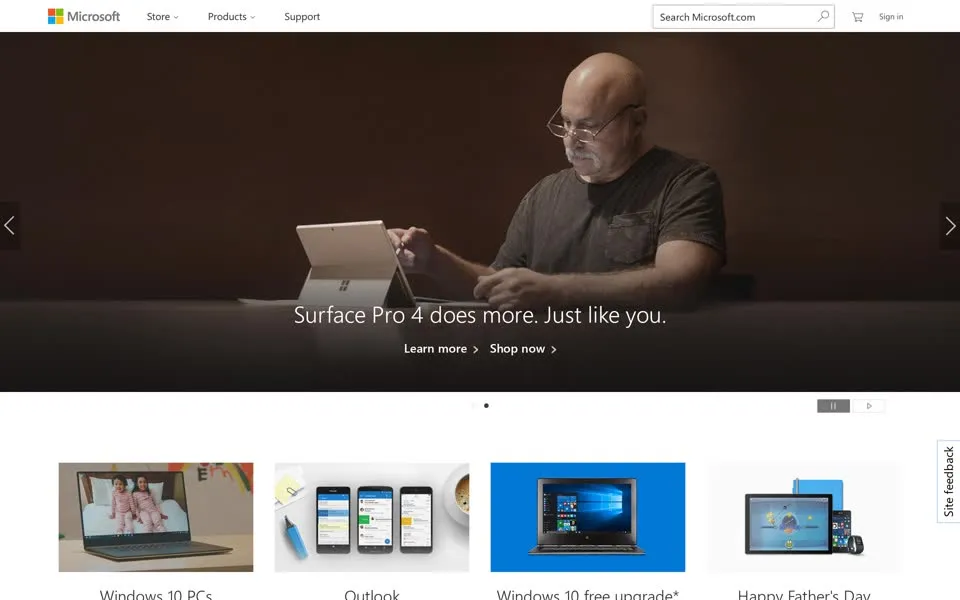
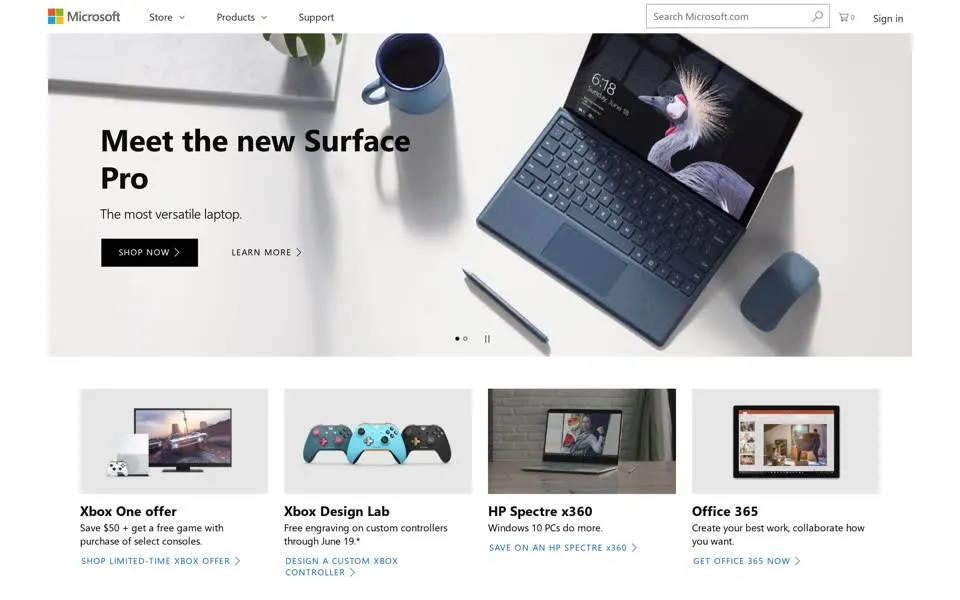
The picture changes every year, the layout hardly does. Surface Pro 4 does more. Just like you.
(2016). Meet the new Surface
Pro
(2017), with a story further down: Meet Mikaila Ulmer. The 12-year old lemonade entrepreneur who is causing quite a buzz.
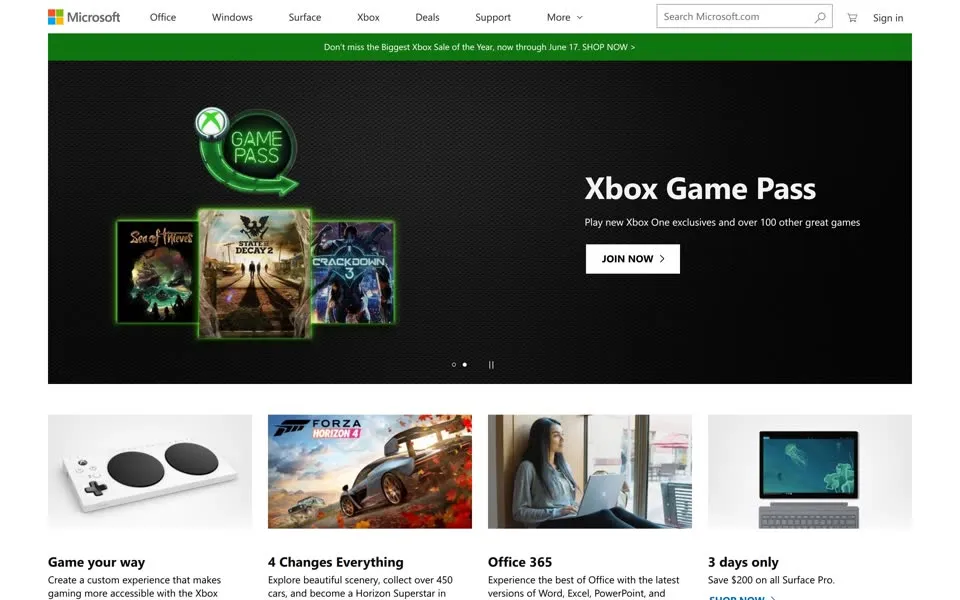
In 2018 the Xbox Game Pass, and Create a custom experience that makes gaming more accessible with the Xbox Adaptive Controller
.
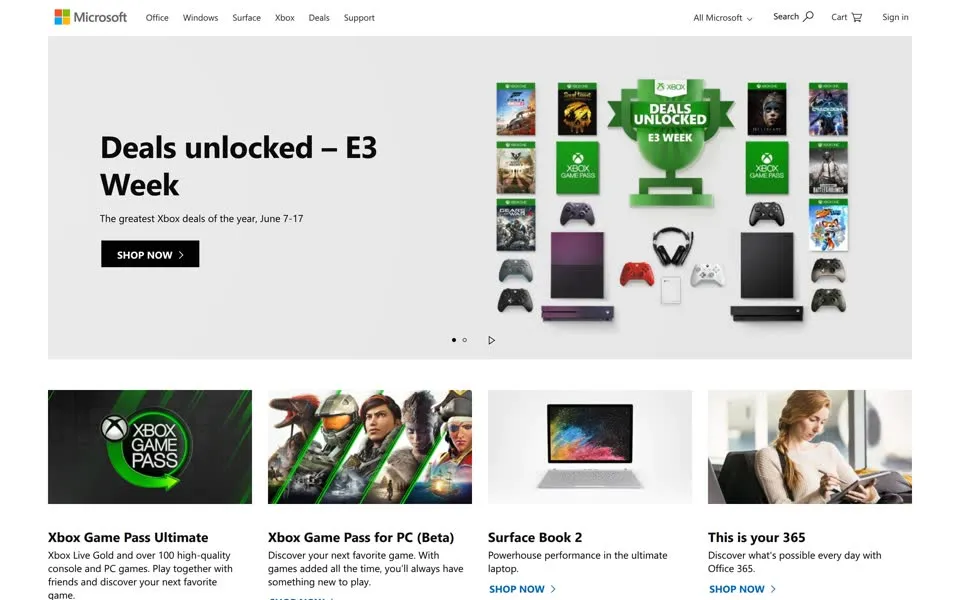
In 2019, Deals unlocked – E3 Week
and HoloLens 2: Mixed reality is ready for business.
2020 – 2025 Something not for sale, then Copilot
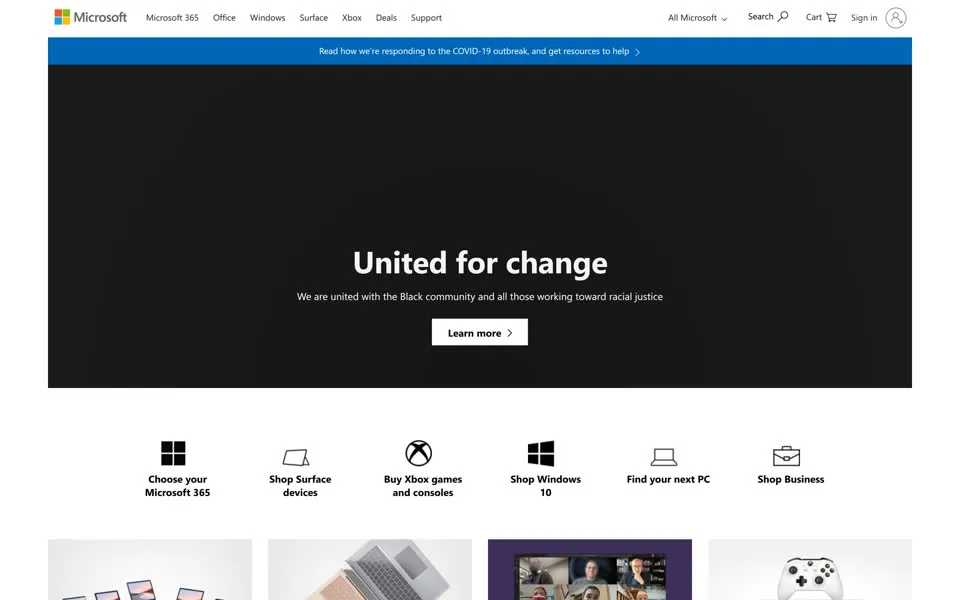
In June 2020 the top of the page makes room for things that aren't for sale. A blue bar: Read how we're responding to the COVID-19
outbreak, and get resources to help
. Under it, on black: United for change. We are united with the Black community and all those
working toward racial justice.
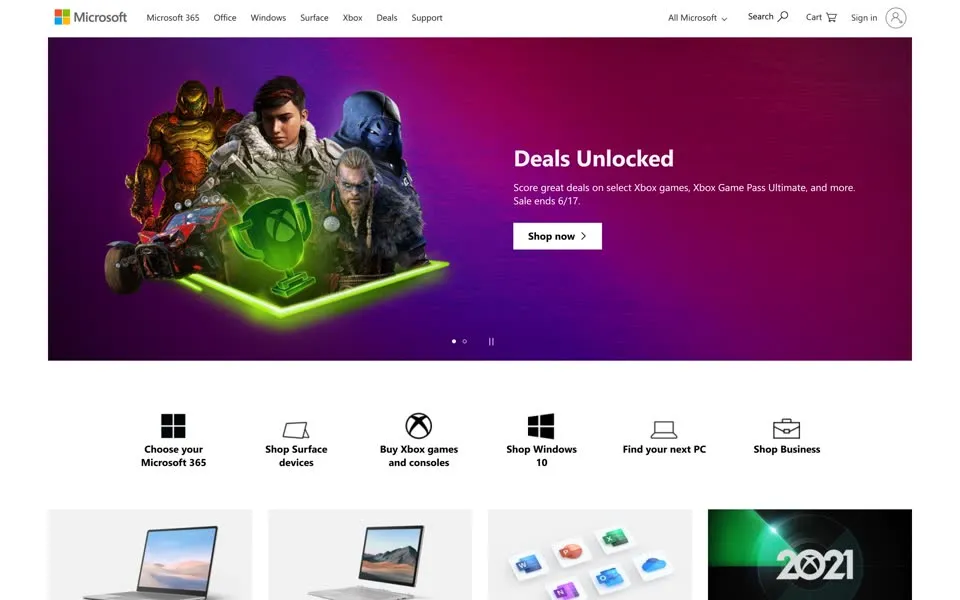
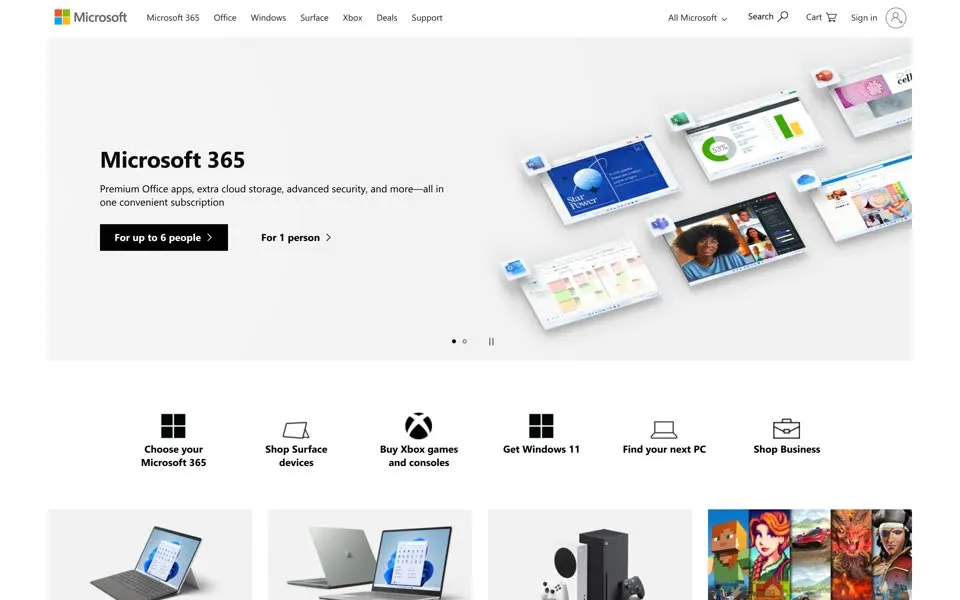
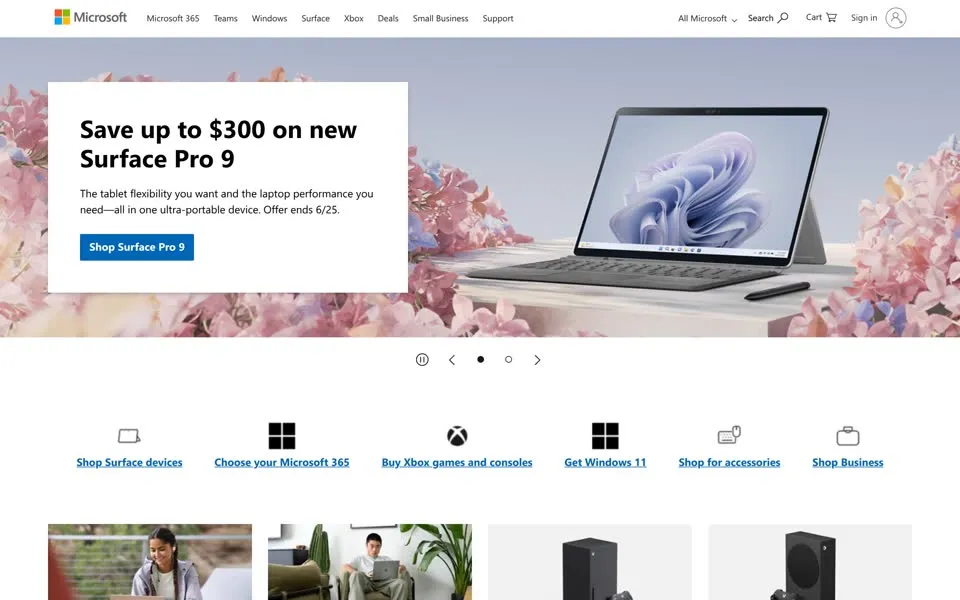
Then it's back to the shop: Xbox deals and a Surface Laptop 4 you can book a free shopping appointment
for (2021), Microsoft 365
for up to 6 people
(2022), a Surface Pro 9 (2023). In 2022 the tab changes to Microsoft – Cloud, Computers, Apps & Gaming
.
That June Microsoft also retired the Internet Explorer 11 desktop app on Windows 10 Home, Pro, Enterprise, Education and IoT (LTSC editions excluded),8
the browser the 1996 badge asked you to start.
In 2023, inside the closed All Microsoft
menu, the software list gets a new entry between Windows Apps and Outlook: AI
.
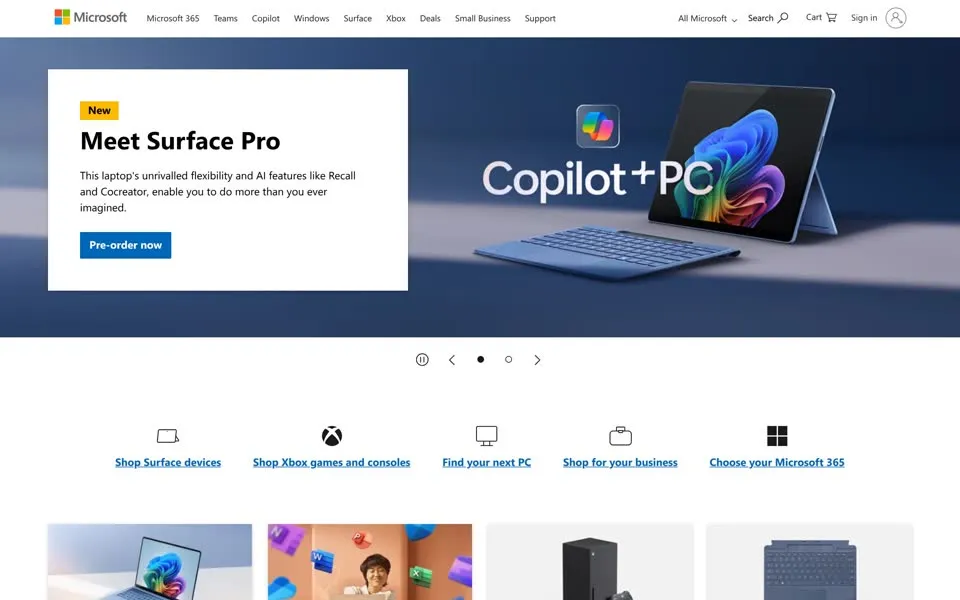
In 2024 Copilot, Microsoft's AI assistant, moves into the top bar, between Teams and Windows, and the main picture is a Copilot+ PC
:
a Surface Pro with AI features like Recall and Cocreator
.
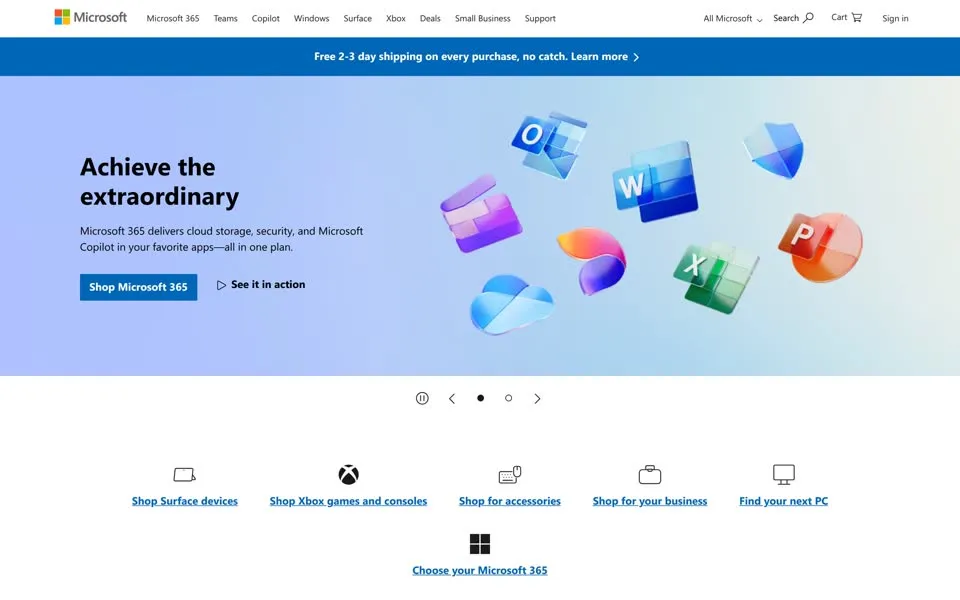
By 2025 the tab puts it first: Microsoft – AI, Cloud, Productivity, Computing, Gaming & Apps
.
2026 Ask a question
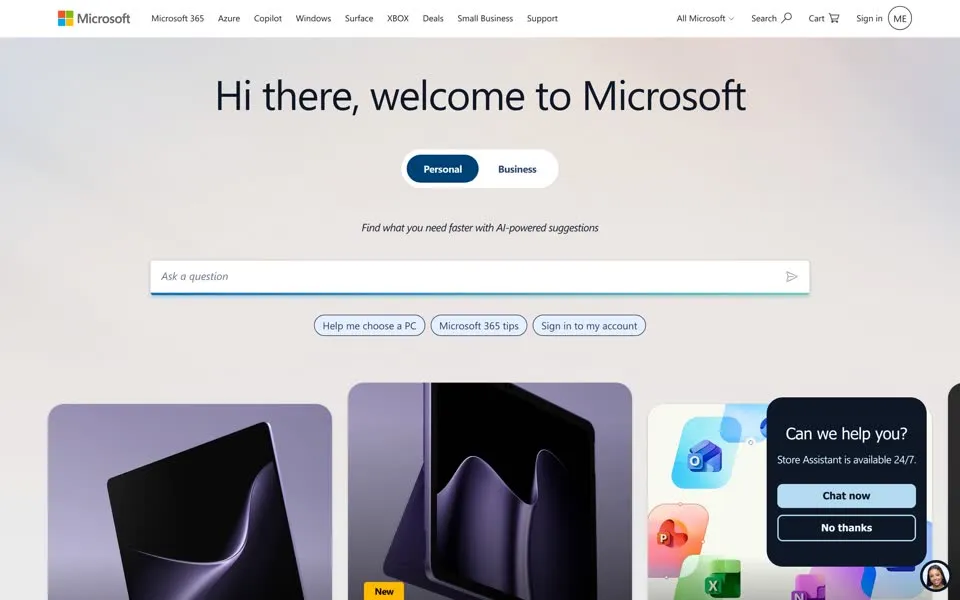
This is Microsoft's homepage on October 3, 2026, shot from the live site, because the 2026 archived copies we tried mostly came out blank. It says Hi there, welcome to Microsoft
, lets you pick
Personal
or Business
, and promises to find what you need faster with AI-powered suggestions
. Then the box:
Ask a question
, with three suggestions under it, Help me choose a PC
, Microsoft 365 tips
, Sign in to my account
.
In the corner a second window pops up: Can we help you? Store Assistant is available 24/7.
The menus are still there behind All Microsoft
; the June 2026 capture lists a few new entries: Digital Sovereignty
, and Moving from Skype to
Teams
, a year after Microsoft retired Skype.9
Questions on the homepage
- 1996 · banner Where do you want to go today?
- 2002 · page title Where Do You Want to Go Today?
- 2011 · feedback box Not enough, just right, too much?
- 2026 · pop-up Can we help you?
- 2026 · the box Ask a question
How the page answered
- 1996: 38 locations, 10 kinds of visitor
- 2001: 54 links
- 2010: 235 links, menus for every product
- 2012: one picture
- 2015: a shop, 843 links
- 2026: an empty box
Put the first and the last page side by side. Drag the handle to rewind.
OCT 1996 · Where do you want to go today?2026 · Ask a question
In 1996 Microsoft asked where you wanted to go, and gave you the list. Today it hands you an empty box and waits for you to ask.microsoft.com, 1996 → 2026
The video
The same rewind in 2:59, narrated, on the PageRewind YouTube channel.
- When was the oldest microsoft.com homepage in this story archived?
- The oldest capture here is from October 20, 1996, in the Internet Archive's Wayback Machine. The banner is lost; its alt text reads “MICROSOFT: Where do you want to go today?”. 38 locations, ten kinds of visitor, “Best experienced with Internet Explorer”.
- What does the microsoft.com homepage look like in 2026?
- In the newest capture here (live): Today (live site): “Hi there, welcome to Microsoft” and an empty box: Ask a question.
- How many Microsoft homepage captures does this story show?
- 30 captures between 1996 and 2026, at most one per year; the timeline above shows which years are included.
- How did the Microsoft logo change on its homepage?
- The logo evolution below shows 3 logo versions we picked from the captures, from 1998, 2001 and 2012. Logos from before 1996, the first capture, aren't included.
 1998Microsoft.com Home banner
 2001The italic Microsoft wordmark, white on blue
 2012The four squares (August 2012)
Each logo is cut from that year's homepage capture (the year is the capture's); click one to see it on the page. Logos from before the first capture (1996) aren't shown, and some are missing where the logo images don't render in our captures. More logo histories.
◀ drag ▶19962026
The oldest capture in this story (1996) over the newest (2026). Drag across the picture.
Which homepage should we rewind next?
Tell us in the YouTube comments. Every PageRewind video starts with the oldest page the archive kept and ends with the one you see today.
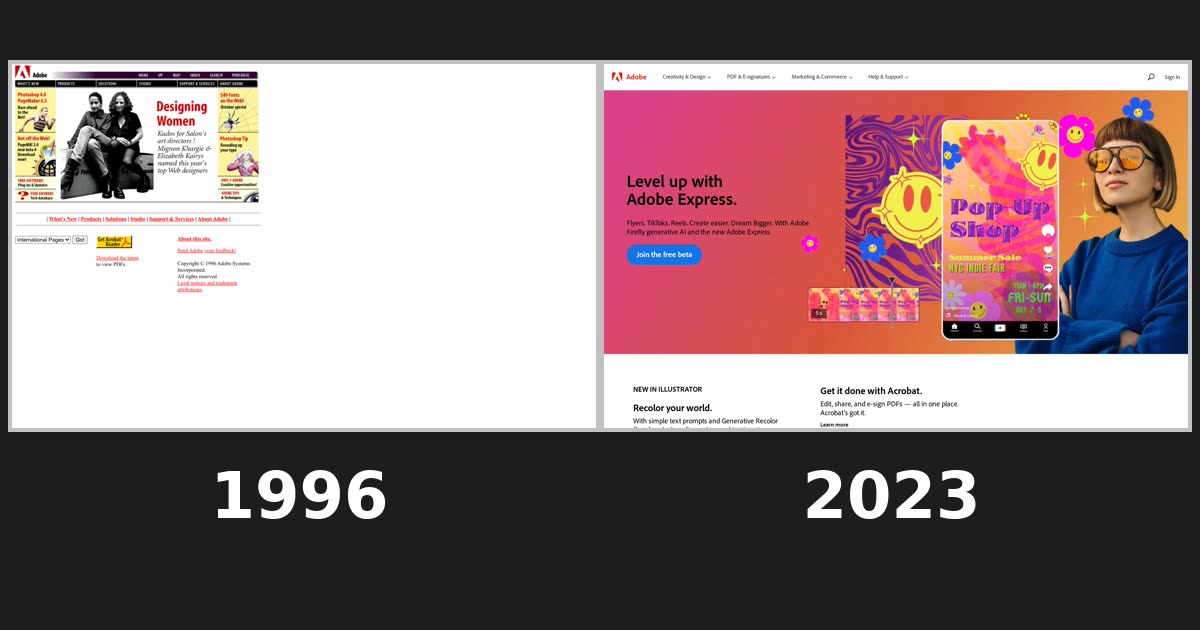 Adobe.com, 1996–2023From “Get Acrobat Reader” to “Start free trial”
Sources
Facts from outside the archive link here. Quotes from the homepage itself come from the capture shown with them; click a screenshot to see the whole archived page, or the date under it to open the capture on the Wayback Machine. Link and word counts are ours, made on those captures.
- CNNfn, “Microsoft case in brief”, June 28, 2001 (archived). web.archive.org ↗ “October 1997 – The Justice Department sues Microsoft, alleging the software maker required computer manufacturers to ship Microsoft's Internet Explorer Web browser on PCs loaded with Windows 95. … June 28, 2001 – U.S. Court of Appeals for the District of Columbia reversed Judge Jackson's ruling that Microsoft be broken into two companies.”
- Microsoft, Annual Report 2000, notes: contingencies (archived). web.archive.org ↗ “On June 7, 2000, Judge Jackson entered the government's proposed order nearly verbatim as his final judgment in the case. That judgment orders a divestiture that will create two separate companies…”
- Microsoft News, “Windows XP Is Here”, Oct 25, 2001. news.microsoft.com ↗ “Today Microsoft Corp. announced the worldwide availability of Windows® XP…”
- Microsoft News, “Microsoft Announces Plans for July 2008 Transition for Bill Gates”, June 15, 2006. news.microsoft.com ↗
- The Official Microsoft Blog, “Microsoft Unveils a New Look”, Aug 23, 2012. blogs.microsoft.com ↗ “It's been 25 years since we've updated the Microsoft logo and now is the perfect time for a change.”
- The Official Microsoft Blog, “It's here: Windows 8”, Oct 25, 2012. blogs.microsoft.com ↗ “Beginning Friday, Oct. 26, consumers and businesses worldwide will be able to experience all that Windows 8 has to offer…”
- Microsoft, 2012 Annual Report, shareholder letter (Steve Ballmer), Oct 9, 2012. microsoft.com ↗ “This is a significant shift, both in what we do and how we see ourselves — as a devices and services company.”
- Windows Experience Blog (Sean Lyndersay), “Internet Explorer 11 has retired and is officially out of support – what you need to know”, June 15, 2022. blogs.windows.com ↗ “Today’s retirement covers all currently supported versions of Windows 10 Home, Pro, Enterprise, Edu and IoT…”
- TechRepublic, “Skype Will Shut Down on May 5, As Microsoft Shifts to Teams”, Feb 28, 2025. techrepublic.com ↗
How this was made. Every homepage up to 2025 was captured from the Internet Archive's Wayback Machine and checked by eye; the quotes come from the text of the same captures. Today's page is the live site, shot on October 3, 2026, because the 2025–2026 archived copies render blank. Some images from 1996 were never archived, so that page shows gaps. Facts from elsewhere come from the sources above.
Narration and music in the videos are made with ElevenLabs. PageRewind is independent and not affiliated with Microsoft.
 AltaVista homepage history
 Hotmail homepage history