In October 2026 a stranger who opens Pinterest's homepage gets a search box, Search for easy dinners, fashion, etc.
, a pile of
Halloween pictures and a headline: Conjure your best Halloween
. Next to it are two buttons, Join Pinterest for free
and I already
have an account
. In May 2010 the same stranger got an email box next to Request Invitation
, and a Login
button.
From 2010 to 2026 the one thing that keeps changing on Pinterest's homepage is what a stranger who isn't logged in can see: everyone's pins (2011), almost nothing (2013), a blurred wall (2014), a window of ideas (2026). The code of the page even has its own word for that stranger.
2010 Ten people and an email box
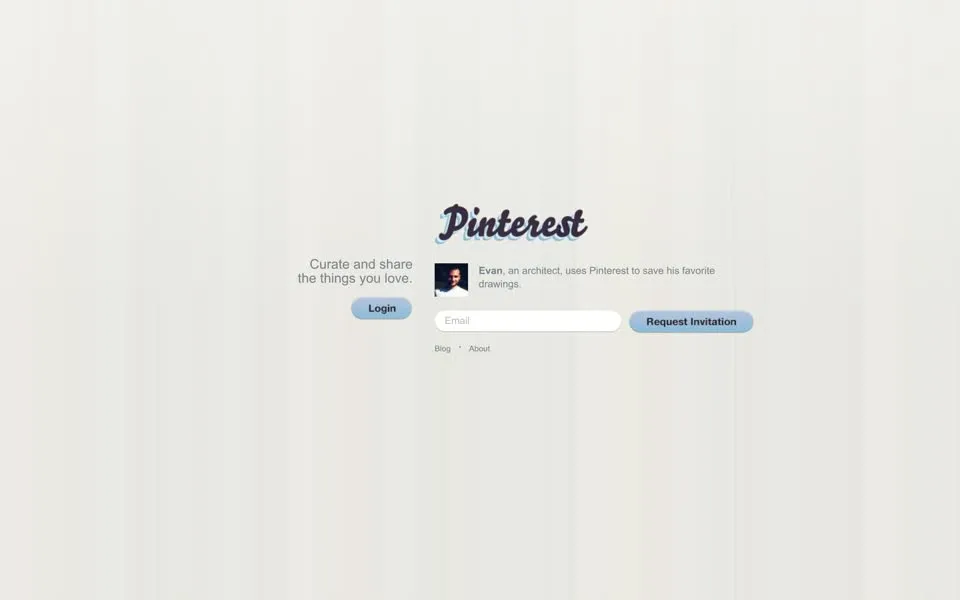
The browser tab says Pinterest: Catalog, Collaborate, and Share
. The page is almost empty: a dark script logo, the line Curate and share the things you love
, a Login
button, and an email box next to Request
Invitation
. Under the logo, one person at a time introduces the site:
Evan, an architect, uses Pinterest to save his favorite drawings.pinterest.com, May 2010
Evan is one of ten, and the code of the page holds all of them, down to Ivy, a student, who saves ideas for her wedding
(congrats Jack and Ivy)
. The small About
link under the box goes to coldbrewlabs.com, not a Pinterest page. That was the company's name: Cold Brew Labs, incorporated in October 2008, renamed Pinterest, Inc. only in April
2012.1
The oldest capture of pinterest.com we found, February 2, 2010, loads without styles, but its words are there:
Your Interests, Visualized. A Request Invitationform already sits under it, and a line about who the site is for:
Pinterest is loved by fashionistas, shoppers, wedding planners, foodies, designers, and more.
Behind that email box, Pinterest was small. Four months after launch it had only about 200 users, co-founder Ben Silbermann later said (reported by TechCrunch). He wrote to the early ones himself:2
“I personally wrote to the first 5,000-7,000 people that joined the site.”Ben Silbermann, Startup Grind interview (reported), 2012
So the Request Invitation
box led to a site small enough for its founder to write to the first few thousand people who got in.
It was also the team's second try. Fast Company later reported that Silbermann and two partners had launched a shopping app called Tote in 2009: it saved favorite items, sent sale alerts and pointed to nearby stores. A year later Silbermann turned that into a place to show collections of anything.3
2011 See everything, wait for an invite
By November 2010 the empty page was gone. The homepage now showed the product itself, open to anyone, with a dictionary entry at the top:
Pin·terest (pĭn'trĭst): n. a social catalog to collect and share things you love
. In February 2011 the entry is for the verb:
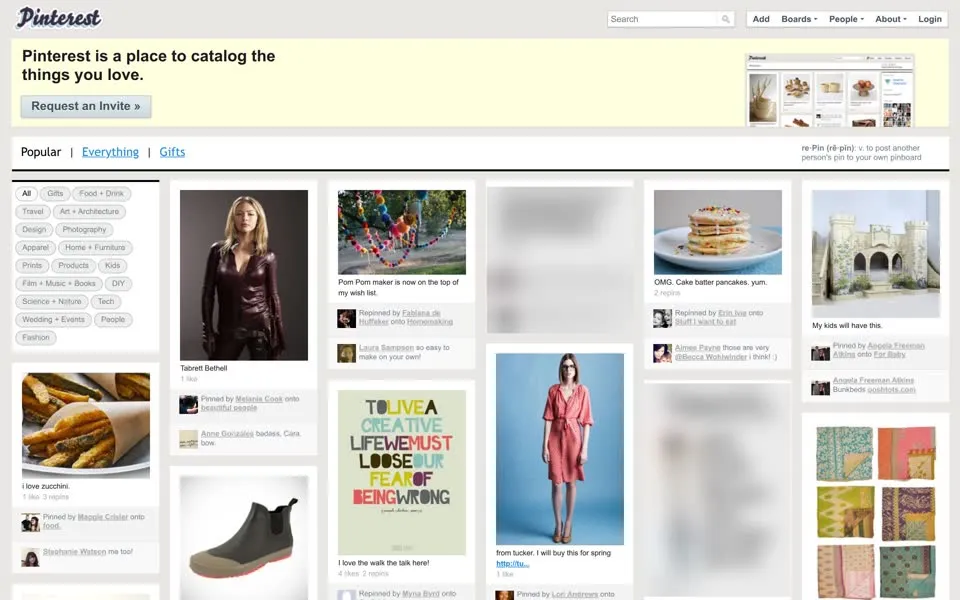
re·Pin (rē·pĭn): v. to post another person's pin to your own pinboardpinterest.com, February 2011
The tab now says Pinterest / Home
. Up top, a yellow box with a small picture of a pinboard: Pinterest is a place to catalog the things
you love.
Its only button: Request an Invite »
. Below it is everything else. Eighteen category buttons, from Gifts
and
Food + Drink
to Science + Nature
, Wedding + Events
and Fashion
, and fifty pins on the first load, each one signed
Pinned by …
or Repinned by …
with the name of the board it went onto: Stuff I want to eat
, For Baby
,
Well-Appointed Desk
. Under the pins, people talk: so easy to make on your own!
, freaking adorable
. At the bottom, the page
keeps going: Fetching pins…
A visitor could read all of it, and even the comments. One poster in the feed says To live a creative life we must loose our fear
of being wrong
, and one of the comments on it reads: This is cool - but shouldn't it be "lose"?
Anyone could see that conversation.
Joining it took an invitation.
2012 The day the invitations ended
In July 2012 the box at the top says Pinterest is an online pinboard. Organize and share things you love.
and the button still says
Request an Invite »
. On August 8, 2012 Pinterest dropped the invitations: anyone could now sign up with Facebook, Twitter or just an email
address.45 About three weeks later, the box has a red button:
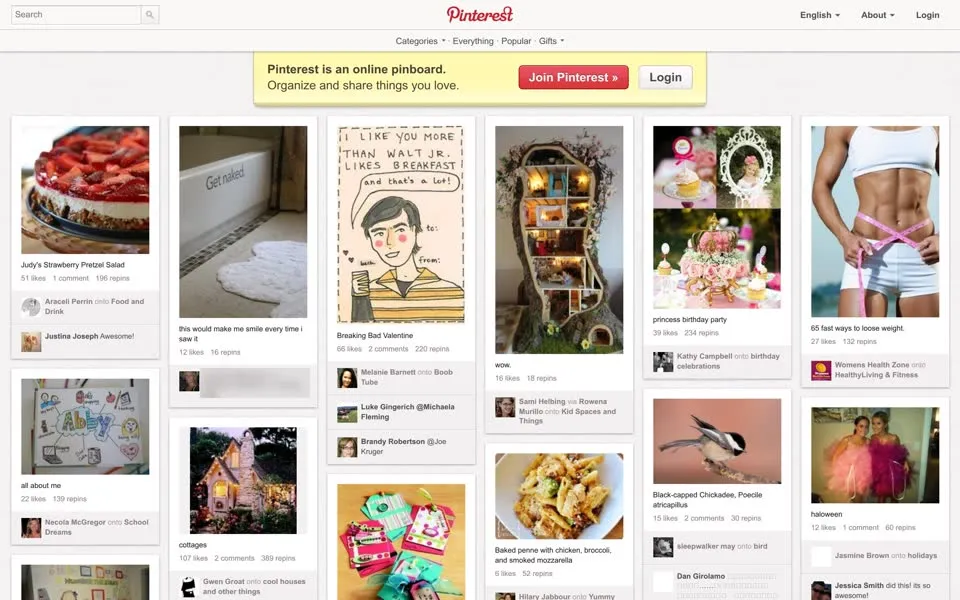
The rest of the page is still open. The logo is now red script at the top center, there is a language menu (its code lists German, Dutch,
two kinds of Portuguese and two of Spanish next to English), the closed Categories
menu lists 32 topics plus Videos
, from Animals
to
Women's Fashion
, and most pins show their count of likes and repins: Judy's Strawberry Pretzel Salad
, 51 likes, 196 repins.
<div id="UnauthCallout"> <div class="Nag">The box is a
Nagfor the
Unauth, the visitor who isn't logged in. Inside it, a version of the button was left commented out, with a placeholder nobody filled in:
<!-- If FB-referred visitor --> [[ MAGICAL ORIENTATION STEP 2 LINK ]] Join Pinterest Today »The button that is live,
Join Pinterest », still links to
/invited/.For a few months, the homepage did both things at once: anyone could look, and anyone could join.
2013 Join, but don't look
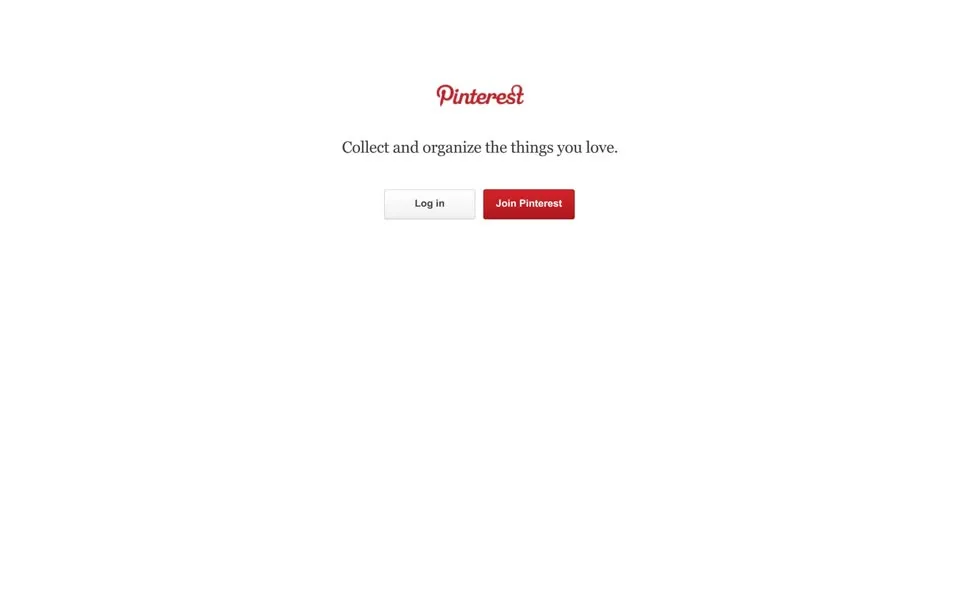
Then the door swings the other way. Between February and March 2013 the archived homepage shrinks from about 21 kilobytes to about 3.6, and by
June it is this: the red script logo, one line, Collect and organize the things you love.
, and two buttons, Log in
and Join
Pinterest
. The tab says just Pinterest
. The pins are gone. The code asks for one more thing, a picture called
logged_out_splash.jpg with the alt text Sample boards
, but it doesn't show in the archived copy.
Words of text in the homepage's HTML
Anyone could join now. But a stranger who hadn't joined could see almost nothing. The text in the page's HTML fell from about 1,300 words of pins and comments in September 2012 to 24 words in June 2013, title and hidden buttons included.
2014 The wall keeps score
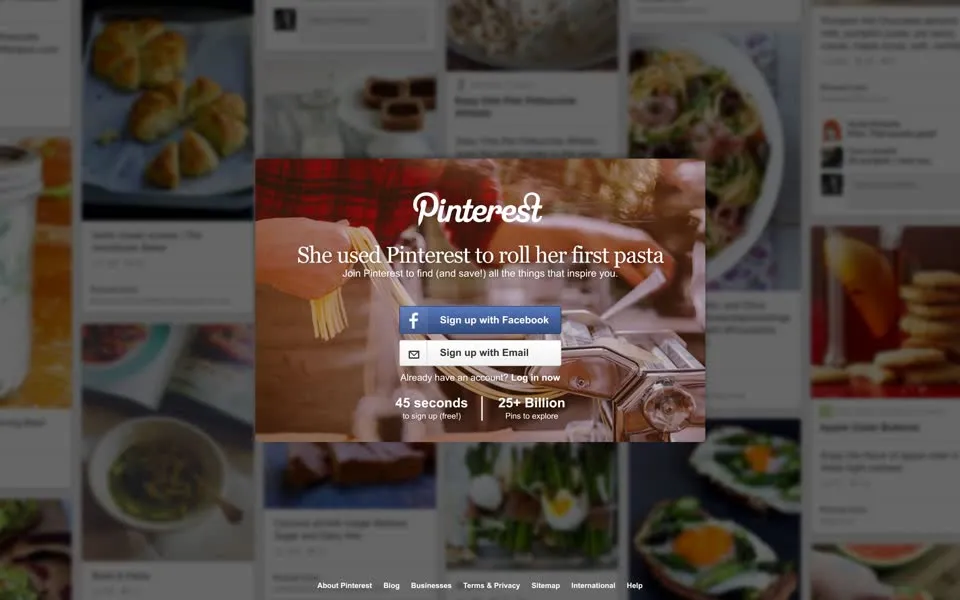
In the June 2014 capture the pins come back, but only as scenery: blurred, darkened, behind a box. The box tells a little story, She used Pinterest to roll her
first pasta
, over a photo of fresh pasta coming out of a machine, then asks you to Join Pinterest to find (and save!) all the things that
inspire you.
Two buttons, Sign up with Facebook
and Sign up with Email
, and two numbers:
Nine months later, in March 2015, the box promises 15 seconds to sign up (free!)
.
The page's code also holds a footer row called Discover Pinterest:
, a list of topics for the stranger: Gardening
, Travel
, Kids
,
Crossfit
, Motorcycles
, Vintage Slot Machines
, Weddings
, Humor
, Quotes
, DIY
, Design
,
Animals
. By 2015 Crossfit, Motorcycles and Vintage Slot Machines are gone from it; the other nine are still there in 2017.
2015 – 2016 Pins become ideas
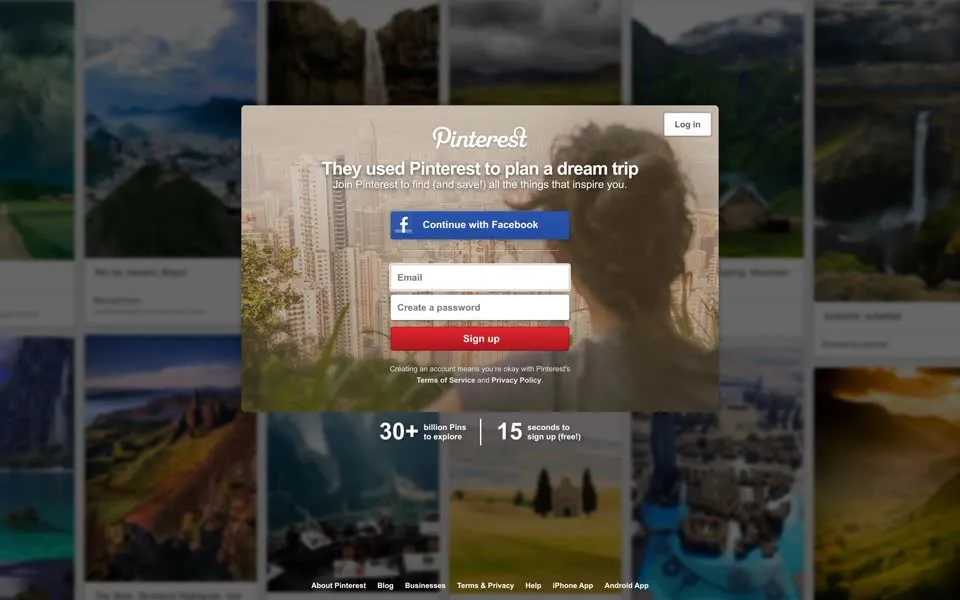
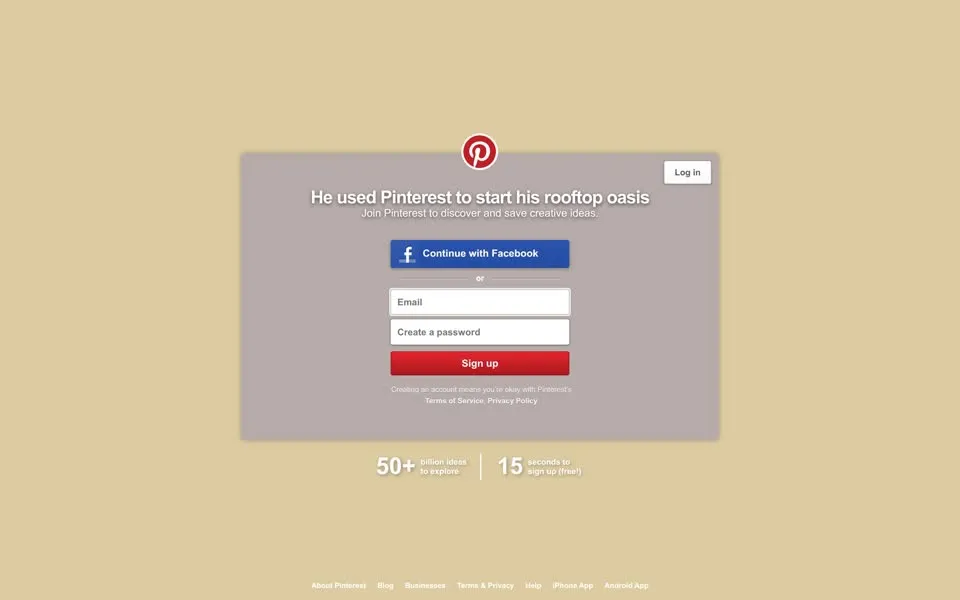
In March 2015 They used Pinterest to plan a dream trip
, and there are 30+ billion Pins to explore
. By June 2016 He used Pinterest to start his rooftop oasis
, and the number has changed its unit: 50+ billion ideas to
explore
. Pins had become ideas. Around the same time Pinterest renamed its Pin It
button to Save
; Adweek reported in June 2016 that
the aim was to be clearer for the more than half of its users who lived outside the US.6 The tab now says Pinterest • The world’s catalog
of ideas
. (In this capture the background photo doesn't load, so the box sits on plain beige.)
What Pinterest's sign-up box asked for, 2010–2020
In the 2015 code the step after the email asks Male
or Female
. In 2016 it explains itself: Knowing your gender helps us show
you better search results and recommendations. Choose male or female, or customize your gender.
2017 The P is a pin
The logo changes on these pages too. In 2014 and 2015 the script wordmark is at the top of the box; in 2016 only the round red P badge is left. In 2017 Pinterest retired the script wordmark for a bold sans-serif one, the first update to the logo since 2011, as reported at the time.7
The red P stayed, and it hides a pin of its own. Juan Carlos Pagan, who co-designed Pinterest's identity, says the custom logotype:
“transforms the letter “P” into a map pin, directly encoding the act of pinning into the brand mark itself.”Juan Carlos Pagan, Pinterest identity co-designer8
2017 – 2020 Welcome to Pinterest
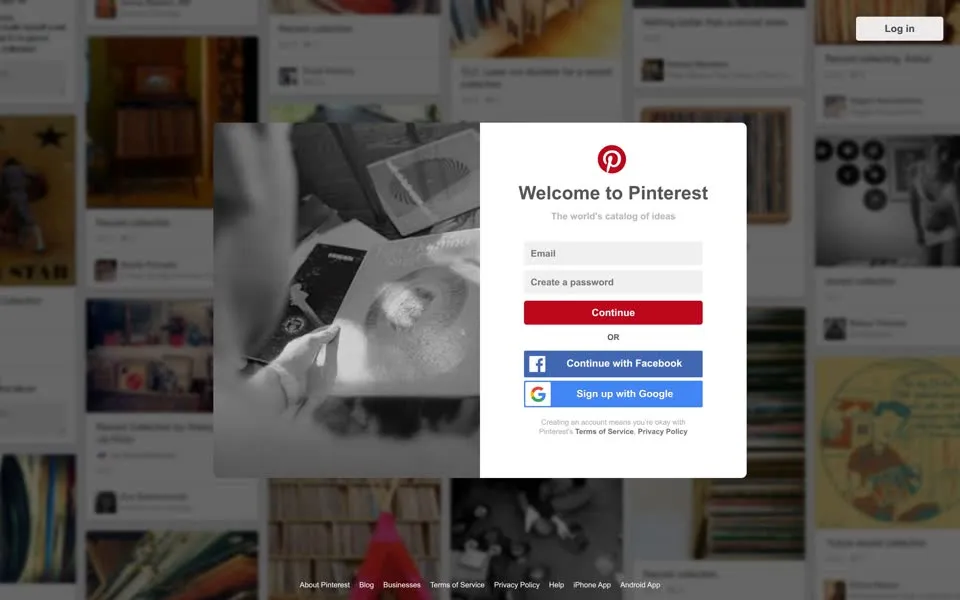
By June 2017 the box has stopped telling stories and says hello: Welcome to Pinterest
. In June 2017 the line under it is The world's catalog of
ideas
, next to a black-and-white photo of hands holding record sleeves, over a blurred wall of record-collection pins. Google joins Facebook as a
way in: Sign up with Google
.
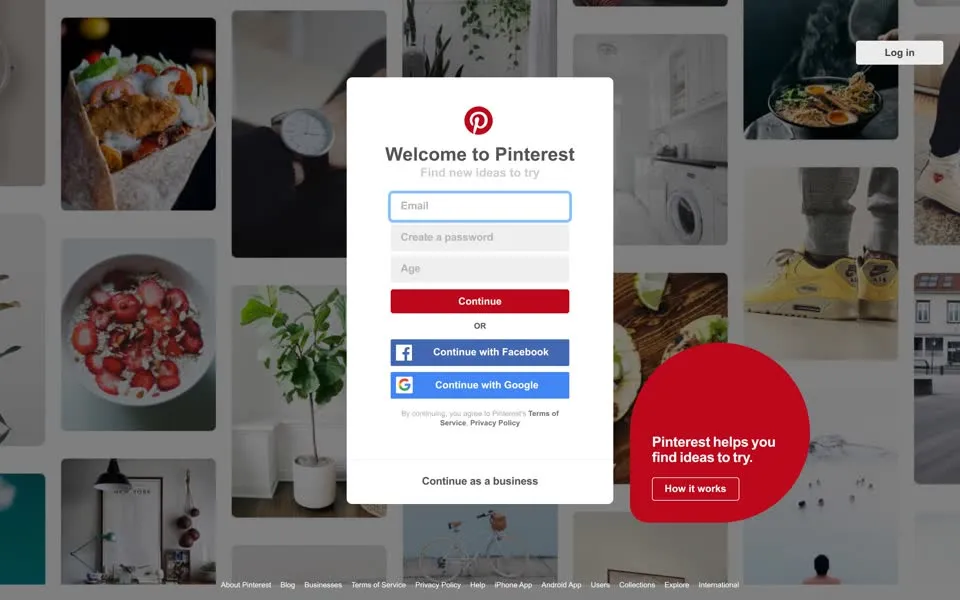
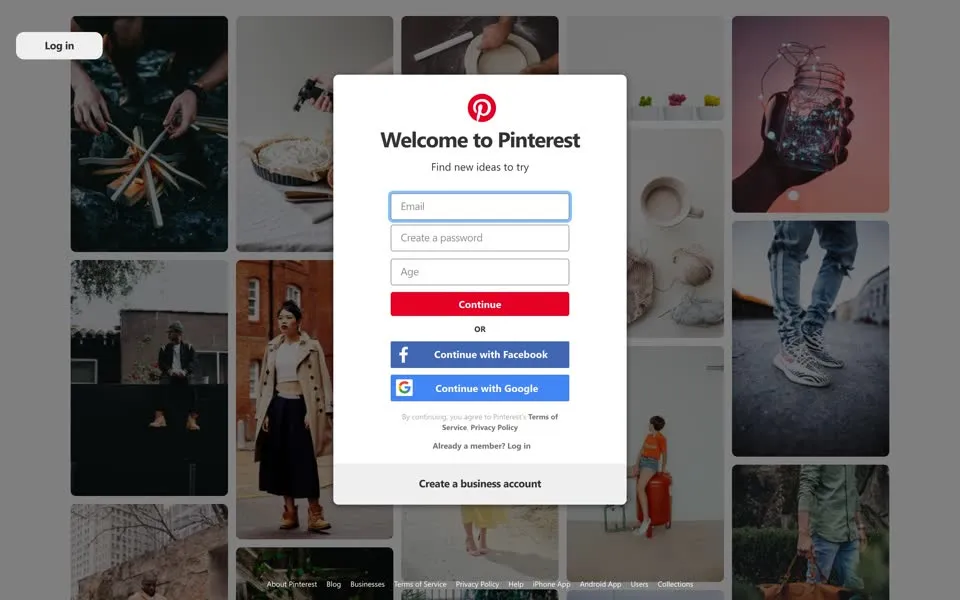
In February 2018 the line becomes Find new ideas to try
, the form asks for your Age
, and a big red circle in the corner adds
Pinterest helps you find ideas to try.
with a How it works
button. The footer now lists Users
, Collections
and
Explore
. The May 2019 page uses a new set of pins behind the box: a campfire being built, a pie, a glass jar of fairy lights, a trench
coat, a pair of zebra-striped sneakers.
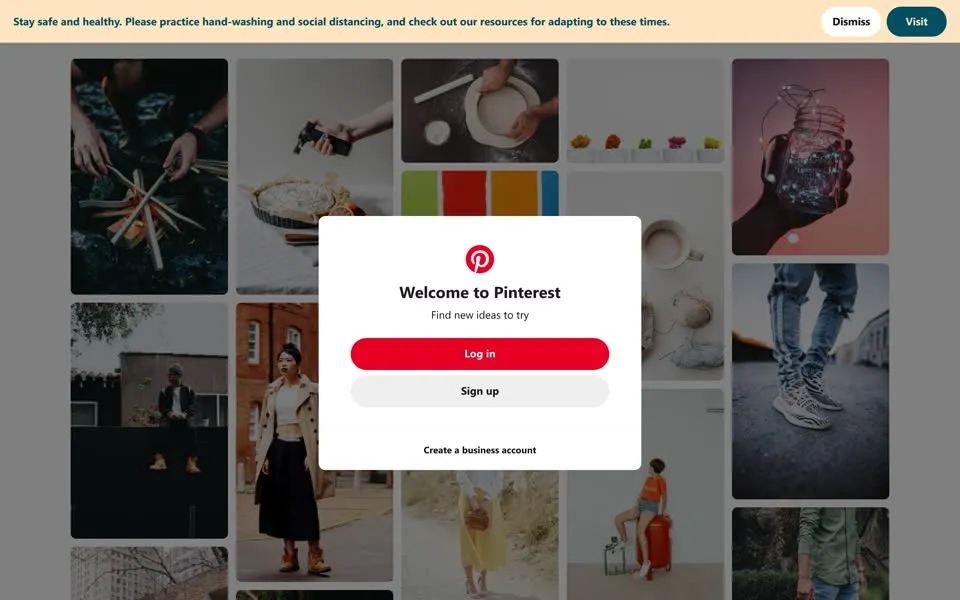
A year later, in May 2020, the pins behind the box are the same ones, but the box has shrunk to Log in
, Sign up
and Create a
business account
. Across the top runs a banner: Stay safe and healthy. Please practice hand-washing and social distancing, and check out our
resources for adapting to these times.
From 2015 the homepage's code carries a small record of the browser it was served to. The visitor in these captures is the Internet Archive itself: in 2017 and 2018 Pinterest recorded
"browser_name": "archive.org_bot", and in 2019 "browser_name": "heritrix", "browser_version":
"3.3.0", the name of the archive's crawler. The wall in front of you is the one Pinterest showed to a robot.2021 – 2024 Get your next … idea
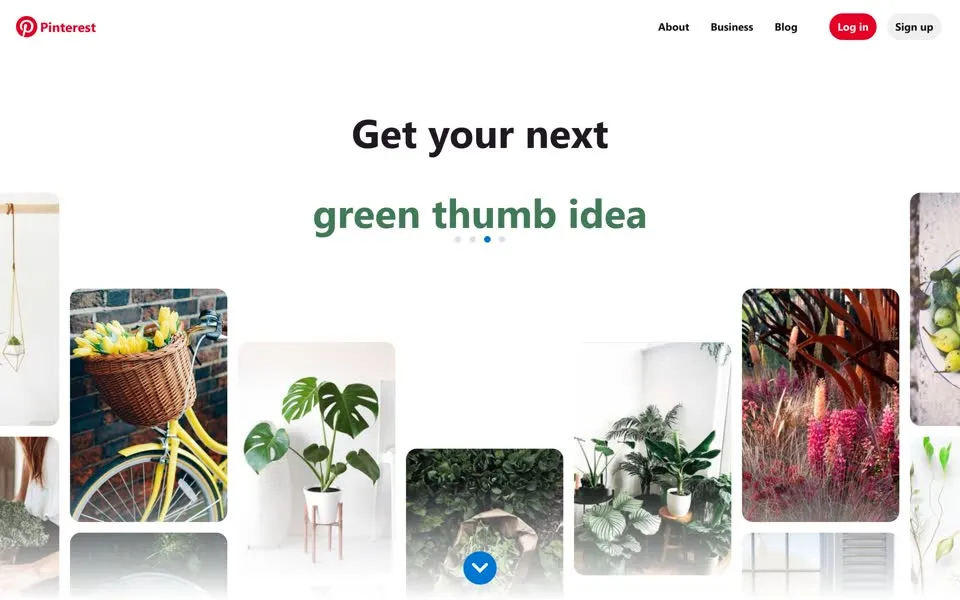
In June 2021 the box is gone. No pop-up, no blur. The name is back in the top-left corner, in plain bold letters next to the P, with
About
, Business
, Blog
, Log in
and Sign up
across the top. The page leads with one sentence whose last words
keep changing: Get your next
… green thumb idea
, and below it a fan of pins that match: a bicycle basket of tulips, a monstera, a
room full of plants, and a round blue arrow pointing down.
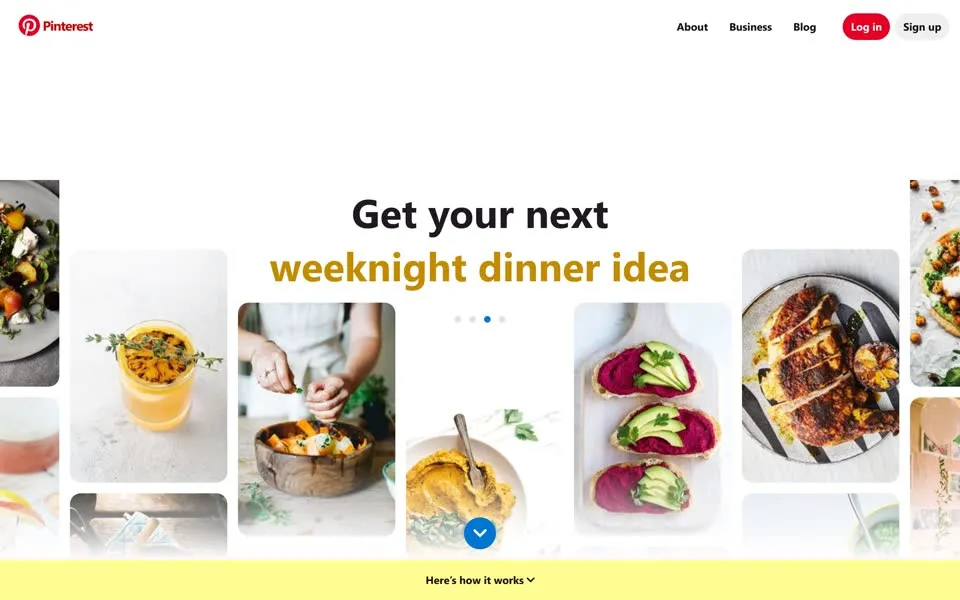
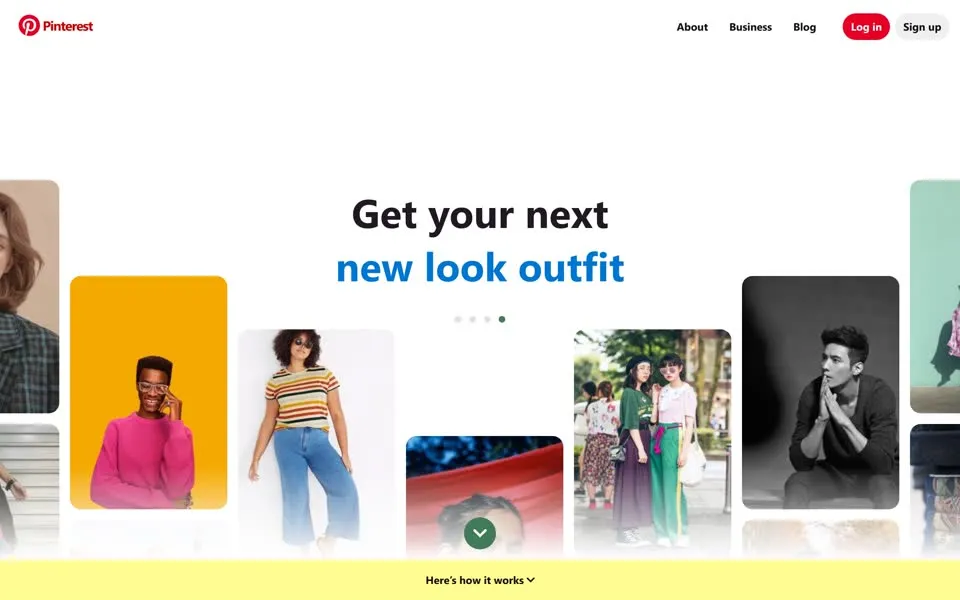
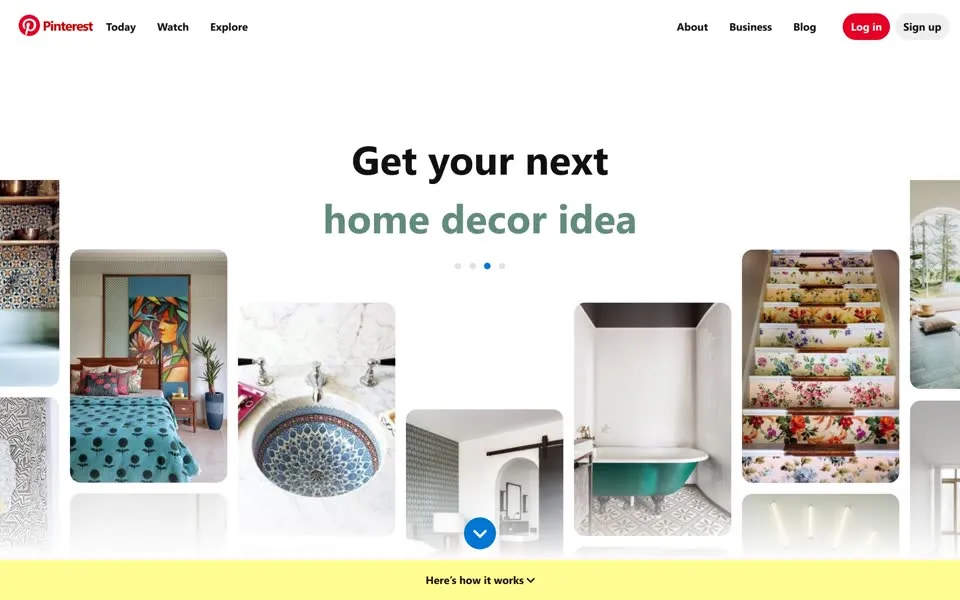
From 2021 to 2024 the captures share the same headline. The sentence is a rotator with four slides, each with its own color and pins: a green thumb idea, a
weeknight dinner idea, a new look outfit, a home decor idea. So the captures from 2022, 2023 and 2024 don't show four new homepages; they show
the same one, caught on a different slide. From June 2022 a yellow bar under the first screen adds Here's how it works
, and by February
2024 the top bar has three new words on the left: Today
, Watch
, Explore
.
One line stays put. The description Pinterest gives search engines for its homepage, hidden in the code, is the same in every capture here from May
2020 to October 2026: Discover recipes, home ideas, style inspiration and other ideas to try.
2025 The wall, again
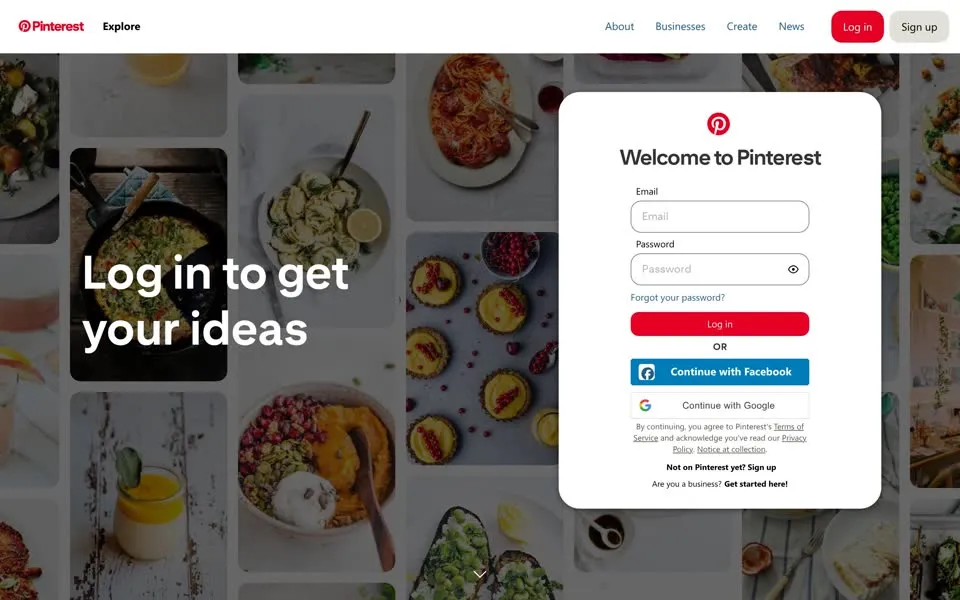
The June 2025 capture has the wall back, now with a header above it: Explore
, About
, Businesses
, Create
,
News
. Over a spread of food pins, in big white letters: Log in to get your ideas
, and beside it a Welcome to Pinterest
login
form with a Notice at collection
link in its small print.
But the archive caught other versions that year: in February 2025 the homepage still showed Get your next …
. And by now the code
records more about who is knocking than a browser name. It includes the country Pinterest guessed from the visitor's internet address:
| Capture | browser_name | version | country_from_ip |
|---|---|---|---|
| 2017, 2018 | archive.org_bot | ||
| 2019 | heritrix | 3.3.0 | |
| 2021, 2023 | Other | US | |
| 2022 | Firefox | 64.0 | FI |
| 2024 | Safari | 16.2 | GB |
| 2025 (the wall) | Chrome | 134.0.0 | DE |
| 2026 | Chrome | 148.0.0 | US |
Other; 2014 has none.So the 2025 wall is what Pinterest showed one visitor that it placed in Germany, on one day in June. It may not be what every stranger saw. It is what the archive kept.
2026 A window for strangers
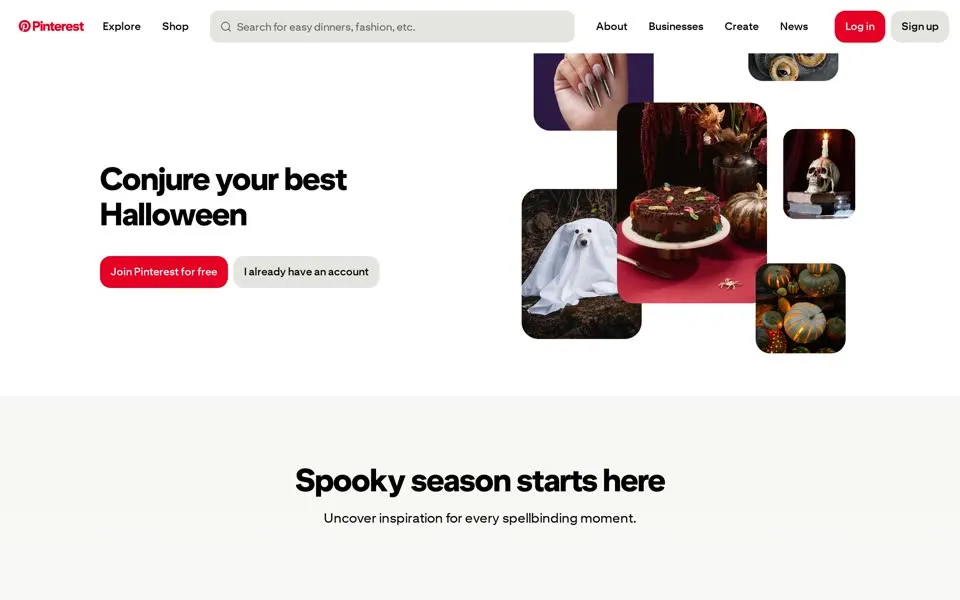
On October 1, 2026 the homepage is a seasonal shop window. Conjure your best Halloween
, a cluster of pictures (a sheet ghost, a dark
cake, a skull with a candle, pumpkins), Join Pinterest for free
and I already have an account
. Below: Spooky season starts
here
, More bewitching ideas
, and a section that shows off a tool: Search by skin tone
. In the top bar, Explore
and
Shop
, and a search box, like the one on the 2011 and 2012 pages.
The Halloween front page is also visible in the code, as a switch in the list of settings the page was served with:
"unauth_hp_halloween_dweb": "enabled_updated_header_hero". Unauth homepage, Halloween, desktop web: the same word for a stranger,
Unauth
, that named the yellow Nag
box in 2012.
FEB 2011 · Request an Invite2026 · Join for free
In 2011 a stranger could see everyone's pins and join only with an invitation. In 2013 they could join, and see almost nothing. In 2026 the door is open, and the window shows ideas before anyone signs up.pinterest.com, 2011 → 2026
- When was the oldest pinterest.com homepage in this story archived?
- The oldest capture here is from May 16, 2010, in the Internet Archive's Wayback Machine. “Curate and share the things you love.”: one early user at a time (“Evan, an architect…”) and a Request Invitation button.
- What does the pinterest.com homepage look like in 2026?
- In the newest capture here (October 1, 2026): “Conjure your best Halloween”, “Join Pinterest for free”, and a search box.
- How many Pinterest homepage captures does this story show?
- 17 captures between 2010 and 2026, at most one per year; the timeline above shows which years are included.
- When did Pinterest stop requiring invitations?
- On August 8, 2012. From then on anyone could sign up with Facebook, Twitter or just an email address; the September 2012 homepage's button reads "Join Pinterest »" instead of "Request an Invite »".
- When did Pinterest change its logo?
- In 2017 Pinterest retired its script logo for a bold sans-serif wordmark, the first update to the logo since 2011, as Creative Bloq reported at the time. The red P stayed.
- How did the Pinterest logo change on its homepage?
- The logo evolution below shows 3 logo versions we picked from the captures, from 2011, 2012 and 2026. Logos from before 2010, the first capture, aren't included.
 2011Navy script wordmark
 2012Red script wordmark, centred
 2026The P badge beside the wordmark
Each logo is cut from that year's homepage capture (the year is the capture's); click one to see it on the page. Logos from before the first capture (2010) aren't shown, and some are missing where the logo images don't render in our captures. More logo histories.
◀ drag ▶20102026
The oldest capture in this story (2010) over the newest (2026). Drag across the picture.
Whose front door should we open next?
Tell us in the YouTube comments. Every PageRewind video starts with an early archived homepage and ends with a recent one.
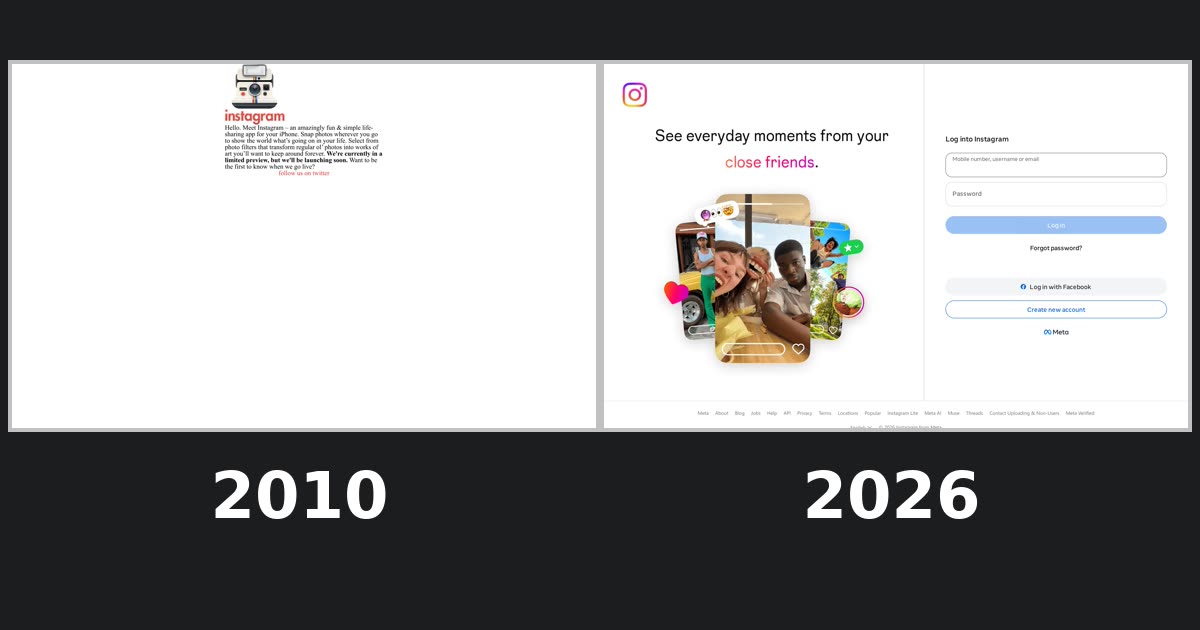 Instagram.com, 2010–2026From “Hello. Meet Instagram” to “Log into Instagram”
Sources
Facts from outside the archive link here. Quotes from the homepage itself come from the capture shown with them; click a screenshot to see the whole archived page, or the date under it to open the capture on the Wayback Machine. Word counts and the code excerpts come from the HTML of the same captures.
- Pinterest, Inc., Form S-1 registration statement (SEC), March 22, 2019. sec.gov ↗ “We were incorporated in Delaware in October 2008 as Cold Brew Labs Inc. In April 2012, we changed our name to Pinterest, Inc.”
- TechCrunch, guest post by Derek Andersen (Startup Grind interview with Ben Silbermann), April 8, 2012. techcrunch.com ↗ “Four months after launching, Pinterest only had 200 users. … ‘I personally wrote to the first 5,000-7,000 people that joined the site.’”
- Fast Company (Simone Baribeau), October 23, 2012. fastcompany.com ↗ “The app, launched in 2009 by Silbermann, Paul Sciarra, and Vikram Bhaskaran, let customers save their favorite items, alerted them when clothes went on sale, and pointed them to nearby stores. … So a year after launching Tote, Silbermann pivoted to offer people a visually appealing way to display all their collections…”
- TechCrunch (Josh Constine), August 8, 2012. techcrunch.com ↗ “Pinterest has just opened registration to the public after two years of requiring an invite to join. … Anyone can now sign up with Twitter, Facebook, or just an email address.”
- The World / GlobalPost (PRI), August 9, 2012. pri.org ↗ “The image-sharing social network Pinterest has opened itself up to the public, ditching an invite-only policy”
- Adweek, June 2, 2016. adweek.com ↗ “the Pin It button is now the Save Button, both inside and outside of Pinterest. … making Pinterest easier to understand for its users outside of the U.S., which now encompass more than one-half of its total user base.”
- Creative Bloq, August 16, 2017. creativebloq.com ↗ “…has retired its distinctive script font in favour of an altogether more hard-edged wordmark. This change is the first update to the Pinterest logo since 2011.”
- Juan Carlos Pagan (Pinterest identity co-designer), portfolio page, undated. carlospagan.com ↗ “At the center of the system is a custom logotype that transforms the letter “P” into a map pin, directly encoding the act of pinning into the brand mark itself.”
How this was made. Every homepage was captured from the Internet Archive's Wayback Machine as a logged-out visitor and checked by eye; the quotes come from the text and code of the same captures. The 2010 screenshot is frozen on the first of its ten rotating users, and the 2021–2024 screenshots on one slide each of the rotating headline. A few pins with profanity or politics in the 2011 and 2012 feeds are blurred by us. Some images don't load in our captures: the 2016 background photo, and parts of the lower half of the 2026 page. Facts from elsewhere come from the sources above.
Narration and music in the videos are made with ElevenLabs. PageRewind is independent and not affiliated with Pinterest.
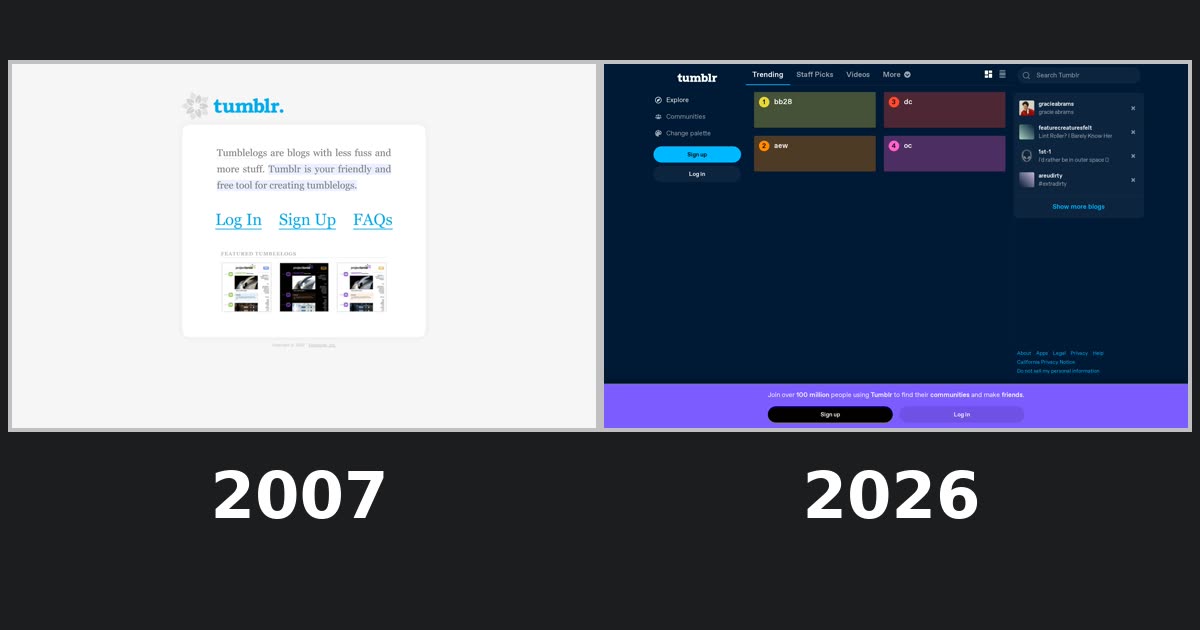 Tumblr homepage history
 Twitter homepage history